
Sharing a gaming room means making space for two habits, two sets of equipment, and sometimes two very different tastes. A good layout lets each person settle in without taking over the other station. These eighteen ideas combine desk arrangements, console seating, practical storage, and distinctive details for shared play.
Before buying furniture, sketch both equipment footprints and test the chairs with someone seated in each. Center the main display on its user, keep the mouse within easy reach, and allow space to stand up independently. Agree on which shelves and accessories are shared, then plan individual lighting controls and cable routes. Check device ventilation instructions before enclosing equipment. If the outlet locations or available electrical capacity are unsuitable, have a qualified electrician assess the supply rather than solving the layout with a chain of power strips.
Table of Contents
- 1. Stretch a Warm Wood Desk Along One Wall
- 2. Separate the Stations with a Clear Central Passage
- 3. Combine an L Layout with a Controller Collection
- 4. Give Two Stations a Shared Entertainment Center
- 5. Let a Game Library Become the Main Wall Feature
- 6. Build a Central Storage Spine Between the Desks
- 7. Use Panel Shapes to Frame an Acoustic Plan
- 8. Pair a Computer Station with a Console Lounge
- 9. Join Two Desks Without Mixing Their Cables
- 10. Set Refreshments Apart from the Keyboard Area
- 11. Define a Gaming Zone with a Storage Platform
- 12. Mix Seating Styles Around Matching Wood Desks
- 13. Give Each Player a Drawer Unit and a Shared Middle
- 14. Use a Low Partition for a Retro Collection
- 15. Frame a Gothic Gaming Alcove with Drapery
- 16. Center a Gothic Wall on a Pink Screen Surround
- 17. Separate Two Stations Around a Pointed Window
- 18. Soften Black Gaming Furniture with Floral Pastels
1. Stretch a Warm Wood Desk Along One Wall
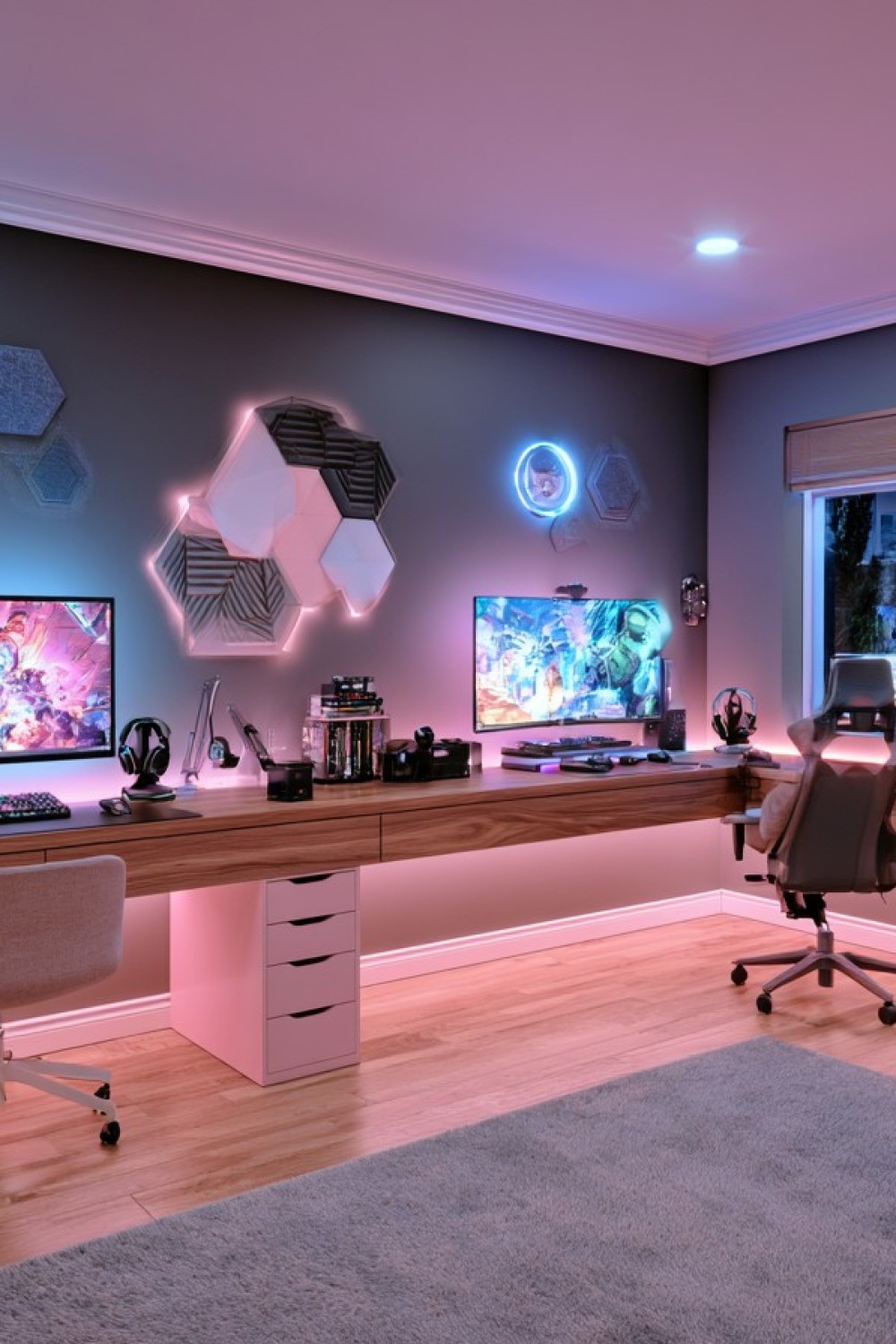
A long timber surface connects the two stations, while a white drawer unit creates a simple division below. Pink light warms the gray wall and pale floor, with blue accents around the right hand display. The chairs differ, showing how coordinated furniture can still accommodate personal preferences. The desk remains the strongest connecting element rather than requiring every accessory to match.
Allocate desk width around each player's actual mouse movement, keyboard, and monitor arrangement. A shared cabinet can hold spare cables, but daily essentials need a place reachable from each seat. Before choosing a long span, check the desktop's support requirements and equipment load. If monitor arms are planned, confirm that the top and its fixing points can carry them without relying on appearance alone.
2. Separate the Stations with a Clear Central Passage
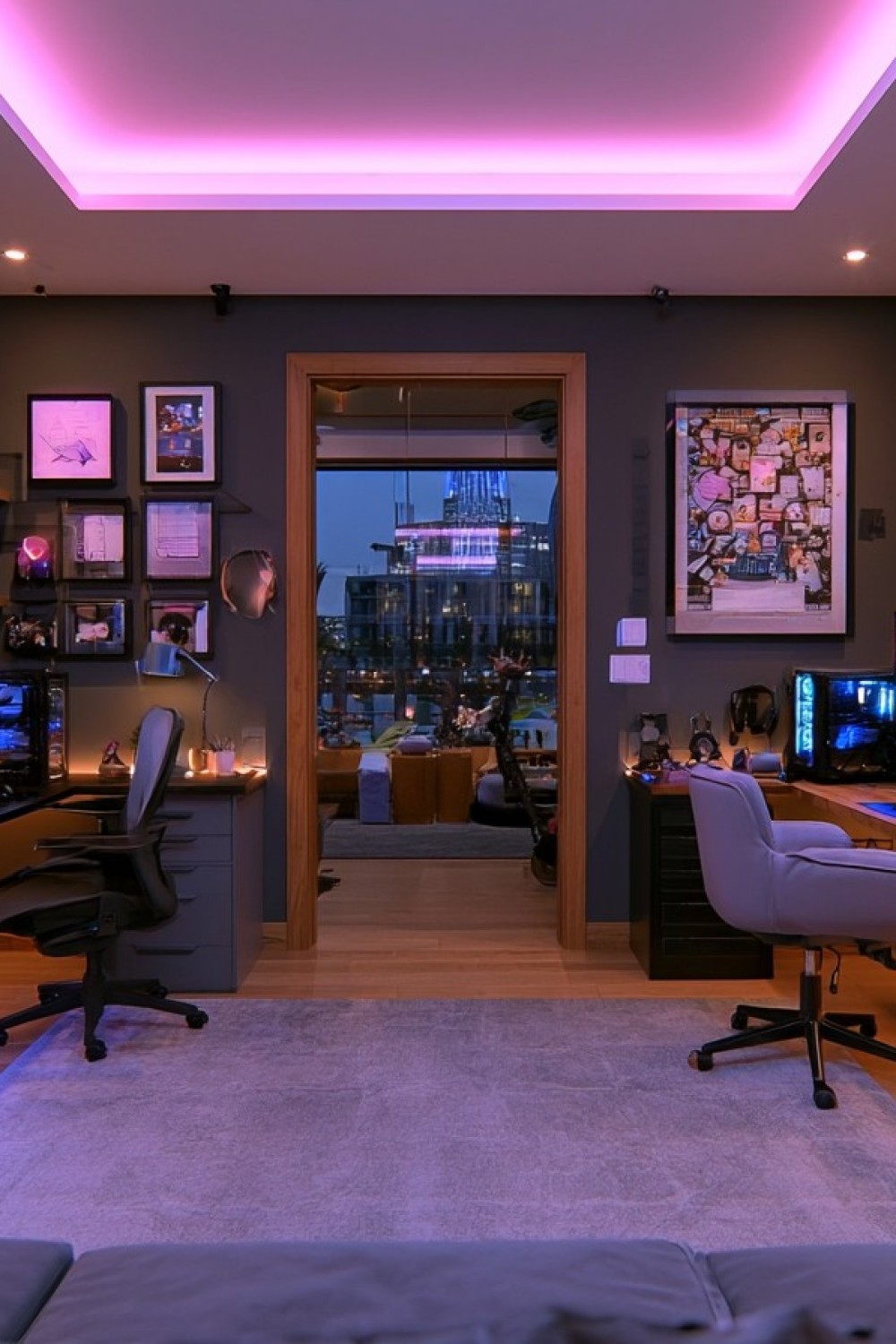
The desks face away from one another, leaving the doorway visible between the stations. This arrangement gives each player a separate wall for equipment and pictures, while the pink ceiling light ties the room together. A large central rug establishes a shared area even though the desktop views are different. It is a useful option for people who want their own visual space.
Measure the passage with both chairs pushed back into their normal exit positions. If the chairs collide, offset the desks along the walls rather than narrowing the route to the door. Lighting and cameras also need individual tests so one person's setup does not shine into the other's face. Keep the doorway free of cables, even when the shortest connection would run straight across it.
3. Combine an L Layout with a Controller Collection
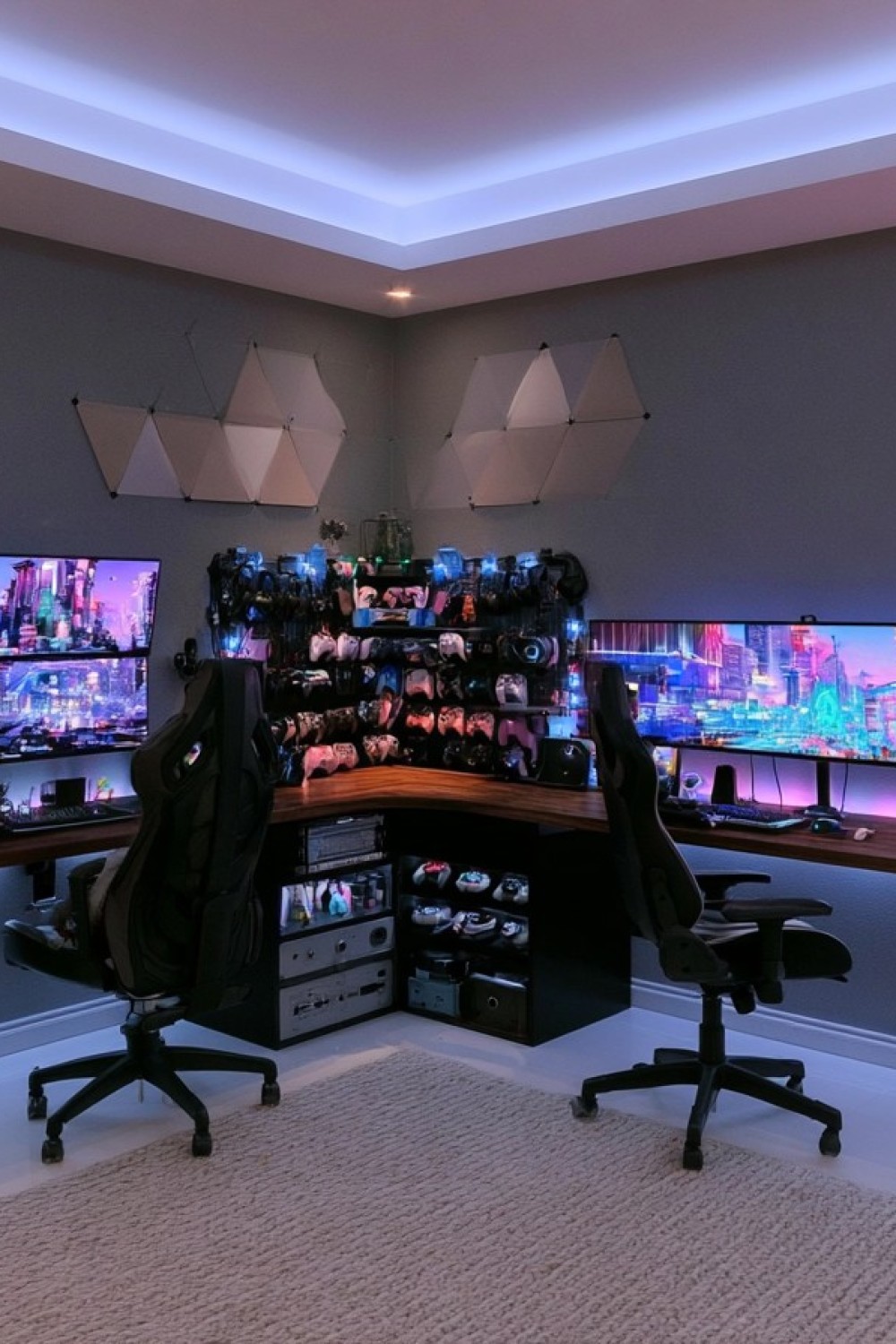
The corner joins two distinct screen arrangements: stacked displays on the left and a wide monitor on the right. Controller racks make the junction a shared collection area, with additional storage beneath the desk. Pale geometric wall panels and a light rug soften the darker chairs and equipment. The layout suits players who need different screen formats but prefer to remain close enough to talk.
Keep the keyboard and main display aligned with each seated position rather than turning both players toward the corner. The dense controller display is worth editing if it makes cables or sockets difficult to reach. Give regularly used controllers accessible hooks and reserve the less convenient spots for occasional favorites. Leave the desk junction serviceable, with supports positioned outside the space needed for knees and chair movement.
4. Give Two Stations a Shared Entertainment Center
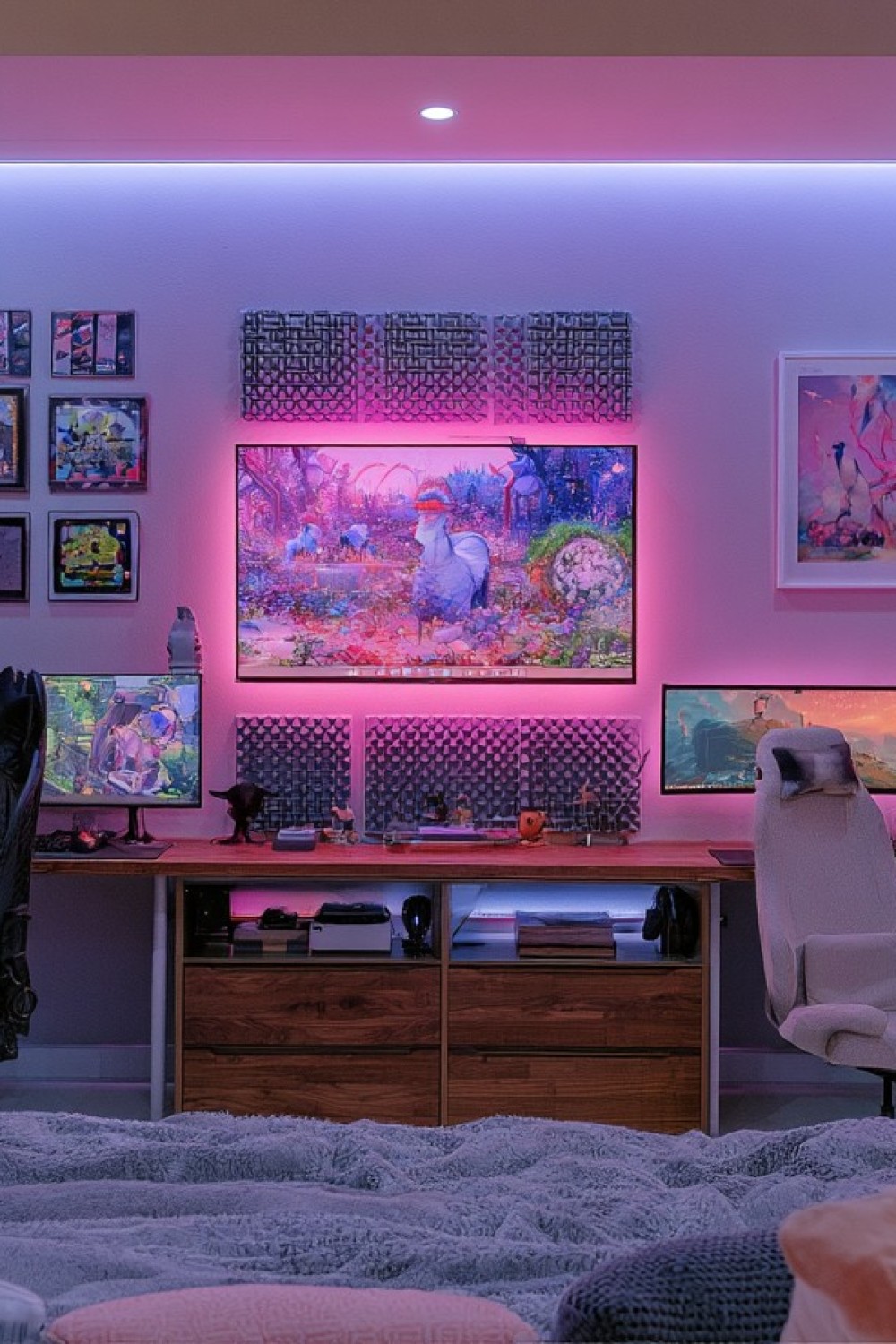
A large central screen sits between the individual monitors, above a broad timber storage unit. Pink lighting and graphic wall details create one entertainment wall rather than two unrelated desks. Open compartments can accommodate accessible accessories, while the drawers conceal less attractive supplies. This arrangement gives the room a place for shared media alongside independent play.
Treat the elevated center screen as a separate viewing position. A sofa or chair farther back may work better for it than either desk chair directly below. Keep each player's main gaming display at a comfortable height in front of their seat. Plan the media connections separately from the desktop systems so switching to a shared session does not mean unplugging equipment that the other person is still using.
5. Let a Game Library Become the Main Wall Feature
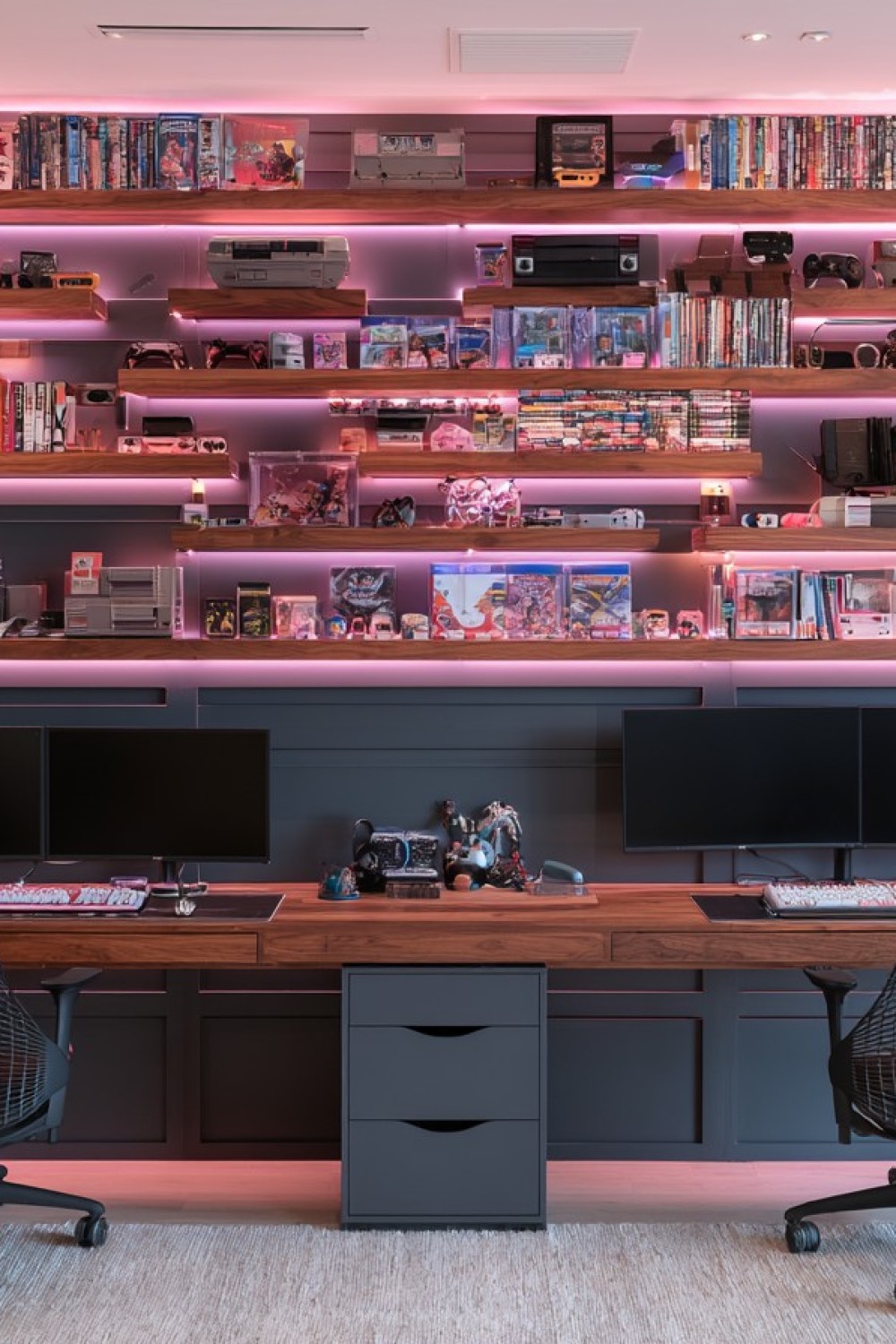
Staggered timber shelves make the collection the focal point above two understated stations. Game cases, handheld devices, and older consoles sit at varied heights, while pink lighting outlines the rows. The wood desktop repeats the shelf finish, and dark blue cabinetry provides a quieter base. It is a display suited to players who enjoy browsing their collection as much as using the latest equipment.
Arrange games in a system both people can follow, such as platform first and title second. Put frequently handled cases on lower shelves and leave room to lift a console out without disturbing nearby objects. Specify shelf fixings for the loaded weight. Inspect older equipment before connecting it, and keep collectible display storage separate from the ventilated space needed for working devices.
6. Build a Central Storage Spine Between the Desks
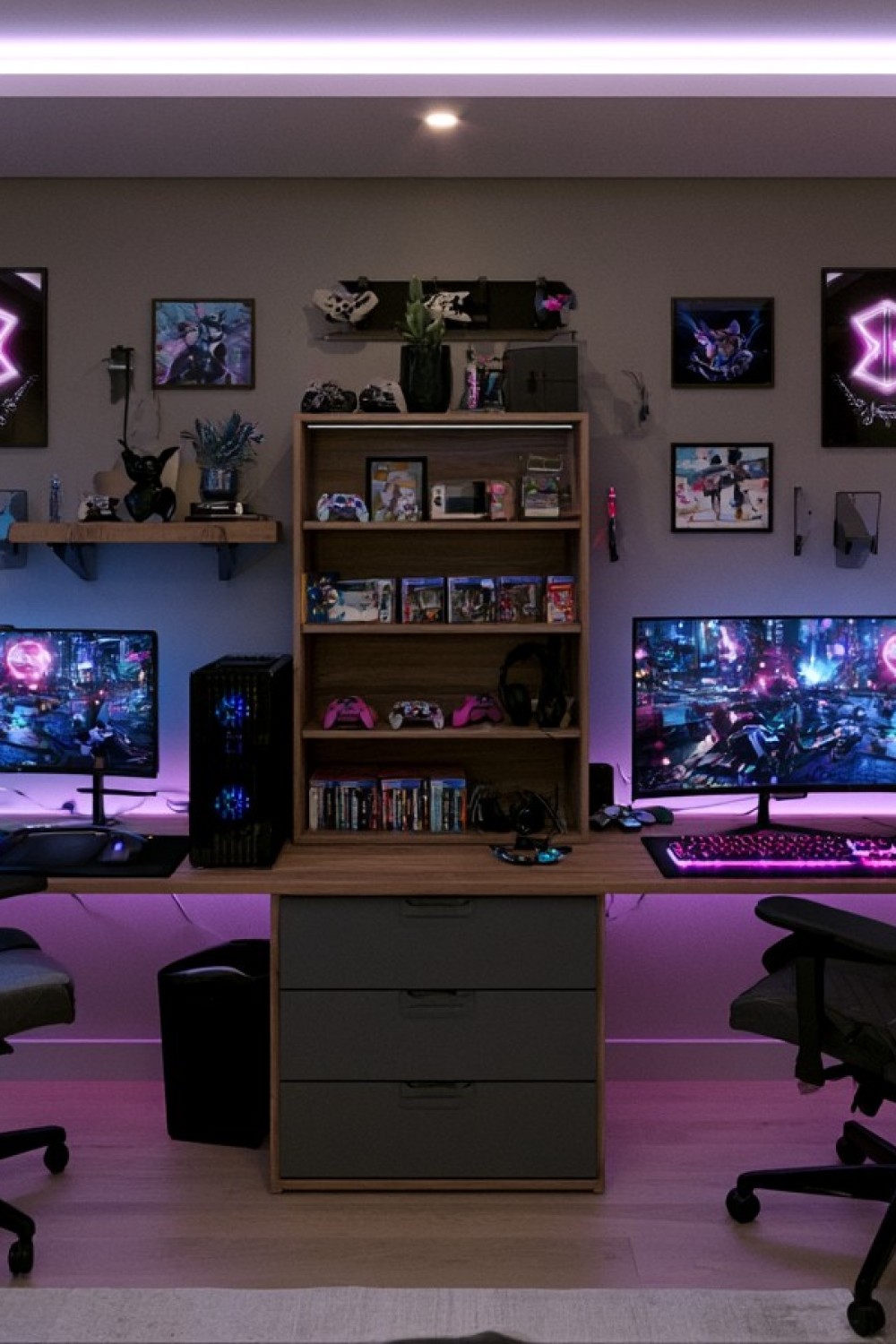
A wood bookcase rises from the central drawer unit, creating a vertical boundary between the displays. Controllers and game cases are easy to identify on the open shelves, while smaller supplies can disappear into the drawers below. Personal pictures remain on either side, giving the wall a shared center without erasing each player's interests. The layout gathers storage where both people can reach it.
A tall shelf unit resting above desk level needs a stable, secured installation; do not copy an unsupported stack of furniture. Keep the cabinet depth clear of either player's legs. Assign the drawers deliberately, perhaps one personal drawer each and a shared space for spare adapters. The nearby computer also needs room around its intake and exhaust, so the central structure should not trap it against a solid side panel.
7. Use Panel Shapes to Frame an Acoustic Plan
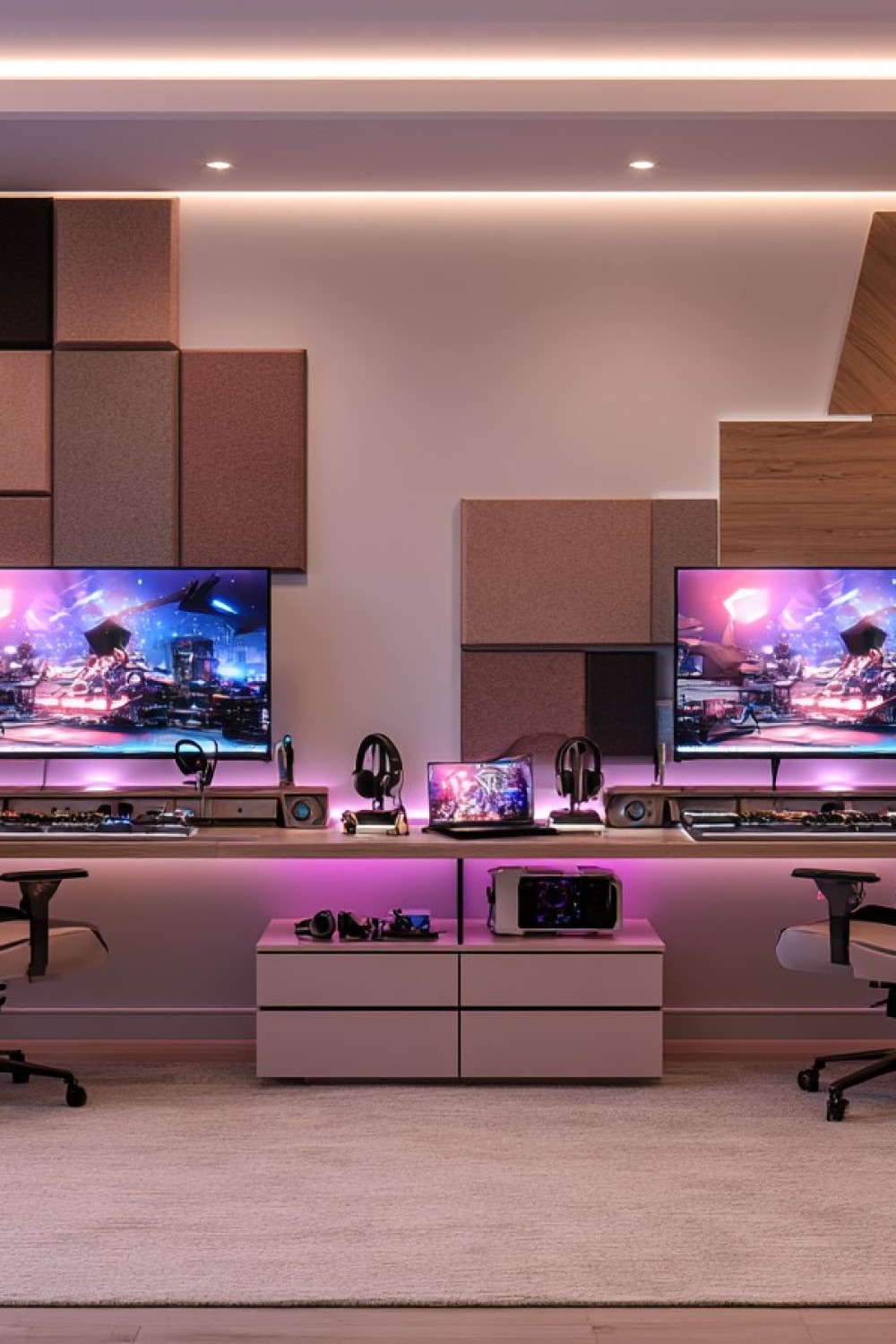
Rectangular panels form uneven blocks behind the two monitors, giving the wall a rhythm beyond simple symmetry. Headset stands and a small central laptop create a shared middle zone, while white storage units keep the lower section light. Warm ceiling lighting and pink accents provide different layers of illumination. The panel arrangement offers a visual starting point for rooms used for voice chat.
Choose acoustic products by their documented performance rather than assuming any fabric covered rectangle absorbs sound effectively. Suitable panels can help reduce reflections inside a room, but they do not automatically isolate voices from neighboring rooms. Test a short recording with both players speaking before deciding what needs improvement. Microphone distance, direction, and input settings deserve attention alongside treatment; a shared room will still require considerate voice levels.
8. Pair a Computer Station with a Console Lounge
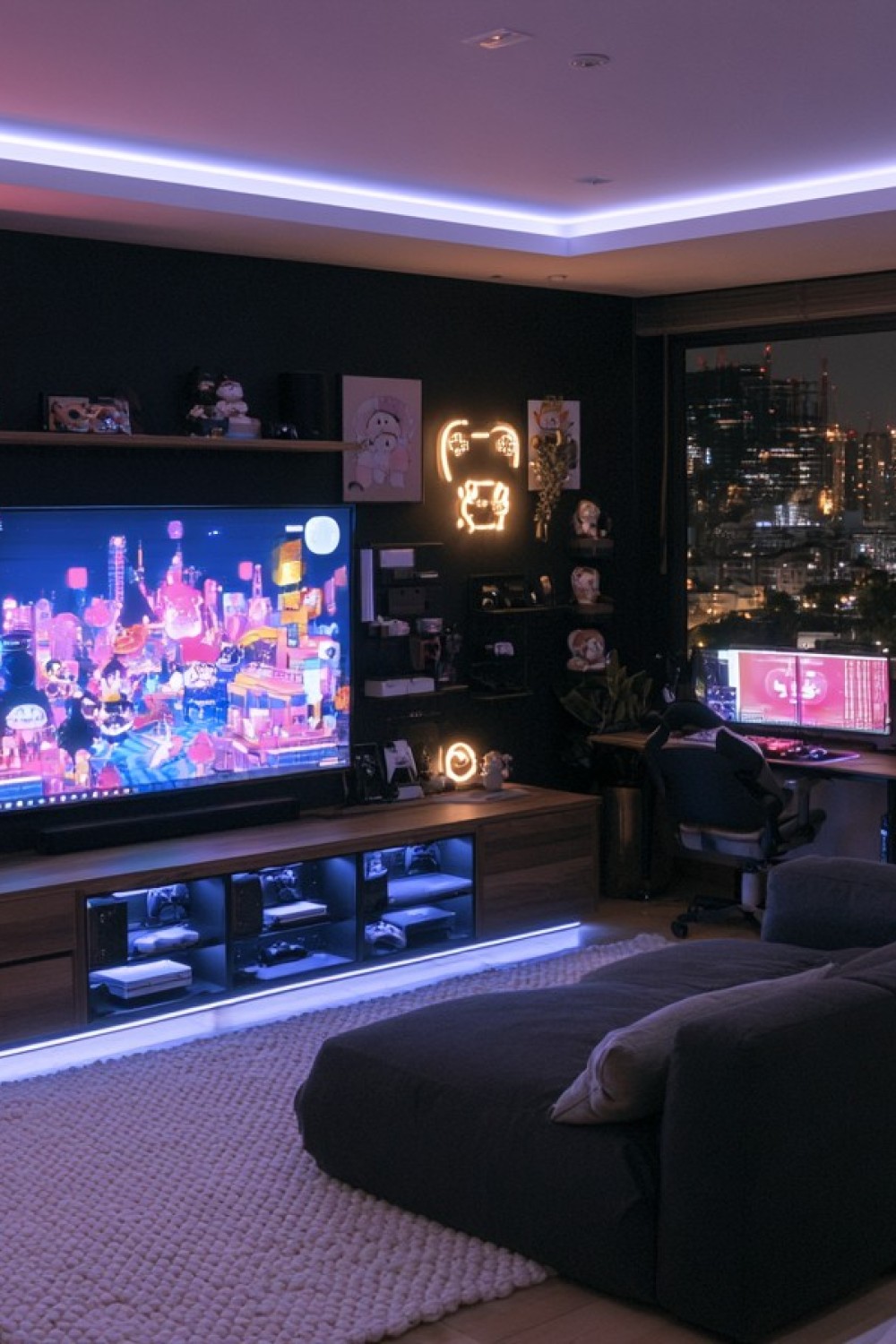
This room combines a television lounge with a computer station beside the window. A deep dark sofa faces the large screen, while the long media cabinet gives controllers and consoles a defined area. Blue lighting outlines the lower storage, and the dark walls keep the displays prominent. The idea is useful when the two players prefer different ways to sit and play.
Plan the lounge and desk as independent zones before assuming they can run comfortably together. Headphones may be helpful when one person uses voice chat and the other watches television. Follow the console's stated ventilation clearances; an illuminated compartment is not necessarily a suitable operating space. Check the rear of the cabinet as well as the visible front, and leave a practical route for removing or reconnecting devices.
9. Join Two Desks Without Mixing Their Cables
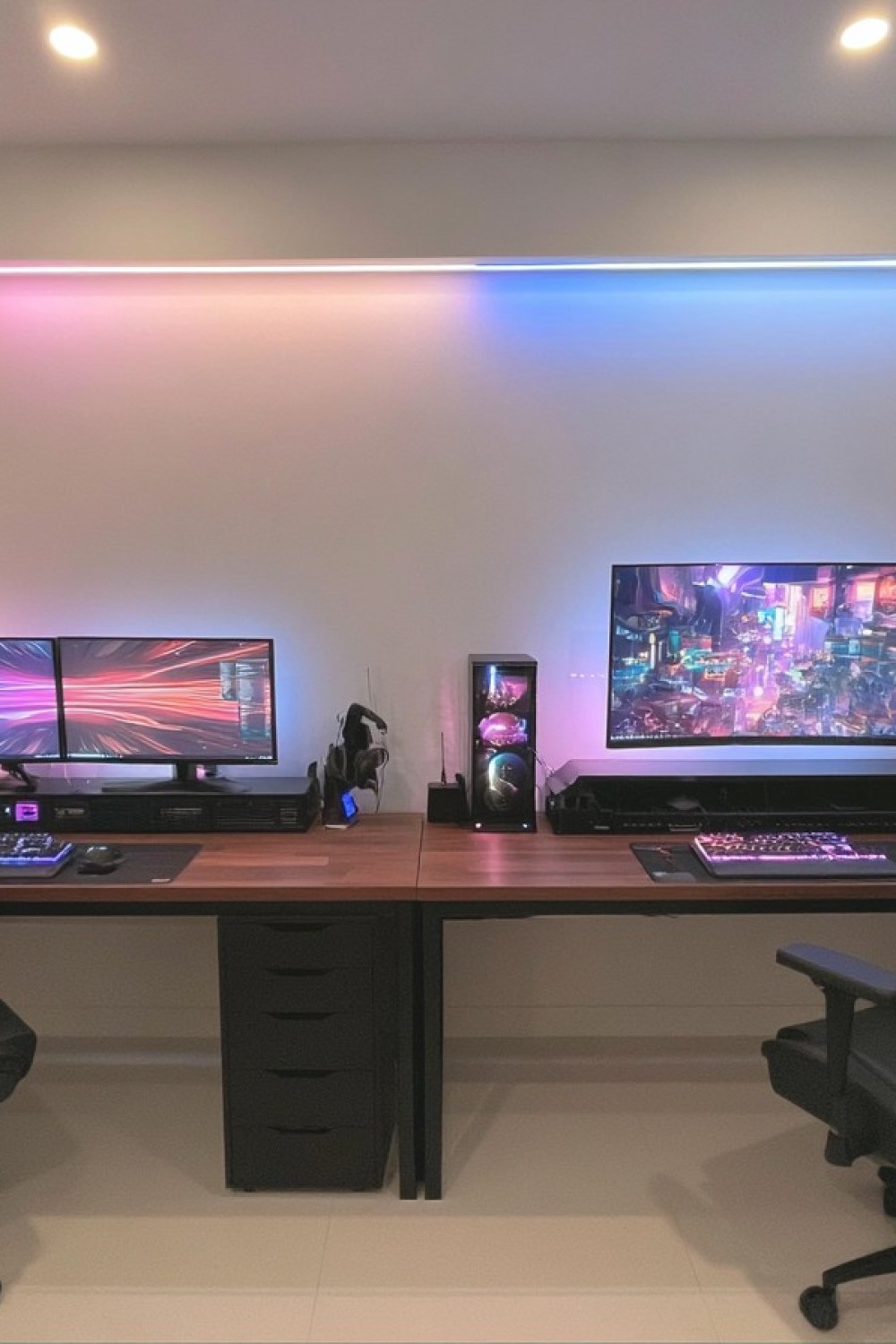
Two timber desktops meet at a visible joint, forming one long line while accommodating different equipment. The left station has paired monitors, and the right uses one larger display. A computer and small accessories occupy the junction, with pink and blue lighting providing a subtle division on the plain wall. The open floor below makes the arrangement look less crowded.
Use a separate cable bundle for each station, with labels where similar connectors could be confused. Provide cable routes and service access within the actual installation so wiring stays organized and reachable behind the tidy front. Keep power connections inspectable, avoid chaining strips, and use products rated for the connected load. Leave a controlled amount of slack for monitor adjustment, with loops secured away from chair wheels and feet.
10. Set Refreshments Apart from the Keyboard Area
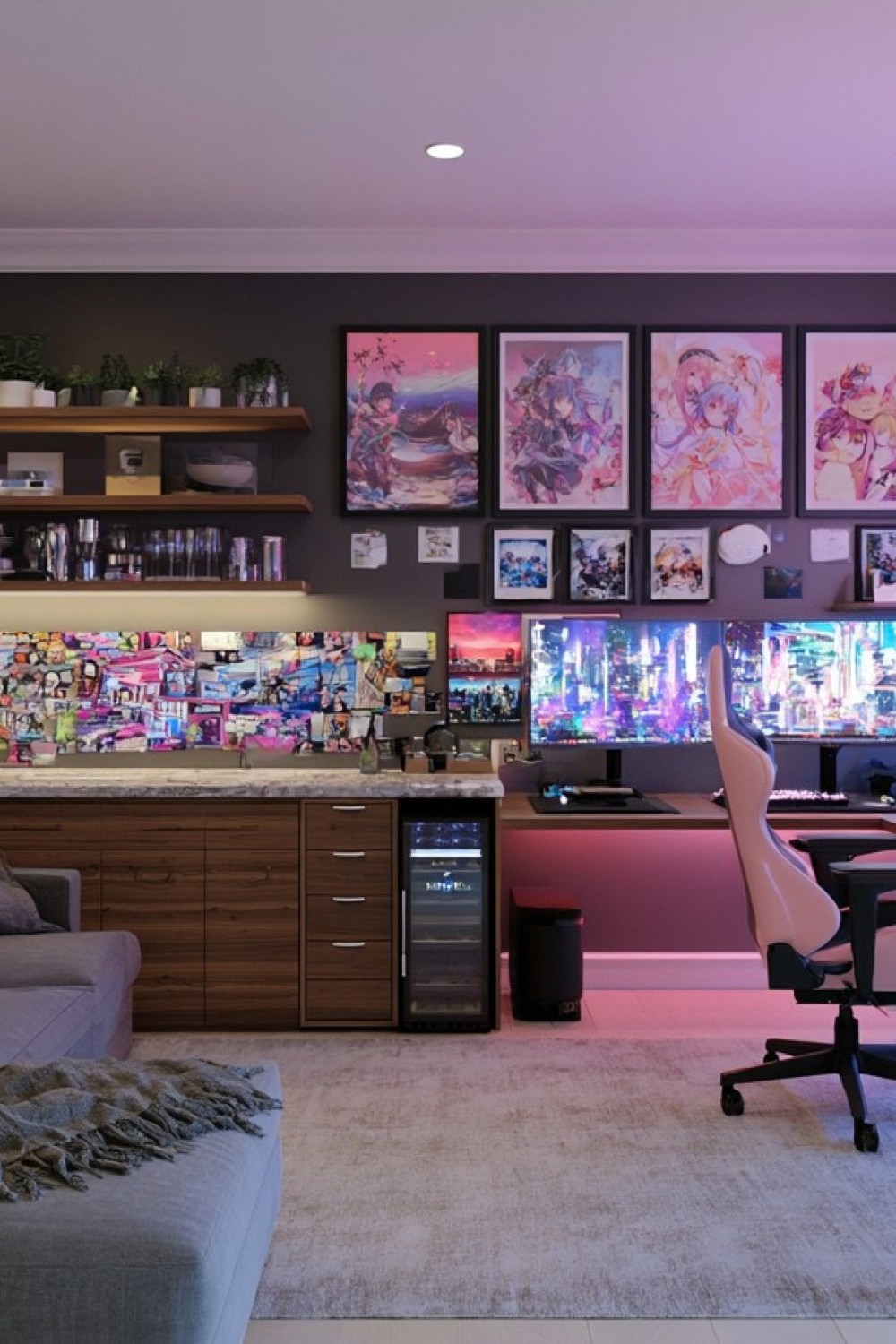
The refreshment cabinet gives cups and drinks a surface away from the visible gaming station. Wood fronts connect it to the desk, while open shelves and framed artwork continue the room's personal theme. A compact refrigerator fits beneath the counter, and the nearby sofa creates a place to pause between sessions. This detail can be added to a shared room without requiring another full workstation.
Choose the refrigerator model before designing its enclosure. A unit approved for built in installation may have different ventilation needs from a freestanding appliance, even when both fit the opening. Confirm its electrical requirements as part of the room plan. Keep the counter easy to wipe and the refrigerator door clear of chair movement. A small tray for drinks can encourage both players to keep open cups away from keyboards.
11. Define a Gaming Zone with a Storage Platform
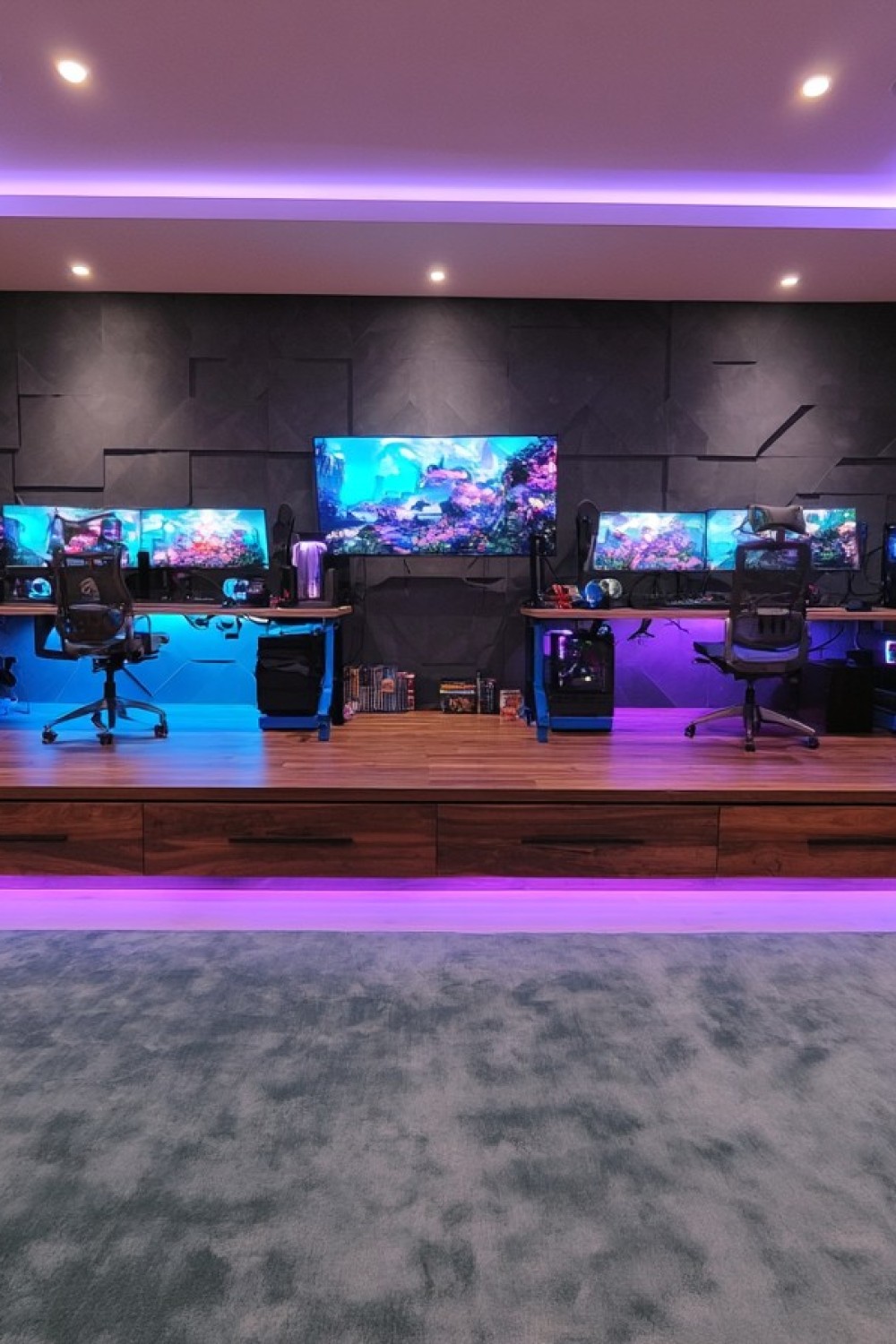
Both stations occupy a raised timber platform, with broad drawer fronts along its edge. Blue light marks one side and purple the other, while a central screen anchors the wall. The level change makes the gaming area distinct from the large rug in front. The drawers add capacity beyond what individual desk units would provide, but the construction changes how people move through the room.
Have the platform and its load assessed before construction, including its furniture, equipment, and occupants. Allow enough surface behind each seat for the chair's full movement so casters cannot roll over the edge. The step must remain easy to see in normal lighting, and open drawers should not obstruct access. Where a raised floor would complicate circulation, a contrasting rug can establish the same shared zone more simply.
12. Mix Seating Styles Around Matching Wood Desks
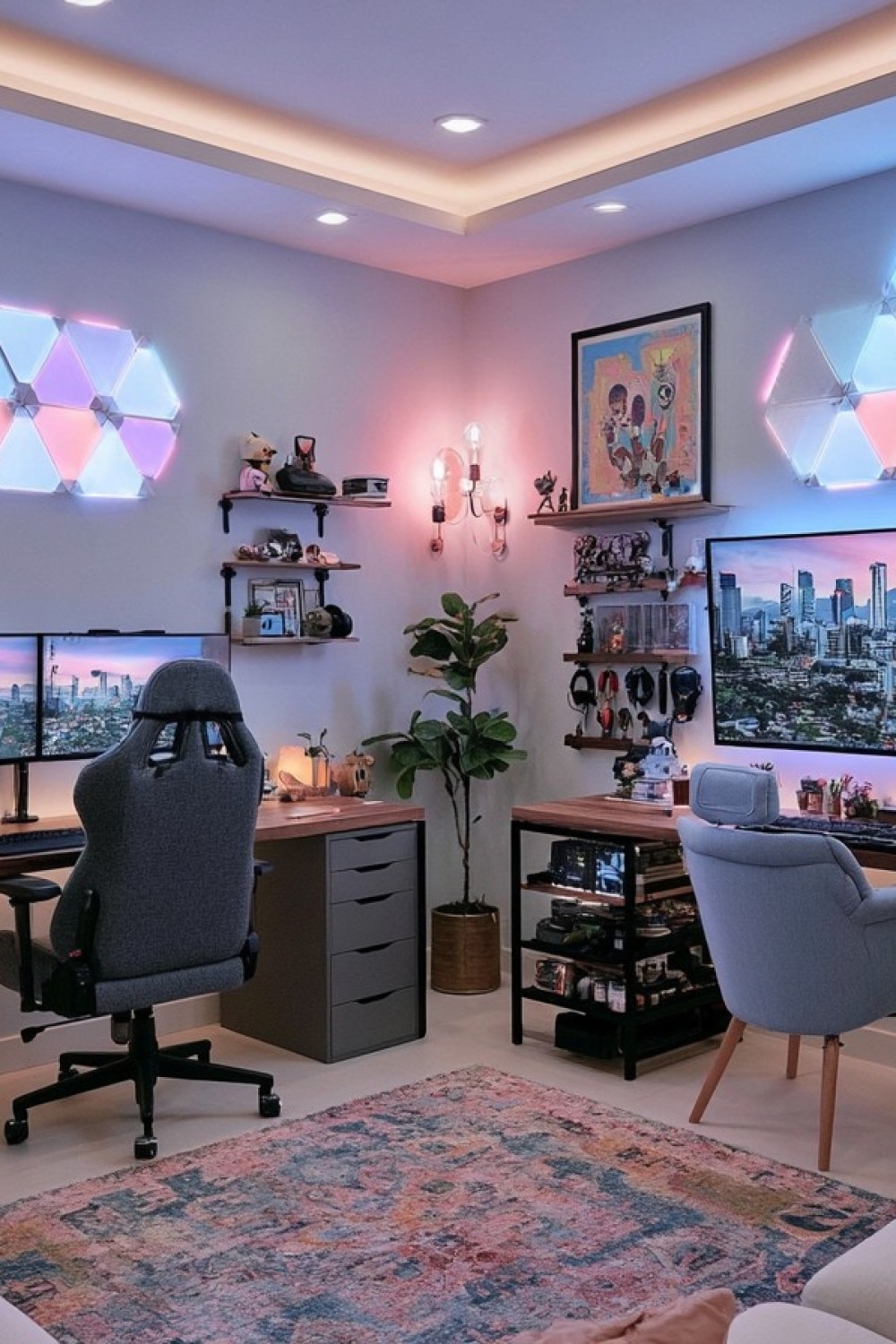
The two desks share a timber finish, but their seating and storage differ. A tall rolling chair serves the left station, while a pale upholstered armchair sits at the right. Gray drawers contrast with open black shelving, and a plant occupies the gap between the desks. Pastel wall lights and a patterned rug connect the distinct pieces without demanding a matching set.
Select each chair for the activity and the person using it. The upholstered armchair may suit controller play, but test whether its seat and arm height allow comfortable keyboard use at that desk. Adjust the screen position around the seated eye line rather than the furniture's decorative proportions. Keep the plant outside the chair route and choose a contained watering arrangement so it does not drip toward the nearby equipment.
13. Give Each Player a Drawer Unit and a Shared Middle
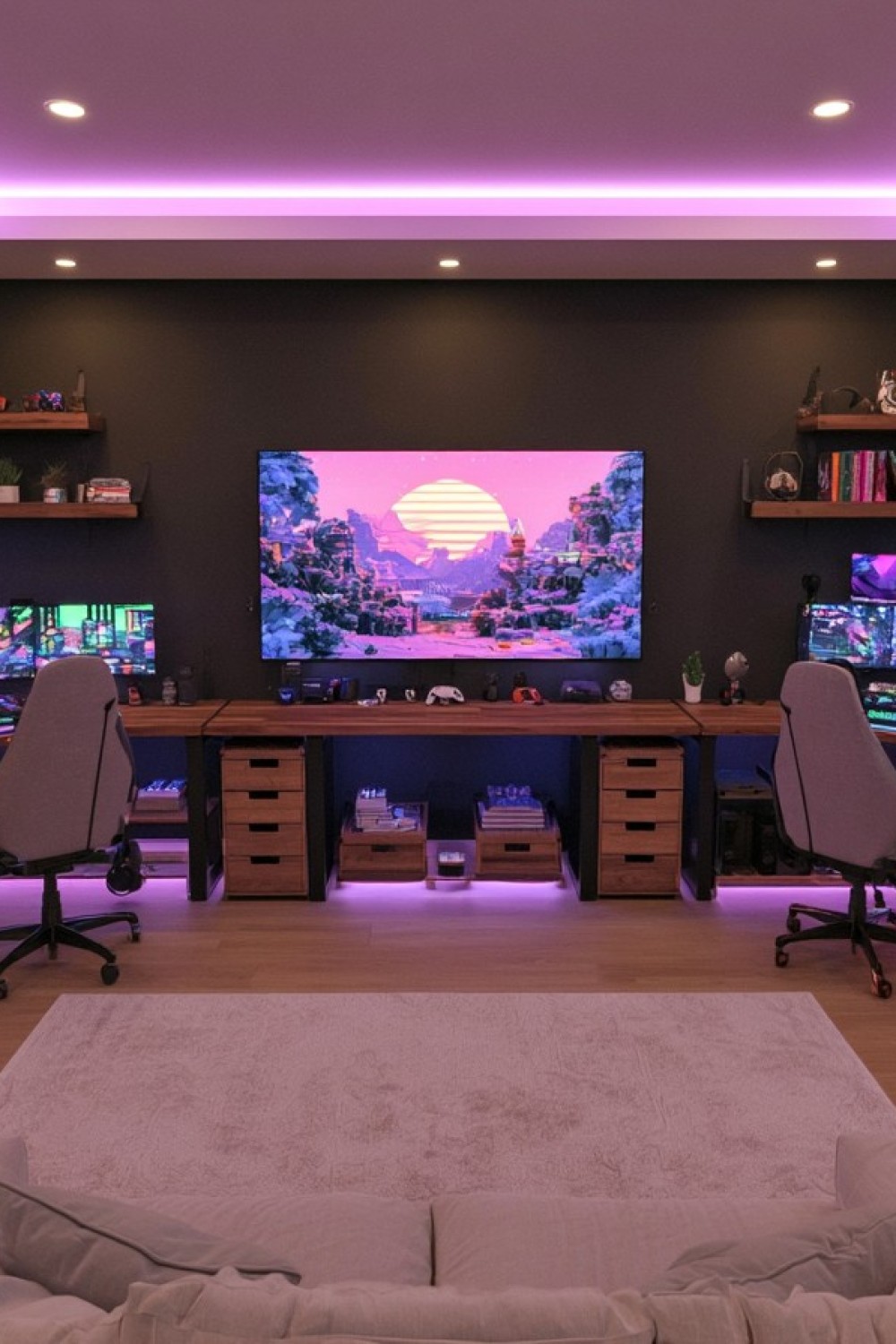
Wood drawer units establish personal storage near each workstation, while the center surface holds controllers beneath a large television. Boxes occupy the space below that shared area, leaving the stations at the ends visually distinct. Pink ceiling lighting and a dark backdrop unify the wall. The sofa in front suggests a second viewing position for shared games or watching together.
Label drawer contents according to how each player organizes things; identical exteriors do not require identical interiors. Keep frequently swapped items near the appropriate station, and use the middle for accessories both people share. Before adding more boxes, test that each player can reach the drawers without stretching across the other's desk. The center television should be viewed from a suitable distance rather than becoming another screen requiring an upward glance during desktop play.
14. Use a Low Partition for a Retro Collection
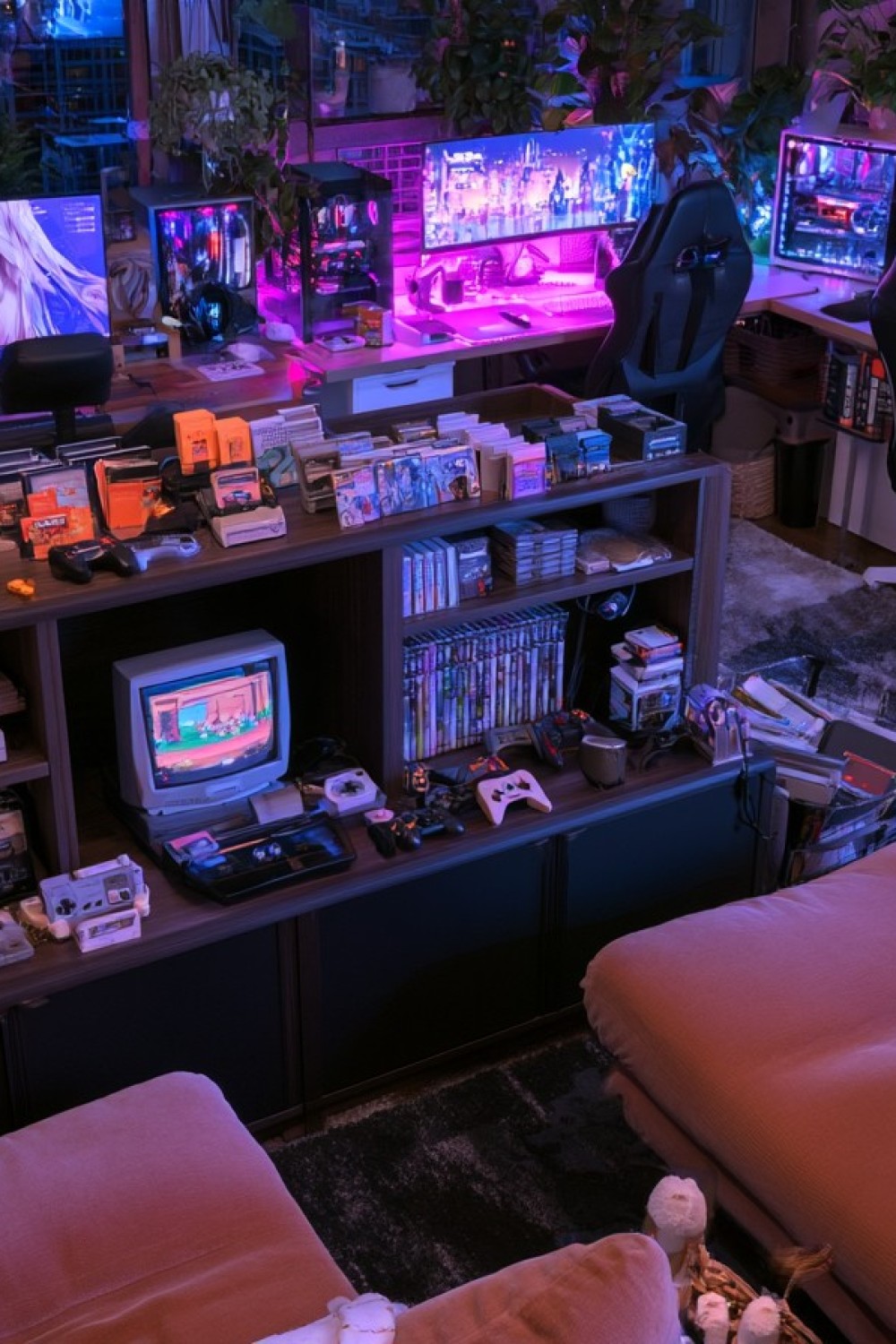
A low cabinet divides the modern computer stations from the seating area in front. Its open compartments contain a small retro style television, controllers, and game cases, while additional cartridges and handheld devices line the top. The collection creates a destination separate from the larger monitors behind it. This approach suits players who want older games to remain accessible instead of disappearing into storage.
Keep the partition low enough that it does not cut off communication or obstruct the room's route. Give the retro screen a comfortable viewing position, with frequently used controls reachable from the seating. Check older electrical equipment before use and choose shelving that can carry its weight. A densely packed display needs editing around an operating device so its vents and connections remain accessible; decorative completeness should not make everyday play cumbersome.
15. Frame a Gothic Gaming Alcove with Drapery
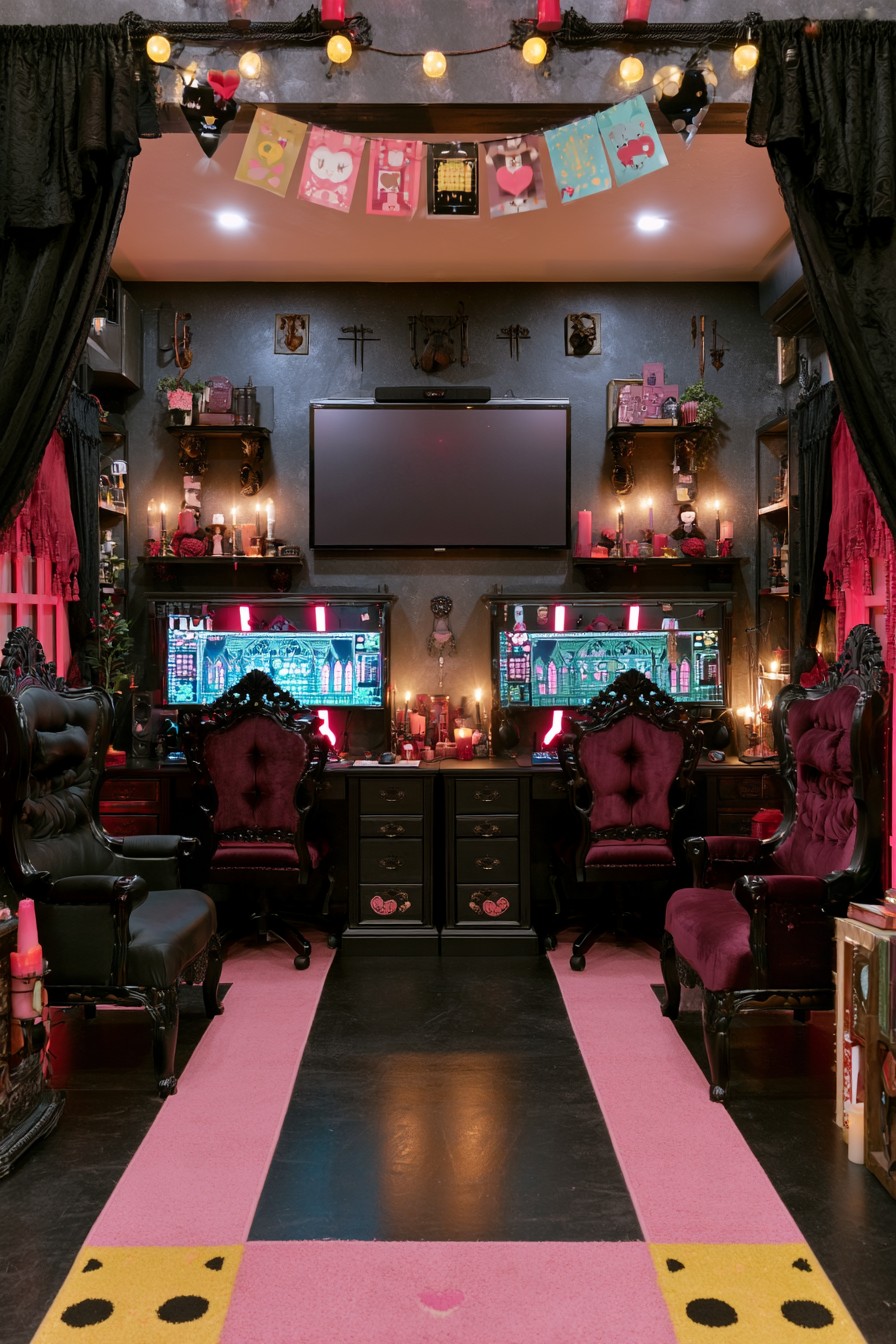
Black drapery frames the entrance to a richly decorated pair of gaming stations. Burgundy desk chairs sit beneath an elevated television, while larger carved seats along the sides introduce a lounge element. Pink fabric, a bordered rug, and playful bunting keep the dark furniture from feeling solemn. The result is a theatrical alcove that combines shared interests with a strong decorative identity.
Borrow the framing effect without filling every desktop with ornaments. Keep enough room for each keyboard and mouse, then place display pieces on stable shelves outside the equipment zone. Use flameless lighting for the candle effect close to drapery and electronics. The ornate chairs also need a real seating test: check desk clearance and reach rather than assuming that a decorative chair on casters offers the adjustment required for long sessions.
16. Center a Gothic Wall on a Pink Screen Surround
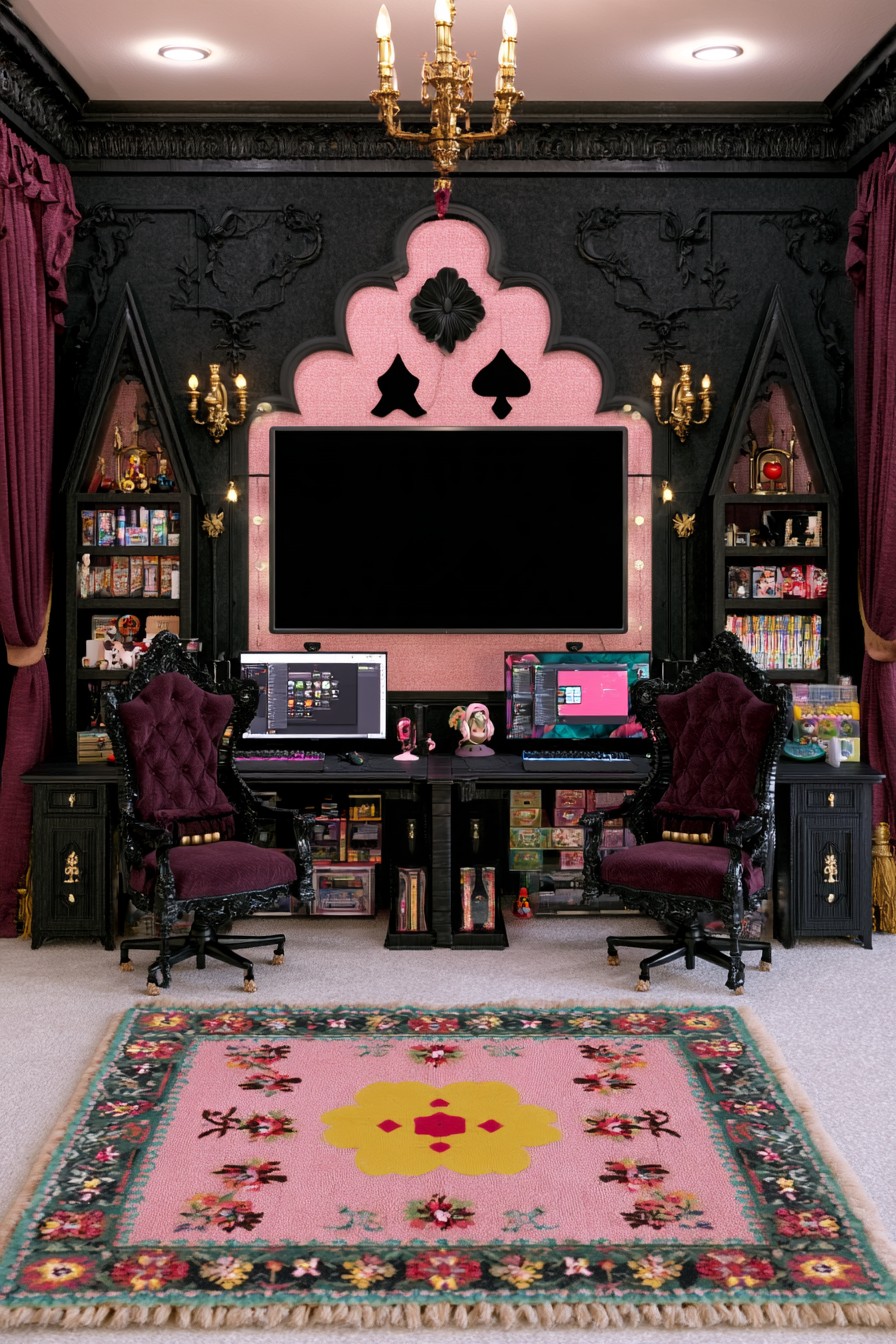
A pink scalloped surround gives the large television a prominent center, with card suit motifs reinforcing the playful theme. Pointed black bookcases flank it, and gold lighting contrasts with burgundy seating. The floral rug introduces another softer element below the elaborate wall. Matching desk finishes and chair silhouettes establish symmetry even though each station's screen and accessories have their own arrangement.
Translate the composition by choosing one decorative focal point first, then sizing the side storage around the room. The books and game boxes shown below the desks would need to stay clear of knees and feet in a working setup. Reserve proper legroom before using those spaces for a collection. Position the central television for viewing from farther back, and keep wall lighting adjustable so reflections do not interfere with either player's monitor.
17. Separate Two Stations Around a Pointed Window
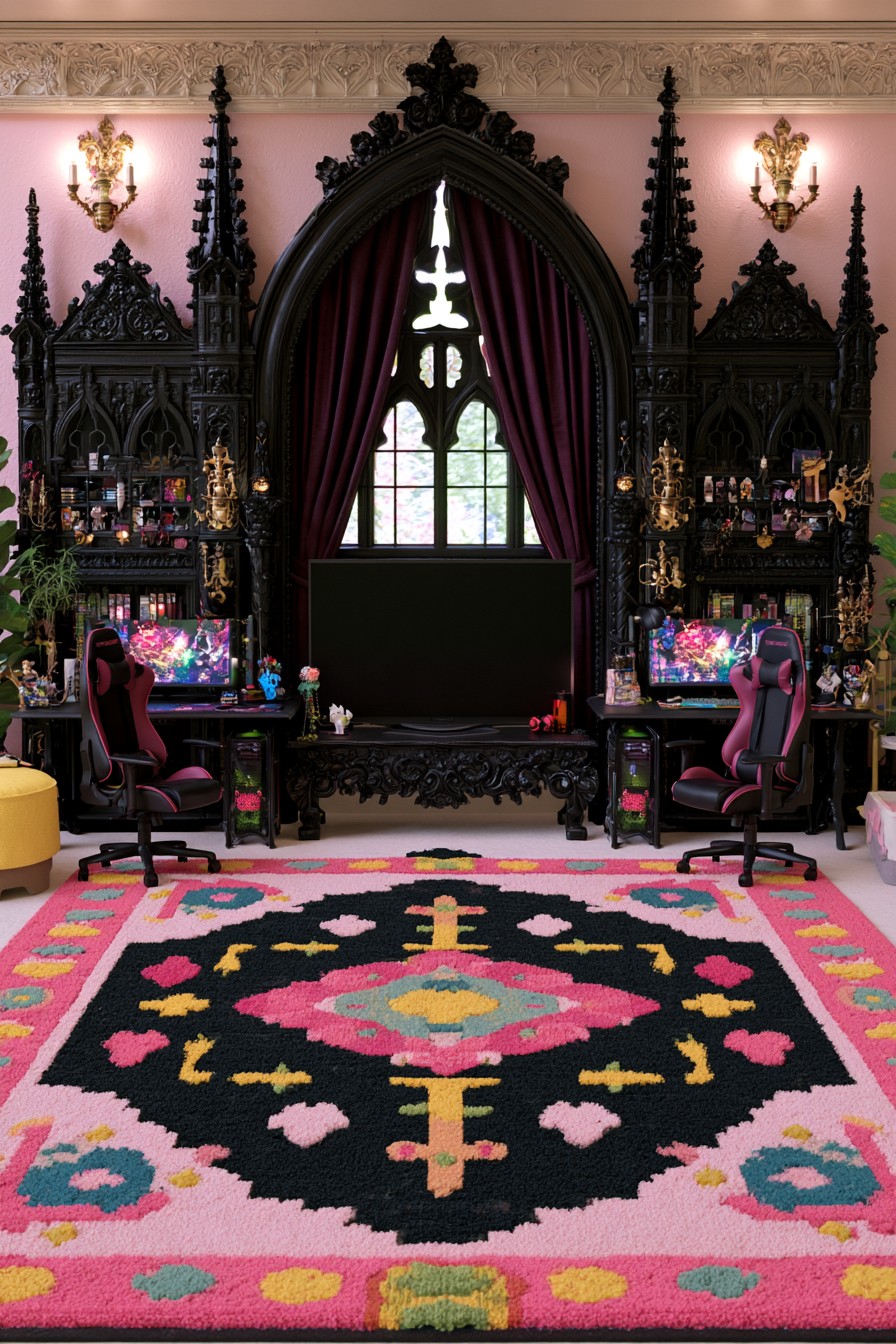
A tall pointed window and burgundy curtains form the architectural center of this room. Elaborate black shelving towers surround the individual desks, while pink walls and a bold patterned rug lighten the Gothic framework. The desk chairs have a contemporary profile, creating a useful contrast with the decorative joinery. The stations remain distinct because the central television sits on its own furniture.
A smaller room can borrow the pointed outlines through a limited amount of trim rather than reproducing the full wall of ornament. Plan tall shelving with suitable fixings and leave equipment ventilation clear within the lower sections. Retain access to the window for its intended operation and maintenance; a television should not become a permanent barrier to required openings. Control daylight with practical curtains so neither monitor has an unavoidable bright reflection.
18. Soften Black Gaming Furniture with Floral Pastels
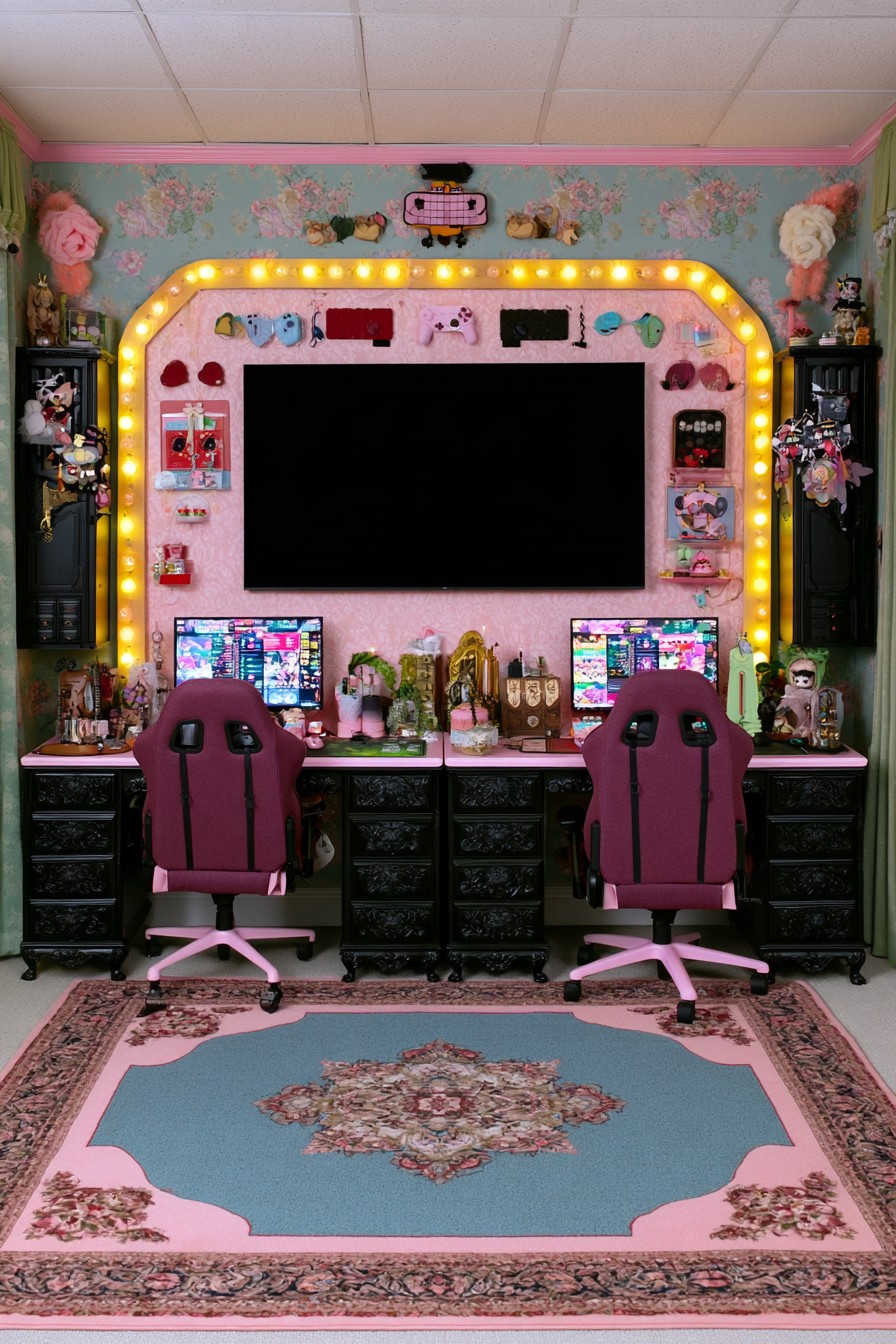
Black carved drawer units anchor two pink desktops beneath a large television. Floral walls, pale green curtains, and a blue and pink rug make the palette lighter than the furniture alone would suggest. The burgundy chairs repeat the deeper accents, while a bulb lined surround brings a theatrical finish to the screen wall. Small accessories add personality, though the composition is already visually full. If one player prefers a softer pink palette, choose pale desktop accessories or a seat cushion for that side while repeating one shared accent across both stations.
Choose a few favorites for each desktop and let the remaining collection occupy the side cabinets. This will preserve mouse space and make cleaning easier. Check the width left between the drawer units against each user's seated position before copying their spacing. Put the decorative surround on an independent dimmer or control, so both players can reduce its brightness without changing the light needed elsewhere in the room.
Test the room during the activities it will actually host: two independent games, a shared console session, or one player using voice chat while the other relaxes. Notice where chairs meet, accessories migrate, or lighting causes distraction. A few carefully chosen adjustments can make the space easier to share while leaving both people room to express their own style.

Leave a Reply