15 Pink Gaming Room Styles With Bold Color and Smart Design

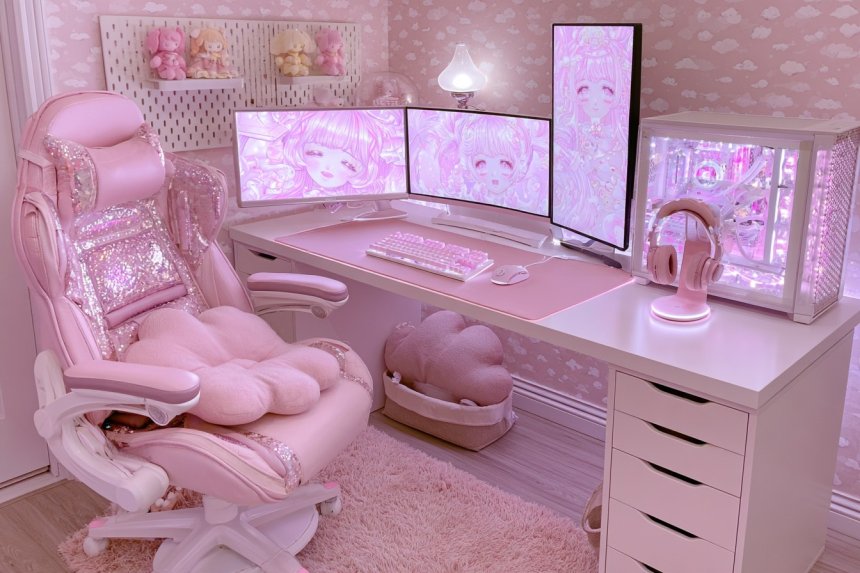
A pink gaming room can feel calm, sophisticated, playful, or dramatic depending on how color and equipment are balanced. Begin by measuring the desk wall, available chair movement, storage areas, power connections, and the route between the entrance and gaming station. List the monitors, console systems, computer components, speakers, controllers, and creative tools the room must support before buying furniture. Then develop a palette using blush, dusty rose, mauve, raspberry, cream, warm wood, charcoal, or black in controlled proportions. The following designs explain how to coordinate pink finishes with practical screen placement, cable access, equipment ventilation, acoustic comfort, and flexible storage, creating a gaming room that remains comfortable and organized during everyday use.
1. Create a Dusty Rose and Walnut Gaming Studio
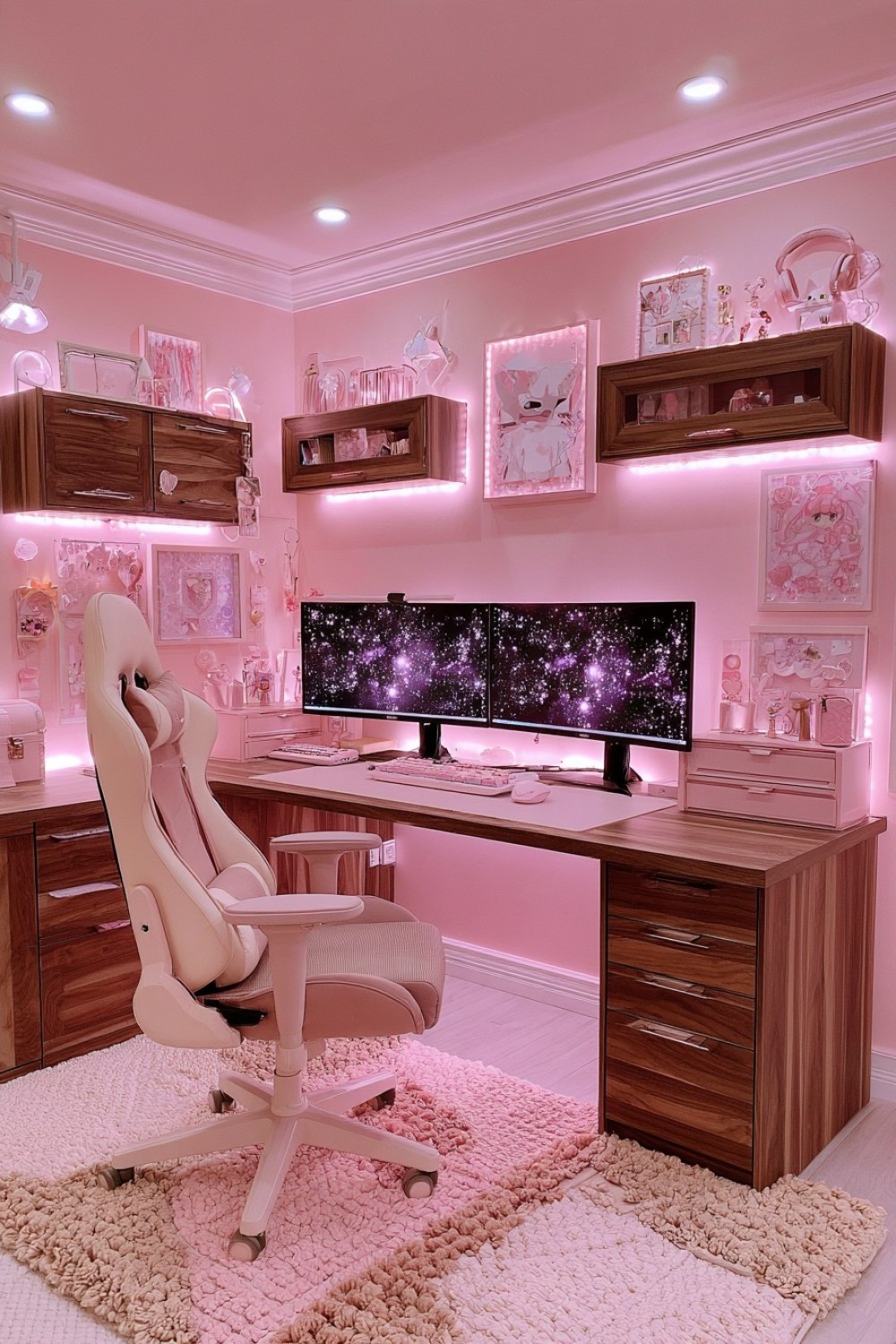
Dusty rose and walnut create a warm gaming room that can accommodate dark technical equipment without feeling visually harsh. Test several dusty rose samples beside the intended timber because walnut’s red and brown undertones can change the way pink appears. Examine the combination during daylight and under the room’s evening lighting. Use dusty rose on one wall or a selected section of cabinetry, then allow walnut to appear through the desk, drawer fronts, or wall-mounted storage.
Plan the desk around the monitor stands, computer case, speakers, keyboard, and mouse area. A beautiful timber surface provides little value if the equipment leaves no room for comfortable movement. Use cable openings or an accessible tray beneath the rear edge instead of trapping plugs behind fixed furniture. Keep the computer’s ventilation areas clear and follow the equipment manufacturer’s placement instructions. Cream, taupe, or muted rose seating can soften the transition between the pink wall and dark screens. Add one textured rug to connect the colors while keeping rolling-chair movement practical.
2. Build a Blush Pink Corner Gaming Station
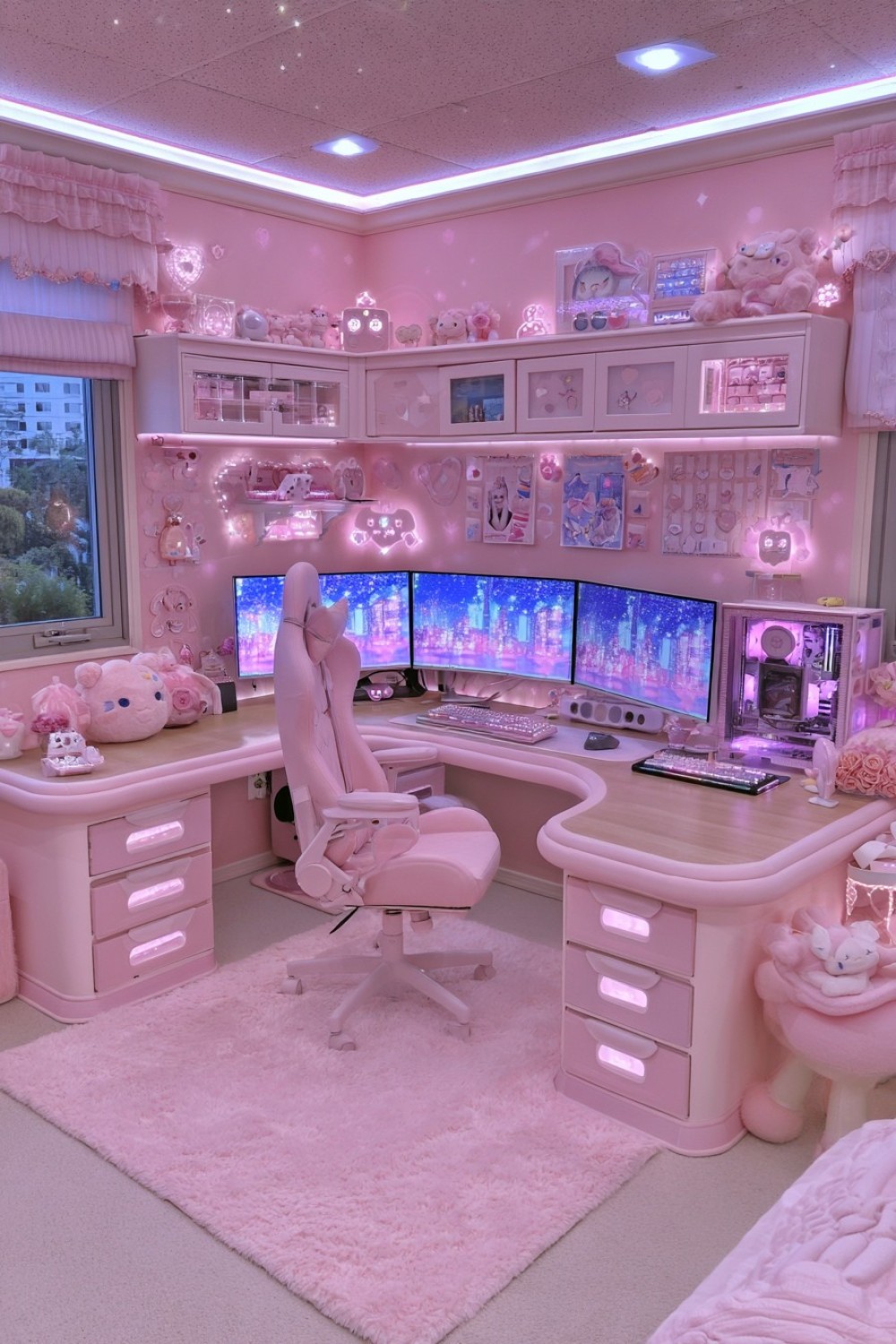
An L-shaped desk can transform a corner into a useful gaming station when both sides have defined purposes. Place the main monitors along the section that offers the most comfortable viewing position and use the return for a console, laptop, controller dock, or handwritten work. Before ordering the desk, mark its complete footprint with tape and place the chair inside the proposed area. Check whether the user can turn between both surfaces without hitting drawers or nearby furniture.
Corner desks often create a difficult cable area where the two surfaces meet. Plan removable rear panels or an accessible cable tray so adapters and extension leads can be reached without moving the entire desk. Avoid filling the corner with loose wiring or blocking sockets. Use blush on the wall, chair, or drawer fronts while keeping the desktop pale wood or warm white. Storage above one side is usually more practical than surrounding both walls with shelves. Keep the monitor area visually quiet and reserve the secondary wall for controlled display or storage.
3. Mix Raspberry Pink With Charcoal for a Dramatic Setup
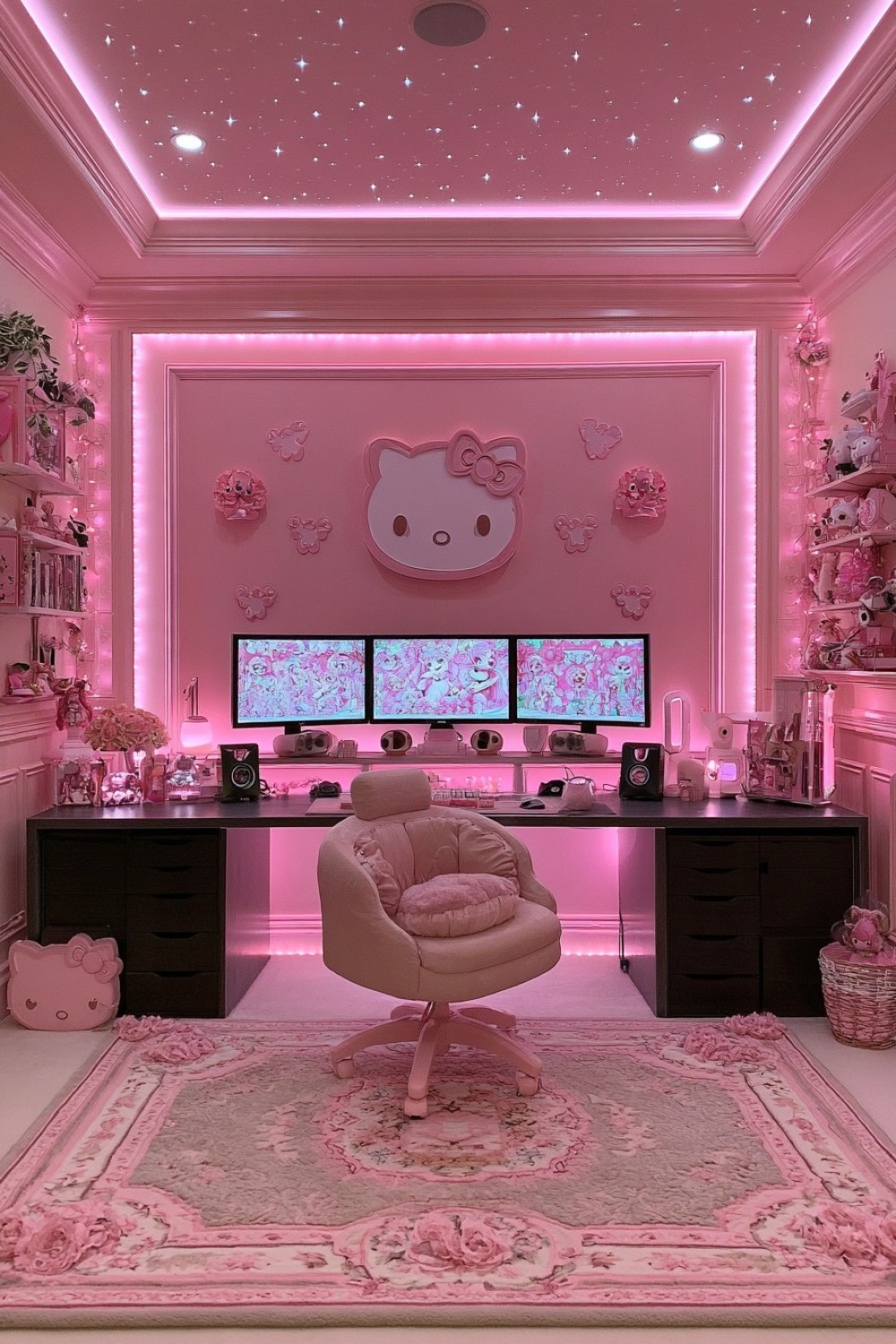
Raspberry pink can create a strong focal wall when charcoal remains the supporting color. Paint a generous sample first because saturated pink may look brighter on a full wall than it does on a small card. View it beside the monitor when the screen is both on and off. If the color becomes distracting during play, use it on the wall behind the user or within a narrower architectural section instead of directly surrounding the display.
Introduce charcoal through the desk frame, storage cabinets, monitor arms, or computer case. Warm gray, mushroom, or natural wood can prevent the room from becoming visually heavy. Check that dark furniture does not hide cables, controls, or objects that need to be found quickly. Provide task lighting for accessories and general room lighting that can be adjusted independently from decorative illumination. Avoid placing a bright light directly behind the monitor or where it reflects on the screen. Repeat raspberry in only a few smaller elements so the focal wall retains its impact.
4. Design a Pink Gaming Room With Fluted Wall Panels
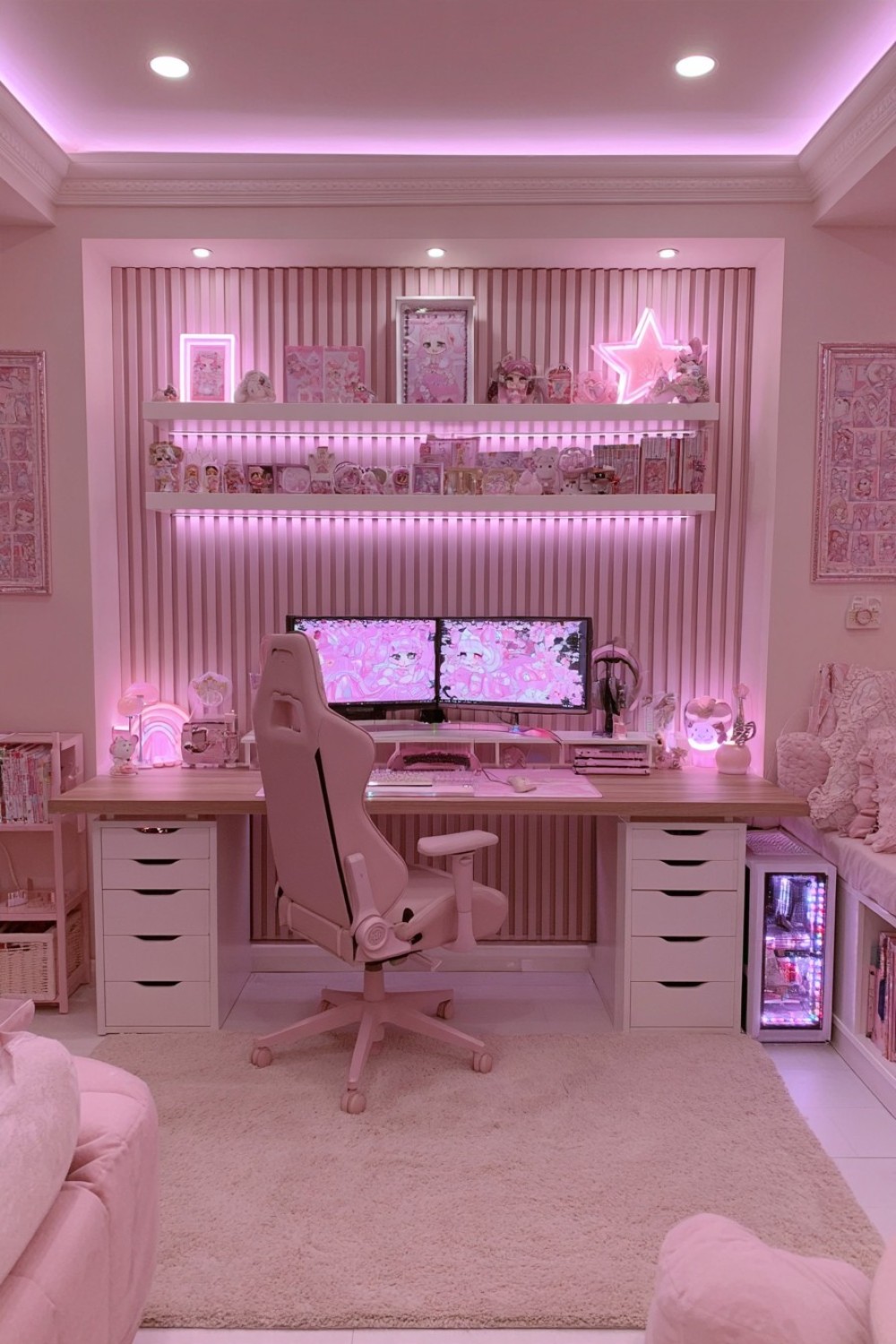
Fluted panels can give the gaming wall depth, but their position must be coordinated with monitor mounts, sockets, and cable routes. Draw the complete wall elevation before installation, including the desk height, screen edges, shelves, switches, and computer connections. Decide whether the monitors will stand on the desk or attach to the wall. Wall-mounted equipment needs suitable structural support; decorative panels alone should not be assumed capable of carrying it.
Use fluting on one controlled area rather than every wall. Closely spaced grooves can collect dust, so choose a finish that can be cleaned without damaging the paint or material. Muted blush, rose beige, or mauve will emphasize the texture through light and shadow. Keep the desk surface and storage simpler so the wall remains readable. If cables must pass behind the panels, provide an accessible route rather than permanently concealing adapters that may later need replacement. Fluted surfaces may change room reflections slightly, but decorative panels should not automatically be treated as acoustic treatment.
5. Create a Soft Pink Console Lounge With a Curved Sofa
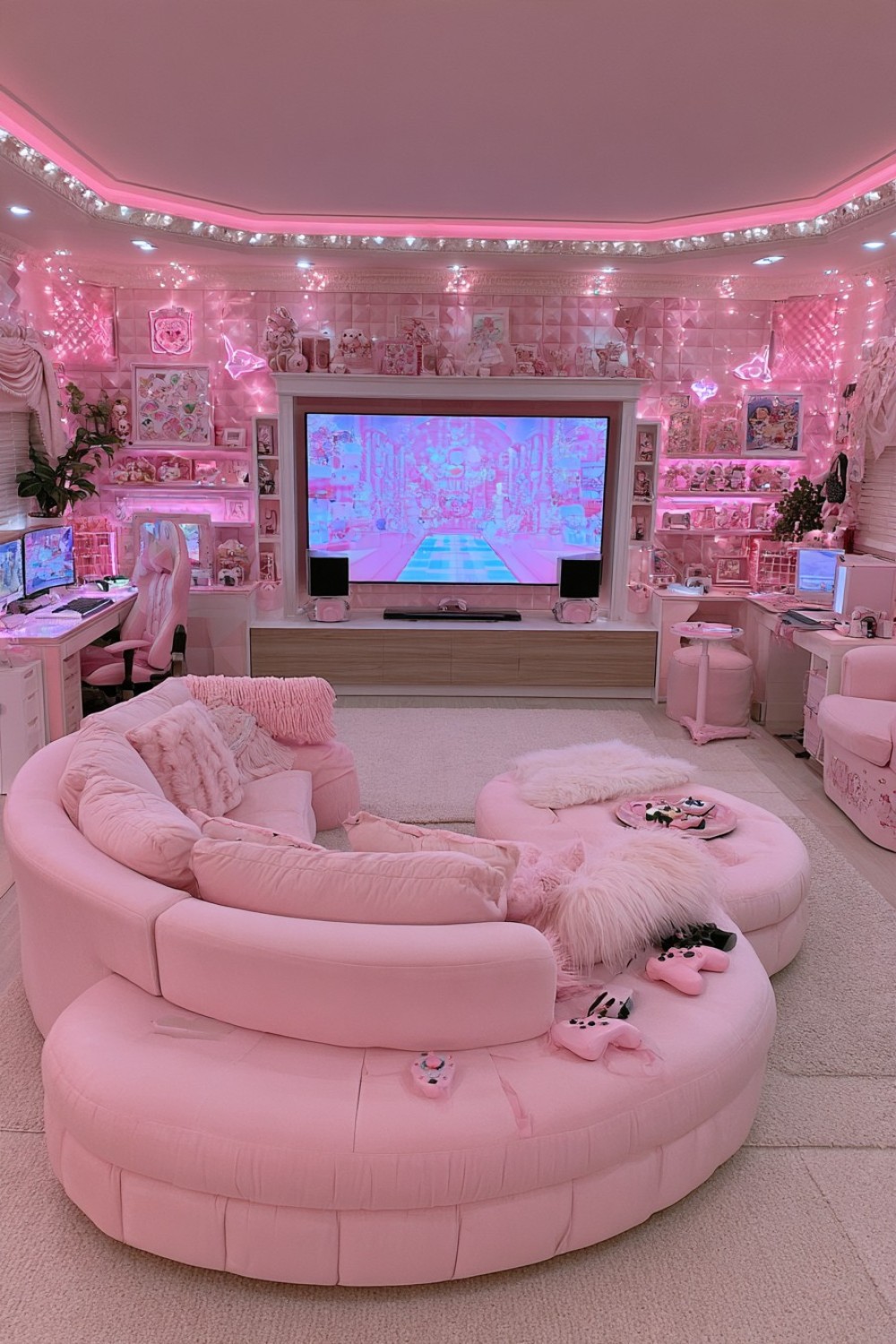
A console lounge should be planned around comfortable viewing and clear movement rather than positioning the largest possible sofa in front of the screen. Mark the proposed sofa and media cabinet on the floor, then test the viewing position with the actual screen size. Make sure the seating does not block the doorway, storage, ventilation, or the route to the console. Curved upholstery needs additional space around its widest points, which may not be obvious from the front measurement alone.
Store consoles in a media unit with the ventilation clearances required by each manufacturer. Avoid enclosing active equipment in an unventilated cabinet. Provide openings for power, data cables, and controller charging without leaving wires across the floor. Blush or rose-beige upholstery can soften the rectangular screen, while light oak, walnut, or warm white keeps the media wall balanced. Choose a rug size that reaches beneath the main seating area but does not prevent doors from opening. Washable or removable textile covers are useful where drinks and snacks are regularly enjoyed.
6. Pair Rose Beige With Black Metal Details
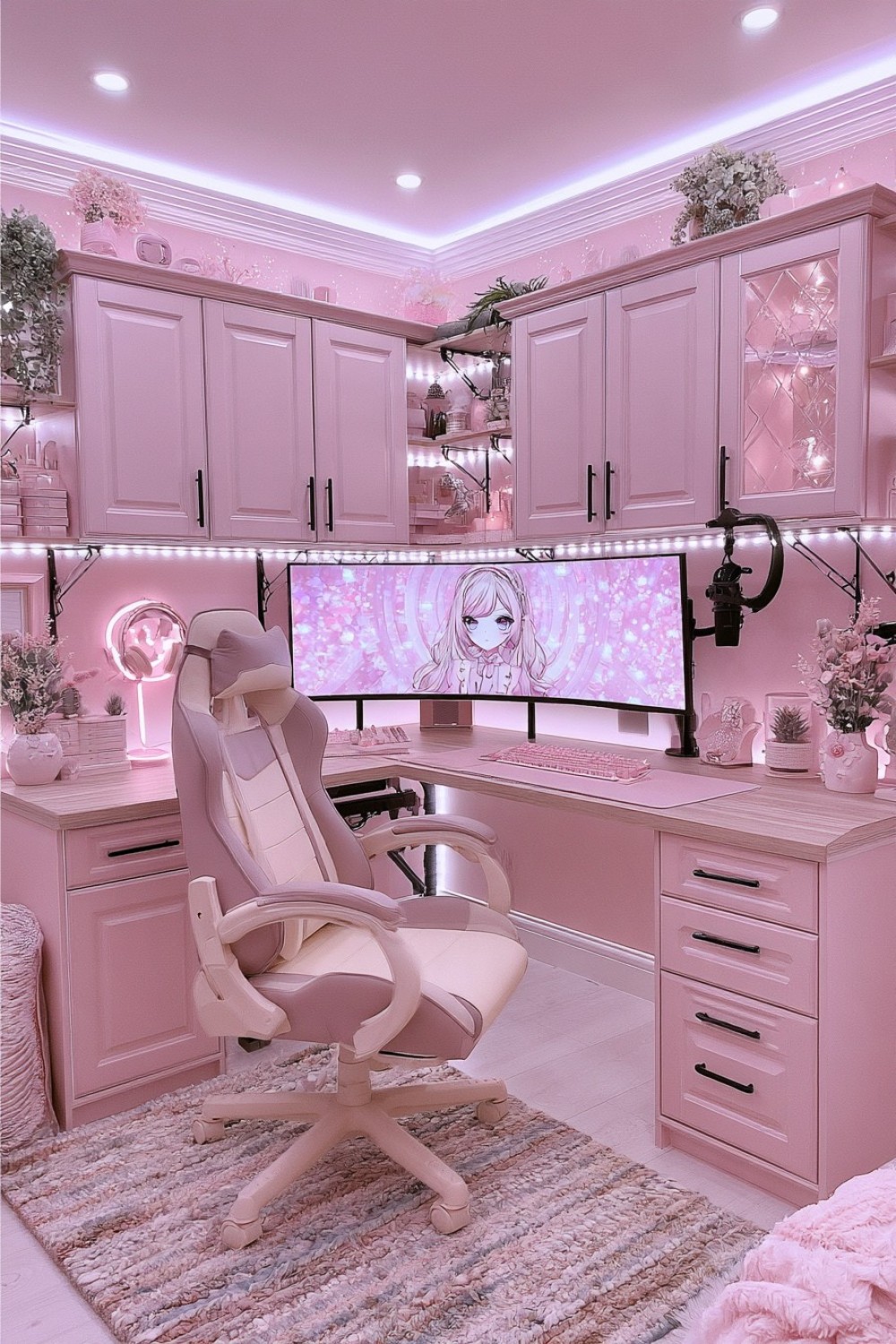
Rose beige provides a restrained pink foundation that works well with black monitor frames and computer equipment. Use black metal selectively through desk legs, monitor arms, shelf brackets, or handles. Too many thin black lines across the walls can make a compact room look fragmented, so repeat the material in a limited number of functional locations. A light timber worktop can add warmth between the rose walls and dark structure.
Check the desk frame’s load capacity against the combined weight of monitors, arms, speakers, and other equipment. Clamp-mounted accessories also concentrate pressure along the rear edge, so confirm that the desktop material and thickness are suitable. Route black cables along the darker frame where they can be secured while remaining accessible. Use reusable cable ties or channels rather than tightly bending leads around metal corners. Warm gray, cream, or muted rose seating can soften the arrangement. Place a protective mat beneath the chair only if it remains flat and suitable for the existing floor.
7. Build a Pink Gaming Wall With Concealed Storage
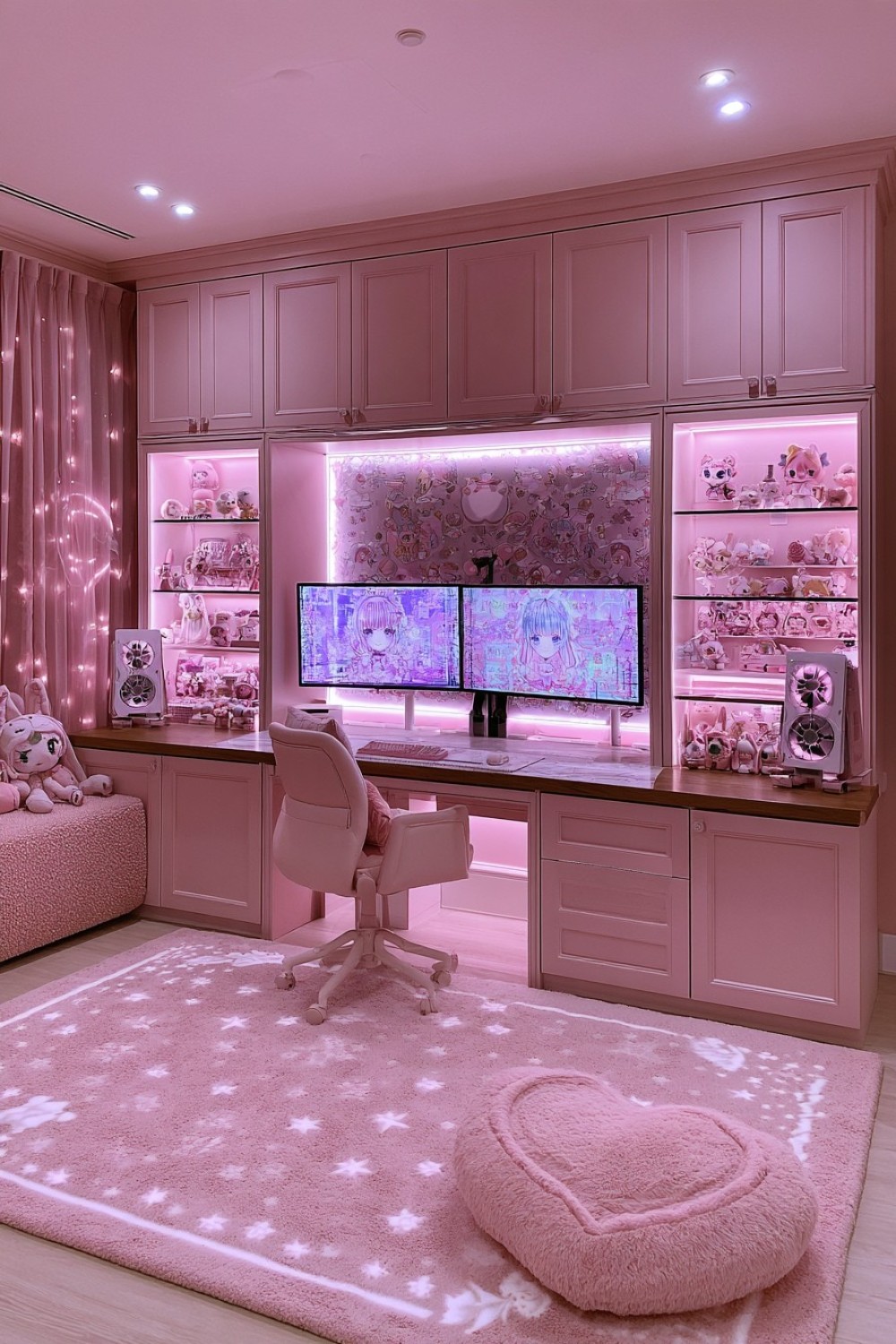
A fitted gaming wall can organize equipment effectively when storage is designed around real objects. Measure console cases, controllers, headsets, physical games, charging docks, computer accessories, and replacement cables before deciding shelf and drawer dimensions. Frequently used equipment belongs near the workstation, while boxes and occasional accessories can occupy higher or less accessible cabinets. Use adjustable shelves where future equipment sizes may change.
Keep heat-producing devices in ventilated compartments that follow their manufacturers’ instructions. Closed doors can hide equipment after use but should not restrict airflow while devices operate. Provide removable cable panels so damaged leads and adapters can be replaced without dismantling the cabinetry. Use muted pink across the main fronts and keep handles simple to create a continuous wall. A few open sections can display selected objects, but leave the area around the monitors calm. Label hidden storage internally so accessories return to consistent locations instead of gradually covering the desk.
8. Create a Mauve Gaming Room With Soft Acoustic Texture
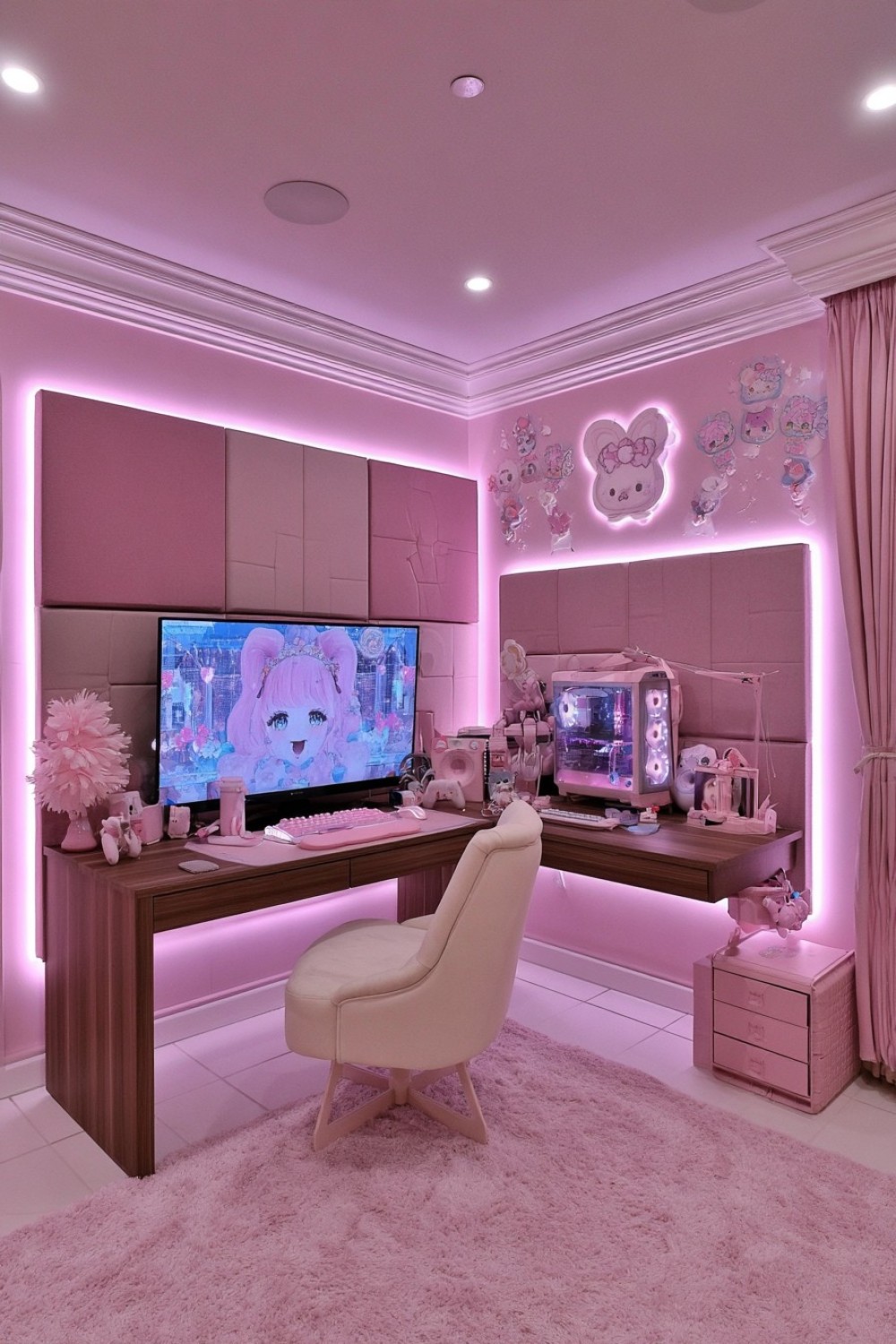
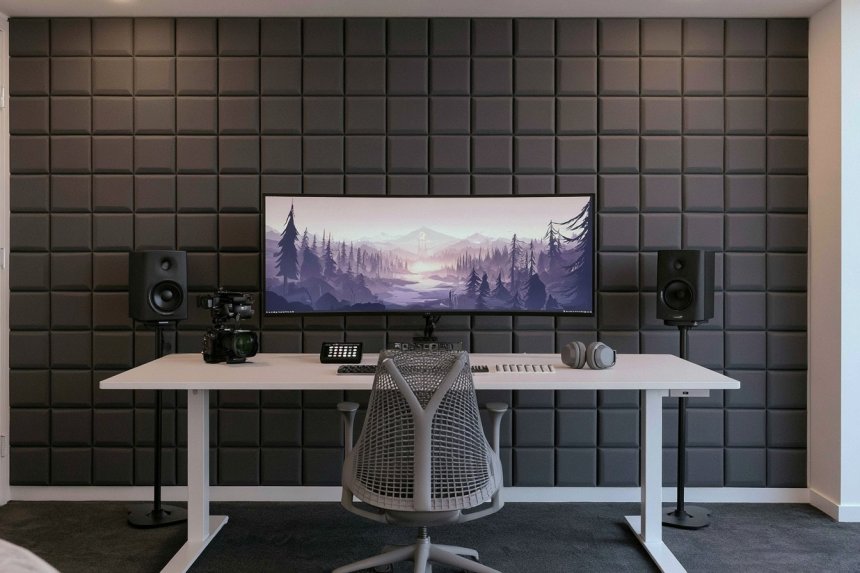
Fabric-covered acoustic panels can become part of a mauve palette, but effective placement depends on the room and the sound problem being addressed. Decorative foam and soft wall tiles vary considerably in performance. If controlling reflections, recording sound, or reducing disturbance is important, choose products with clear technical information and seek appropriate acoustic guidance rather than selecting panels only by color.
Use large, orderly panel groups in mauve, dusty rose, taupe, or mushroom instead of scattering many small shapes around the walls. Keep panels clear of sockets, ventilation openings, heat sources, and hardware that needs access. A rug and upholstered chair add visual softness, although they do not provide full sound isolation. Place speakers on stable surfaces and separate them from objects that vibrate. Walnut or dark wood can ground the muted palette, while cream textiles introduce contrast. Test camera framing if the wall will also appear behind a streamer, since fine repeating patterns may look busy on video.
9. Make a Pink and Cream Gaming Room Feel Airy
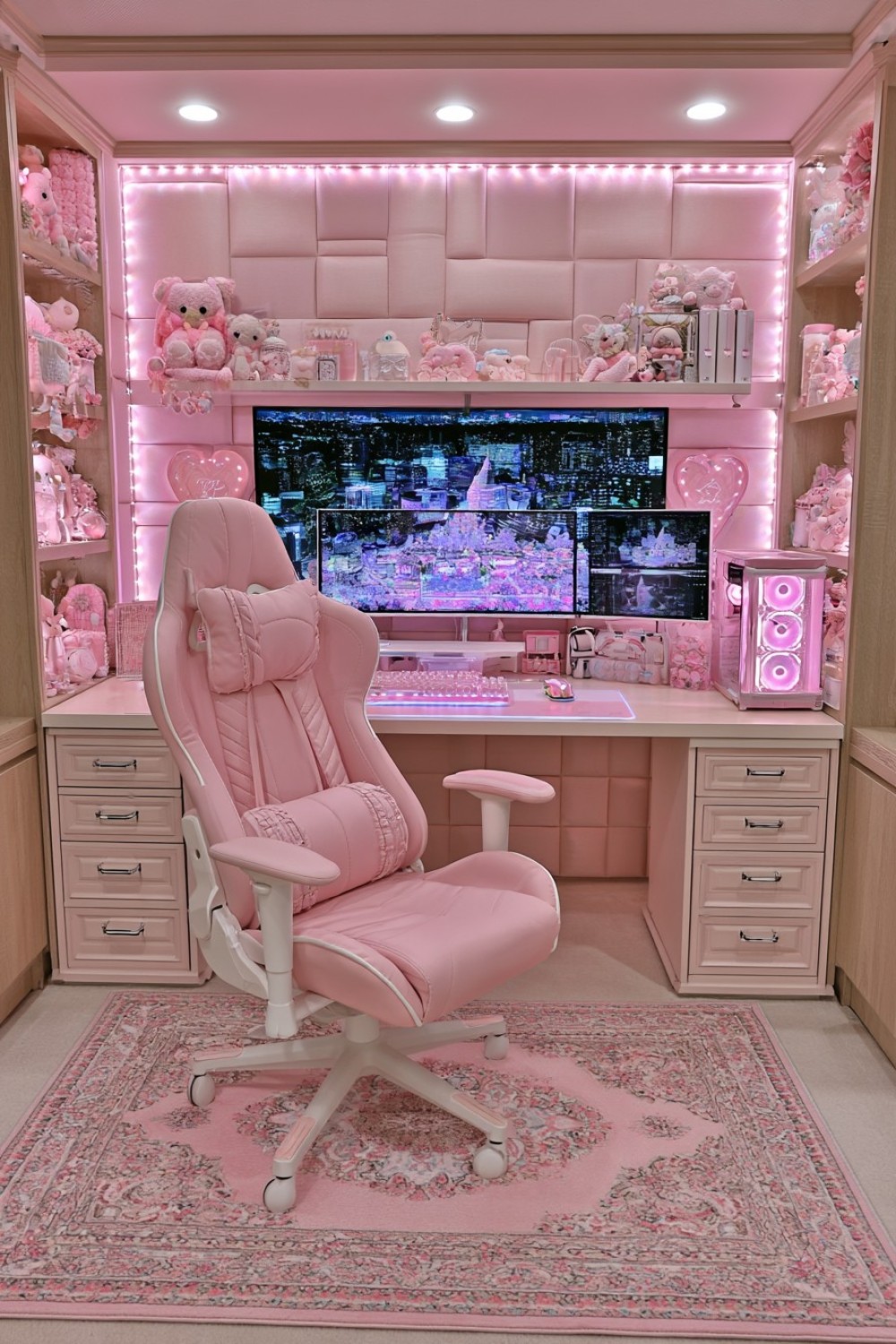
An airy gaming room depends on circulation and furniture scale as much as pale color. Begin with warm cream across the larger surfaces and introduce pink through a chair, drawer unit, rug, or selected wall section. Keeping tall storage close to the wall color can reduce its visual weight, while natural oak prevents the palette from looking flat. Test whites and creams beside the monitor because very cool white furniture can appear harsh next to warm pink.
Choose a desk that supports the equipment without filling the entire wall. Raising monitors on appropriate stands or arms may free working space, provided the support system suits the desk. Store controllers, cables, and spare accessories inside drawers rather than using many small desktop containers. Leave a clear area beside the chair so it can move without striking the bed or storage. Use window coverings or adjustable room lighting to manage screen glare. Pale finishes may show marks more easily, so select wipeable surfaces in high-contact areas and avoid highly textured materials close to drinks or hand controls.
10. Create a Two Tone Pink Gaming Desk
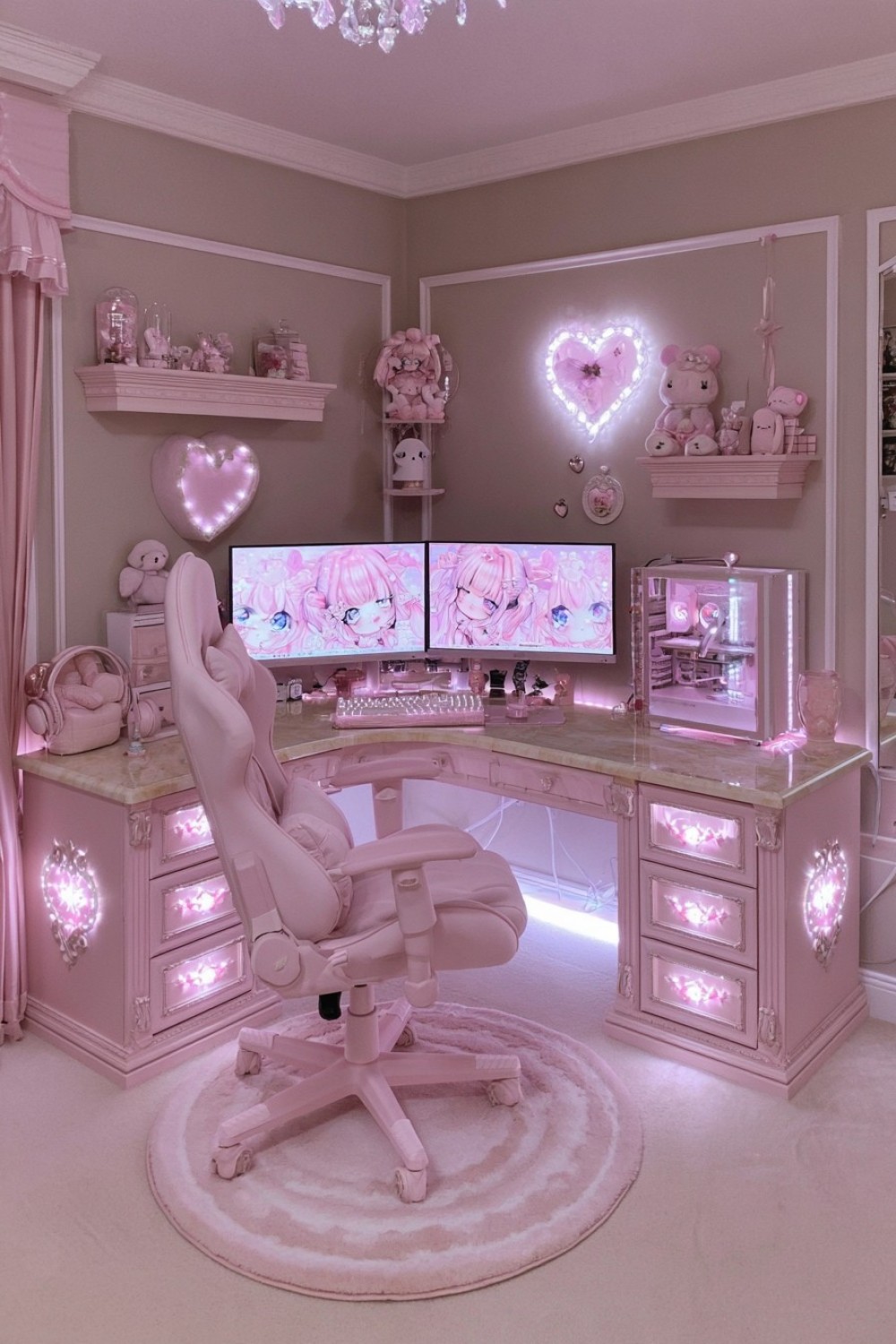
A two-tone desk can introduce pink without committing the walls to a strong color. Combine muted pink drawer units or side panels with a pale wood, cream, or durable stone-effect top. Before assembling separate components, confirm that their heights create a level surface and that every part can support the intended load. A long desktop resting on two drawer units may require additional support depending on its material and span.
Arrange all equipment on paper or a temporary surface before drilling cable openings. Leave enough room for mouse movement, keyboard placement, speakers, and the monitor base. Keep the computer case away from enclosed areas that restrict ventilation. Use one desk color in the chair or a nearby shelf to connect the arrangement, but avoid purchasing accessories solely because they are the same pink. Function should determine controller docks, microphone arms, and storage. Protect the desktop from clamp pressure where required, and keep the rear edge accessible so equipment can be changed without pulling the desk away from the wall.
11. Design a Pink Retro Gaming Corner With Warm Wood
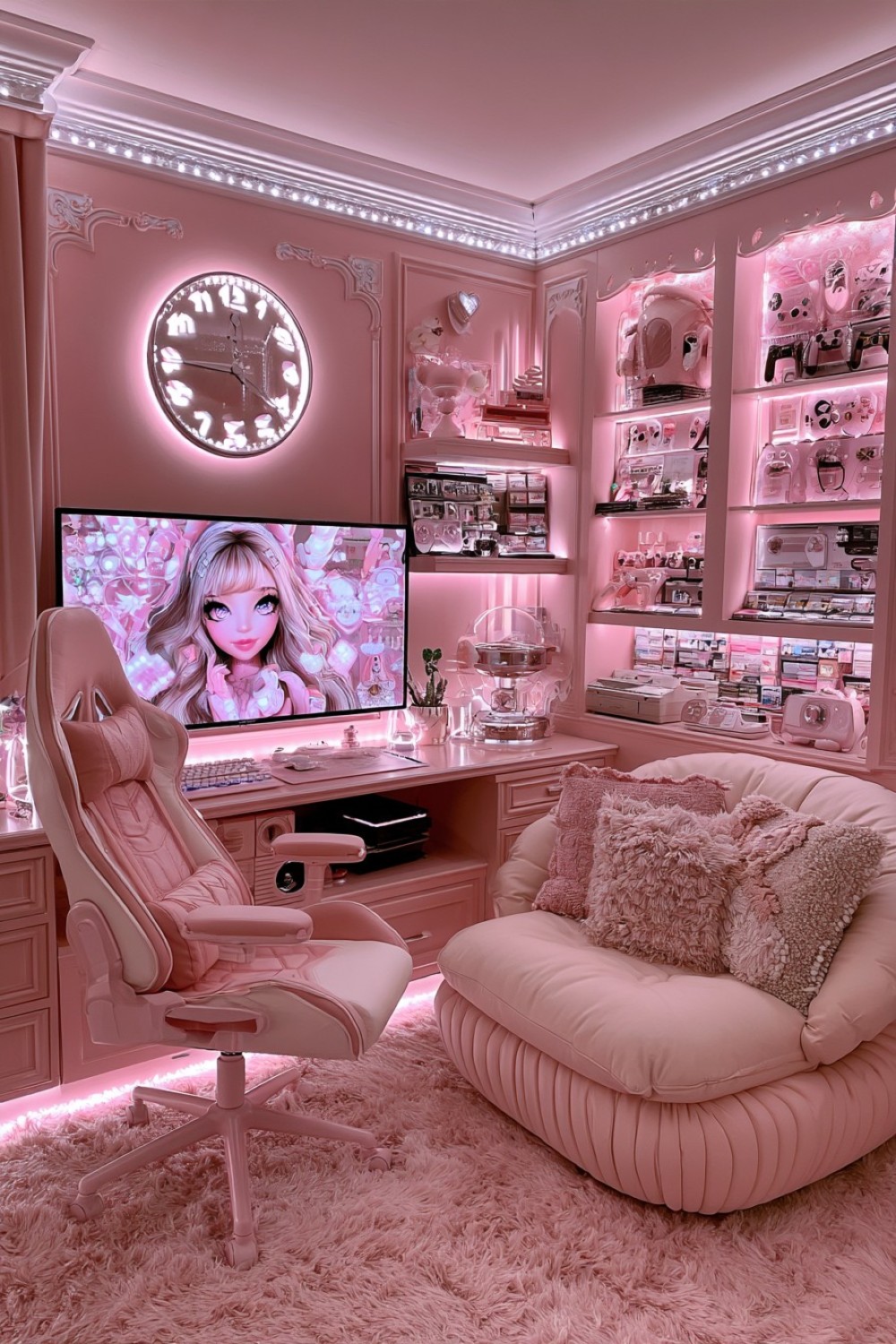
A retro gaming corner can combine salmon pink or dusty rose with warm wood while keeping current equipment easy to use. Decide whether the setup will focus on original consoles, modern reissues, emulation equipment, or a mixed collection. Each choice affects connections, controllers, display type, and storage. Measure consoles with cables attached because rear connectors can require more cabinet depth than the device casing suggests.
Use a low media unit with adjustable shelves and ventilation rather than placing every console in a tightly fitted compartment. Label input cables so systems can be changed without tracing wires behind the cabinet. Protect physical games from direct sunlight and excessive moisture. Rounded timber furniture and a compact upholstered chair can create the retro character, while cream, muted teal, or burgundy adds controlled contrast. Display only a selected group of consoles or game cases and store the rest safely. This makes the collection easier to clean and allows individual objects to remain visible rather than creating an overcrowded shelf.
12. Build a Pink Streamer Background With Curated Shelving
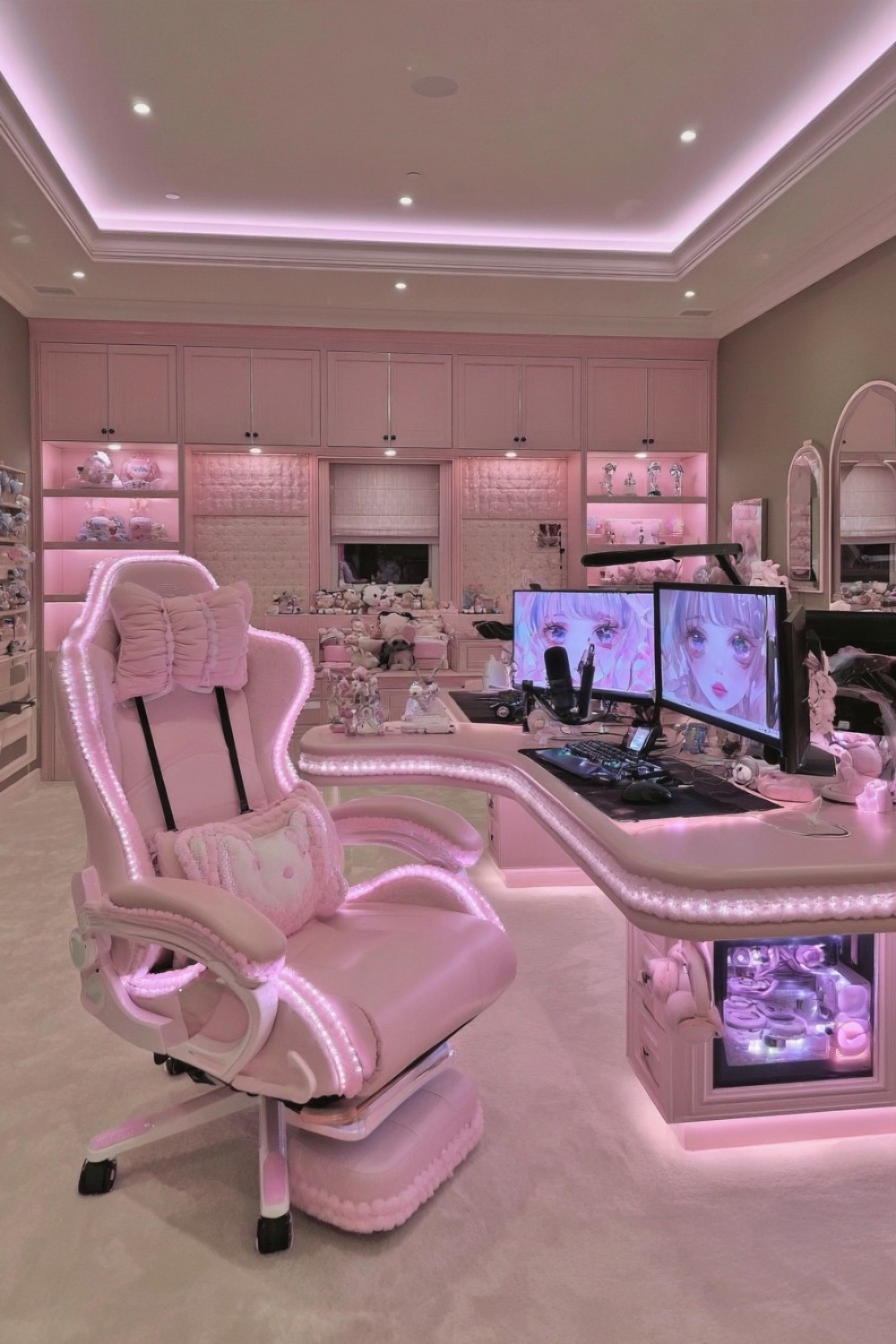
A streaming background should be planned through the camera preview before shelves are installed. Position the camera, chair, and lens as they will be used, then mark the visible edges of the frame. Wide-angle lenses often show more floor, ceiling, and side wall than expected. Place decorative effort inside this area and keep private documents, reflective screens, personal information, and clutter outside it.
Use a small number of larger objects instead of many detailed collectibles that become visual noise on camera. Muted pink cabinetry, one artwork, several books, and a selected display can provide depth without distracting from the streamer. Secure shelves according to their load and wall construction. Keep microphones, lights, and camera cables organized separately from power leads used by the gaming computer. Test the setup during actual recording to identify screen reflections, shadows, and unwanted background sounds. Closed cabinets outside the visible frame can store frequently changed equipment while allowing the background to remain consistent.
13. Combine Powder Pink With Light Oak for a Scandinavian Feel
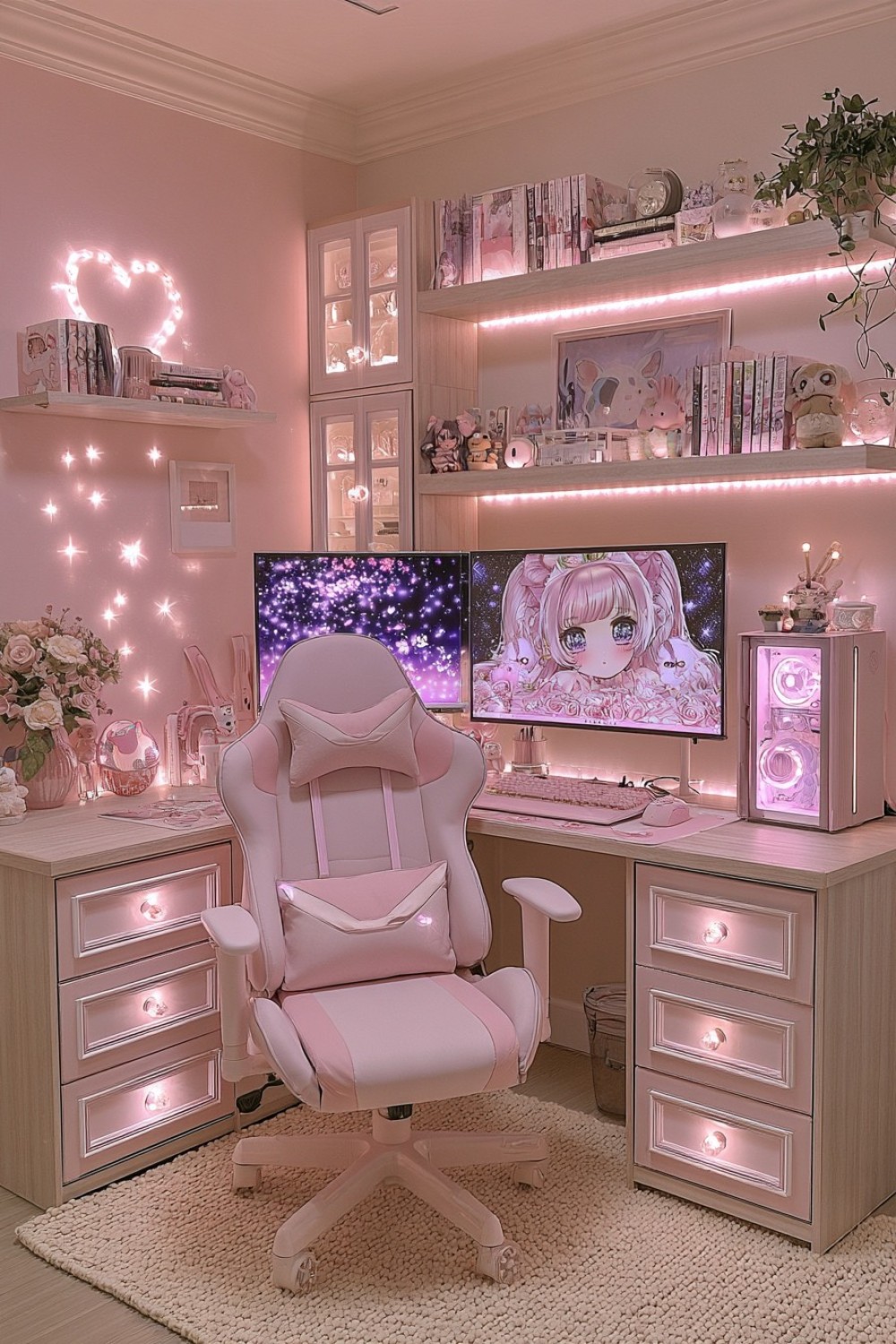
Powder pink and light oak create a calm gaming environment when furniture remains visually simple and storage is carefully controlled. Use oak for the desk and main cabinets, then introduce powder pink through one wall, upholstered seating, or drawer fronts. Warm white can connect the two materials while reducing contrast with large storage pieces. Examine timber and paint samples together because pale oak ranges from creamy yellow to cooler gray.
Keep the desk layout functional and leave open space around the monitor rather than filling every wall with shelves. Closed cabinets can hold game boxes, spare peripherals, and packaging, while one open shelf displays frequently used equipment or a small collection. A cream rug can soften the room, but confirm that its pile allows the chair to move comfortably. Choose cable covers and desk accessories in colors already present instead of introducing several new pastel shades. The Scandinavian influence should come from clear organization, useful furniture, and material restraint rather than decorative labels alone.
14. Create a Plum Pink Gaming Room With Dark Wood Furniture
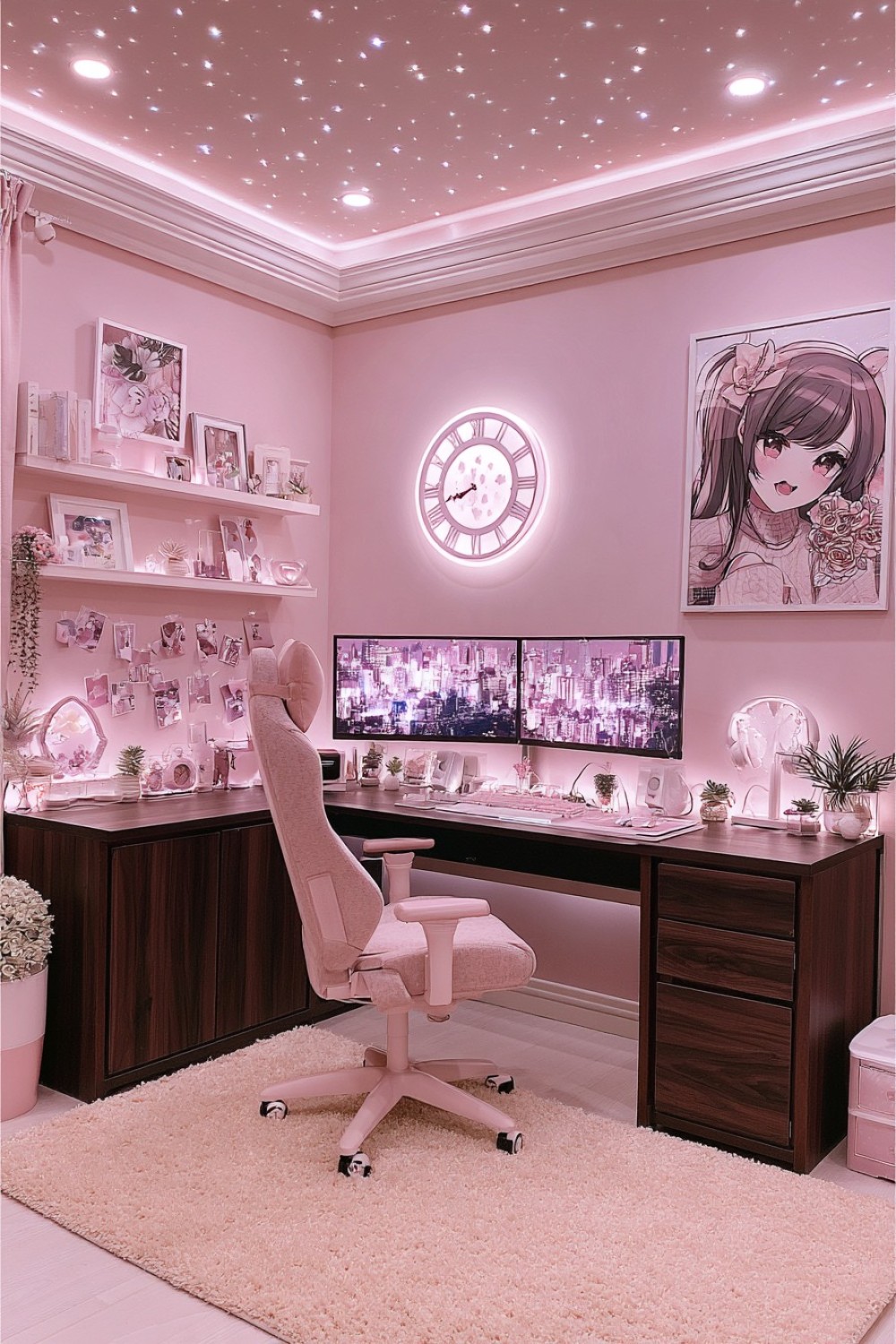
Plum pink and dark walnut can create an intimate evening gaming room, but the combination needs adequate general lighting. Test the wall color behind both dark furniture and black equipment before painting the full room. In a compact space, using plum on one main wall and a quieter neutral elsewhere can preserve depth without making every boundary feel close.
Select dark furniture with clean silhouettes and visible floor space where possible. A desk with open legroom may feel lighter than several solid cabinets placed together. Use closed storage for small accessories and introduce taupe, mushroom, or dusty rose upholstery to soften the palette. Plan separate lighting for the room, desk controls, and any display shelves. Bright decorative light should not reflect in the monitor or replace suitable ambient lighting. Keep ventilation around the computer and consoles visible and accessible, since dark cabinetry can make openings harder to notice. Limit additional jewel tones so plum remains the room’s distinctive color.
15. Build a Flexible Pink Gaming and Creative Room
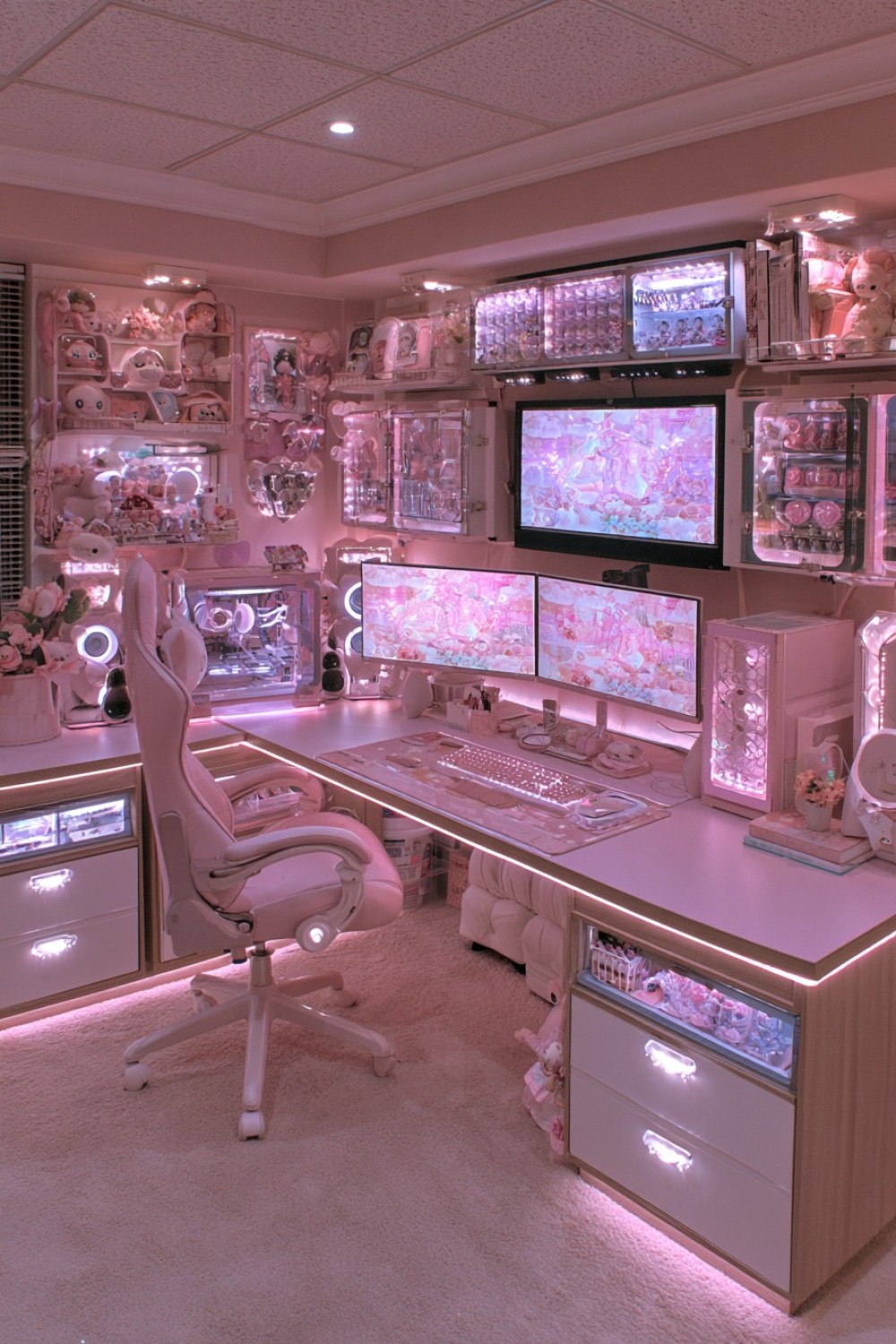
A shared gaming and creative room requires defined work zones so one activity does not continually interrupt the other. Use a long desk or two connected surfaces, reserving one section for monitors and gaming equipment while keeping another available for drawing, editing, studying, or crafts. Measure the largest creative tools and paper sizes before deciding how much open surface is required. A decorative second zone offers little value if it cannot accommodate the intended work.
Store controllers and gaming accessories separately from paint, cutting tools, paper, or other creative supplies. Materials that create dust or liquid spills should remain away from computer ventilation and electrical equipment. Give the chair enough room to move between both stations without crossing loose cables. A mobile drawer unit can support changing activities if its wheels lock securely during use. Use rose beige or soft pink as the shared base color and distinguish zones through storage rather than unrelated color schemes. End each section with a clear reset routine so the desk can change functions without becoming permanently cluttered.
MORE IDEAS


Share
What's Your Reaction?
 Like
0
Like
0
 Dislike
0
Dislike
0
 Love
0
Love
0
 Funny
0
Funny
0
 Angry
0
Angry
0
 Sad
0
Sad
0
 Wow
0
Wow
0