16 Dark Gaming Room Styles for Moody, Immersive Comfort

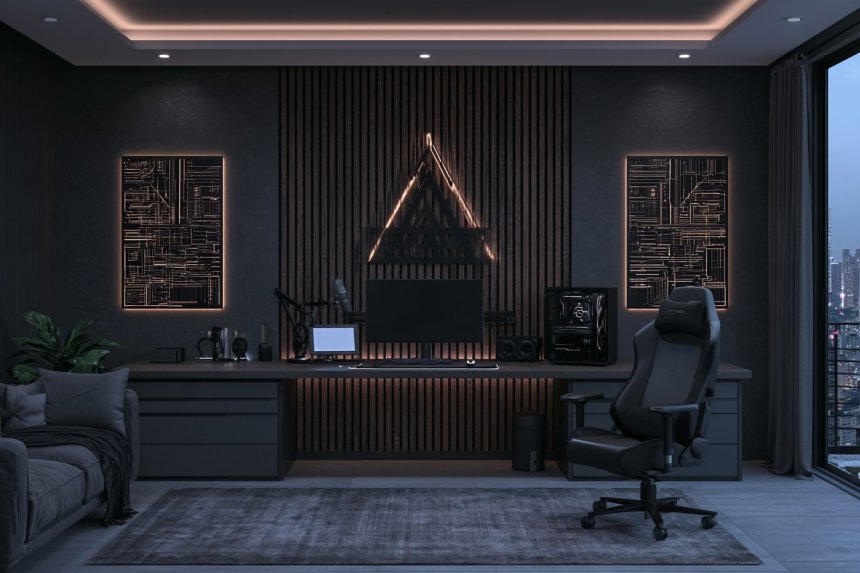
A dark gaming room can feel immersive without becoming a featureless black box. The most successful setups combine deep colors with texture, comfortable furniture, organized technology, and enough contrast for each element to remain visible. Charcoal, graphite, espresso brown, navy, dark olive, burgundy, and smoked wood can all create atmosphere when they are balanced with warmer or lighter materials.
Practical planning should come before decoration. Desk depth, monitor distance, airflow around computers and consoles, cable routing, storage, acoustics, seating comfort, and screen reflections can affect the room more than a dramatic wall color. Matte surfaces are particularly useful near displays because they reduce distracting reflections.
The following dark gaming room styles explore different layouts, materials, and functions rather than repeating the same black-desk formula in different colors.
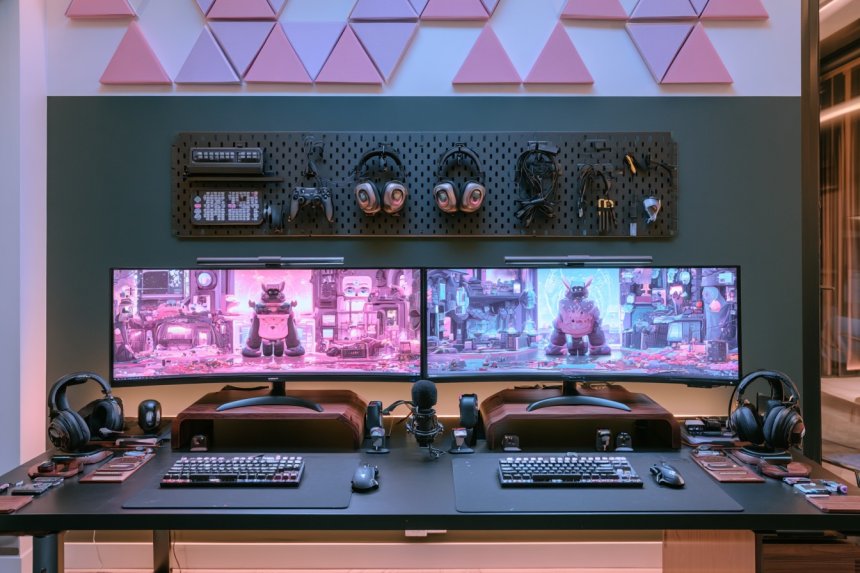
1. Give One Graphite Wall a Floating Gaming Workstation
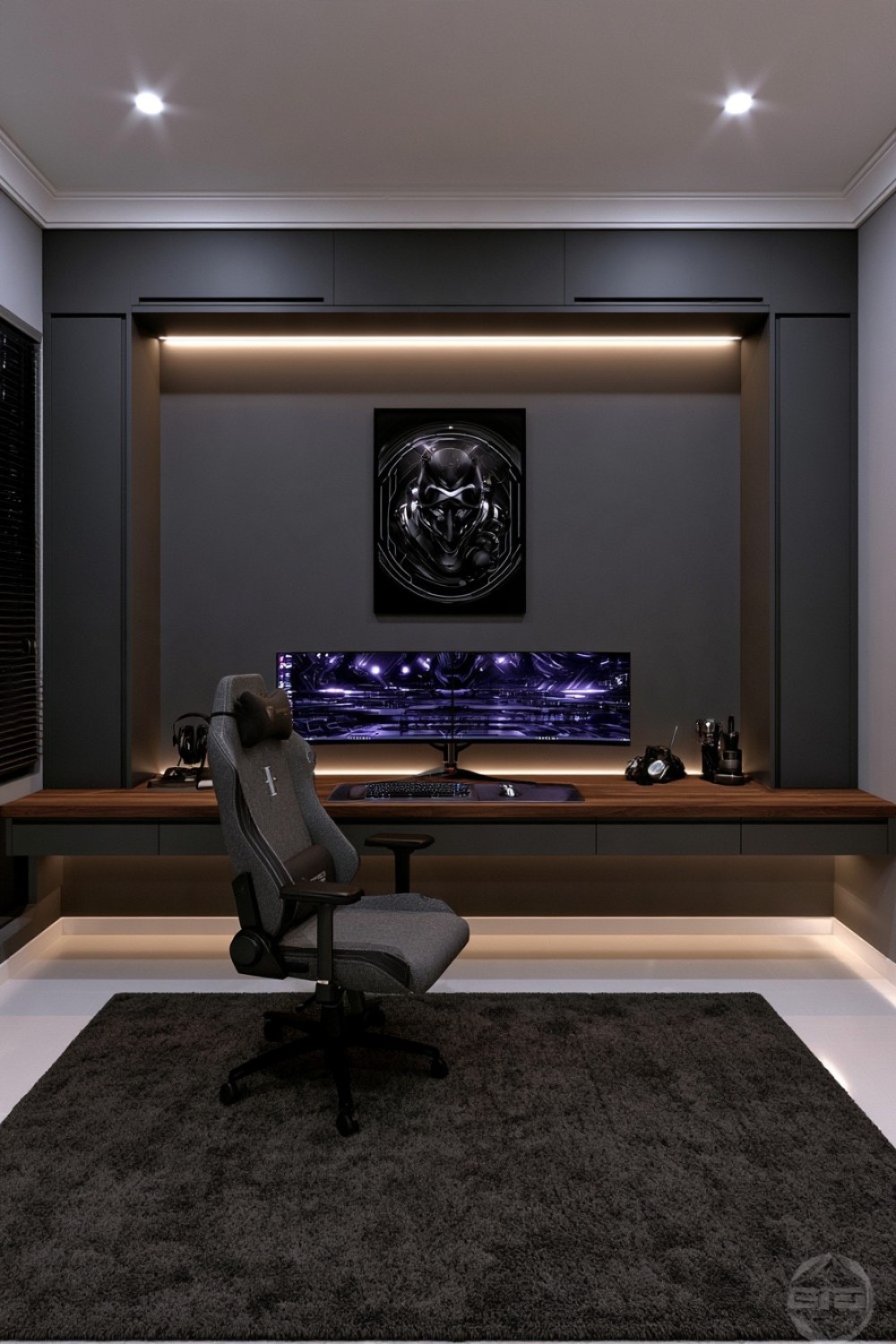
A floating desk can make a compact dark gaming room feel noticeably lighter because the floor remains visible beneath the workstation. Dedicate one wall to the setup and finish it in graphite, deep gray, or another matte shade that provides a controlled background for monitors.
Choose a substantial desktop in warm wood, matte laminate, or another low-reflection material. The contrasting work surface helps prevent black monitors and peripherals from visually disappearing into the wall.
Route power and data cables through concealed channels beneath the desk rather than allowing wires to hang against the darker surface. Drawers or slim cabinets can sit at one end if additional storage is required.
Keep shelves away from the immediate monitor area so the screen wall remains visually calm. One organized feature wall can provide more impact than distributing dark furniture around every side of a small room.
2. Warm Blackened Oak With Tobacco and Caramel Upholstery
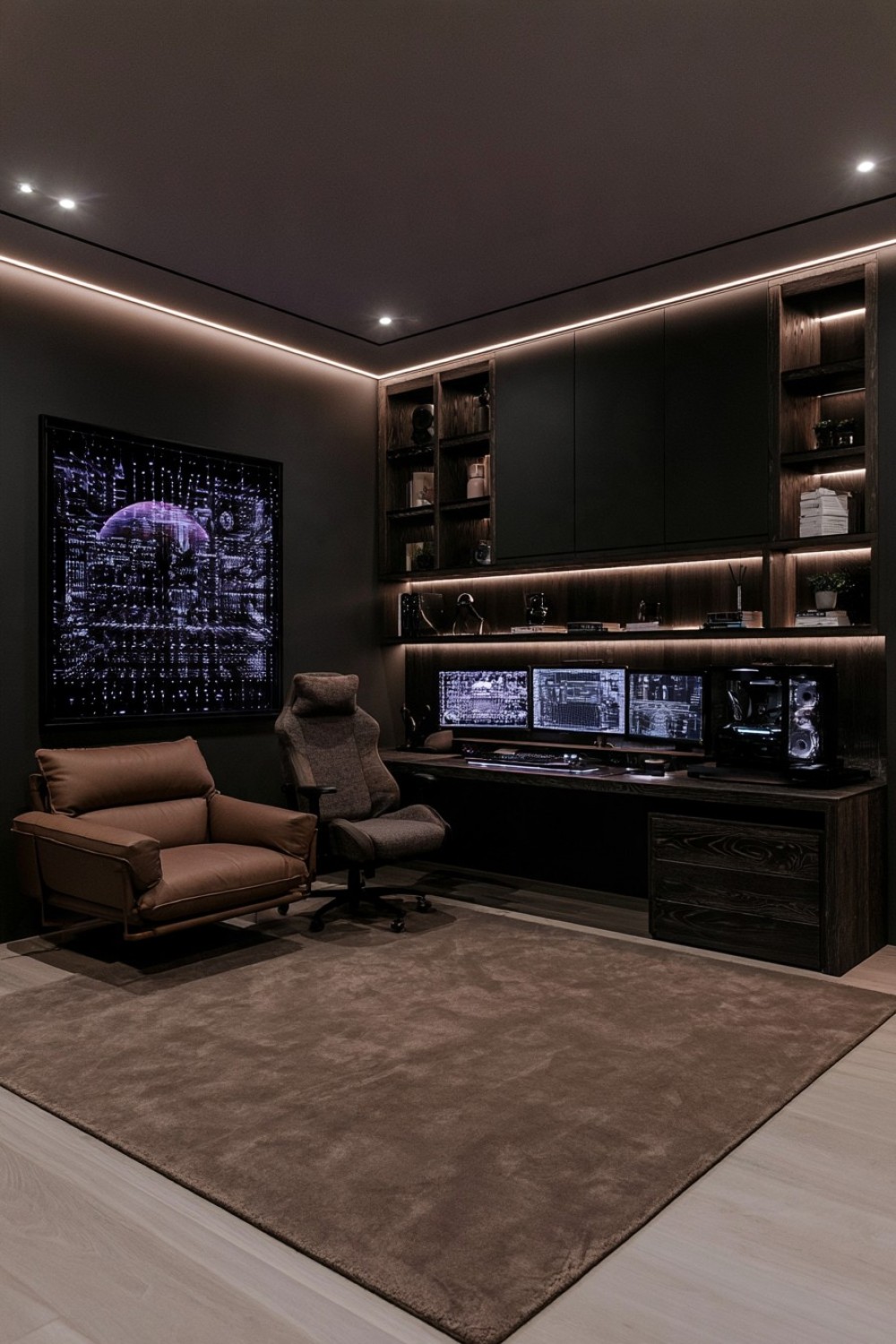
Blackened oak creates depth while retaining visible wood grain, making it a useful alternative to flat black cabinetry. Use it on the desk, media unit, shelving, or selected wall panels, then contrast those harder surfaces with tobacco, caramel, camel, or warm brown upholstery.
A lounge chair or compact sofa can introduce enough warmth to change the entire character of the room. A taupe or brown rug can connect the seating with the darker timber while also helping soften sound.
Keep technology finishes predominantly matte so they sit naturally within the palette. Glossy black accessories can create sharp reflections and make a carefully layered material scheme feel less cohesive.
This combination works especially well in adult gaming rooms because it feels closer to a sophisticated study or media lounge than a heavily themed gaming setup. The dark atmosphere remains, but natural texture and warm fabric prevent the room from feeling cold.
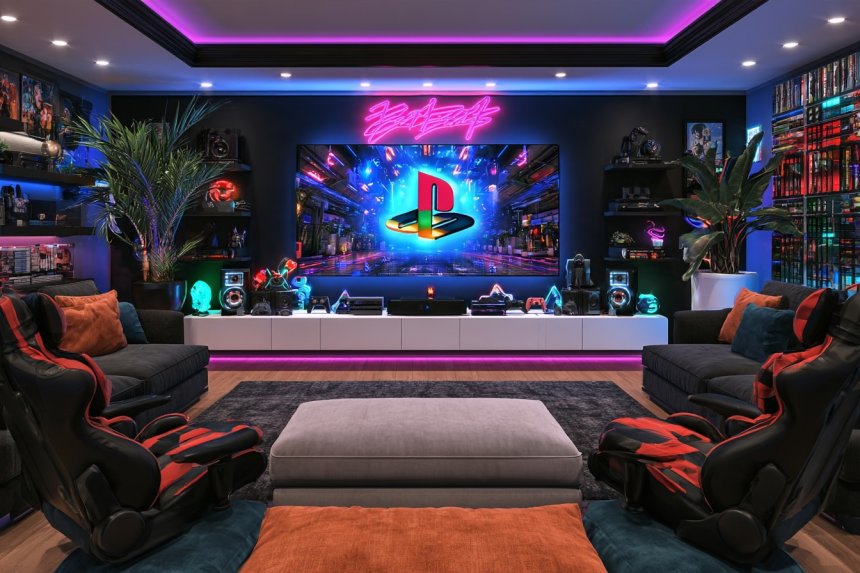
3. Keep a Console Gaming Lounge Low and Horizontal
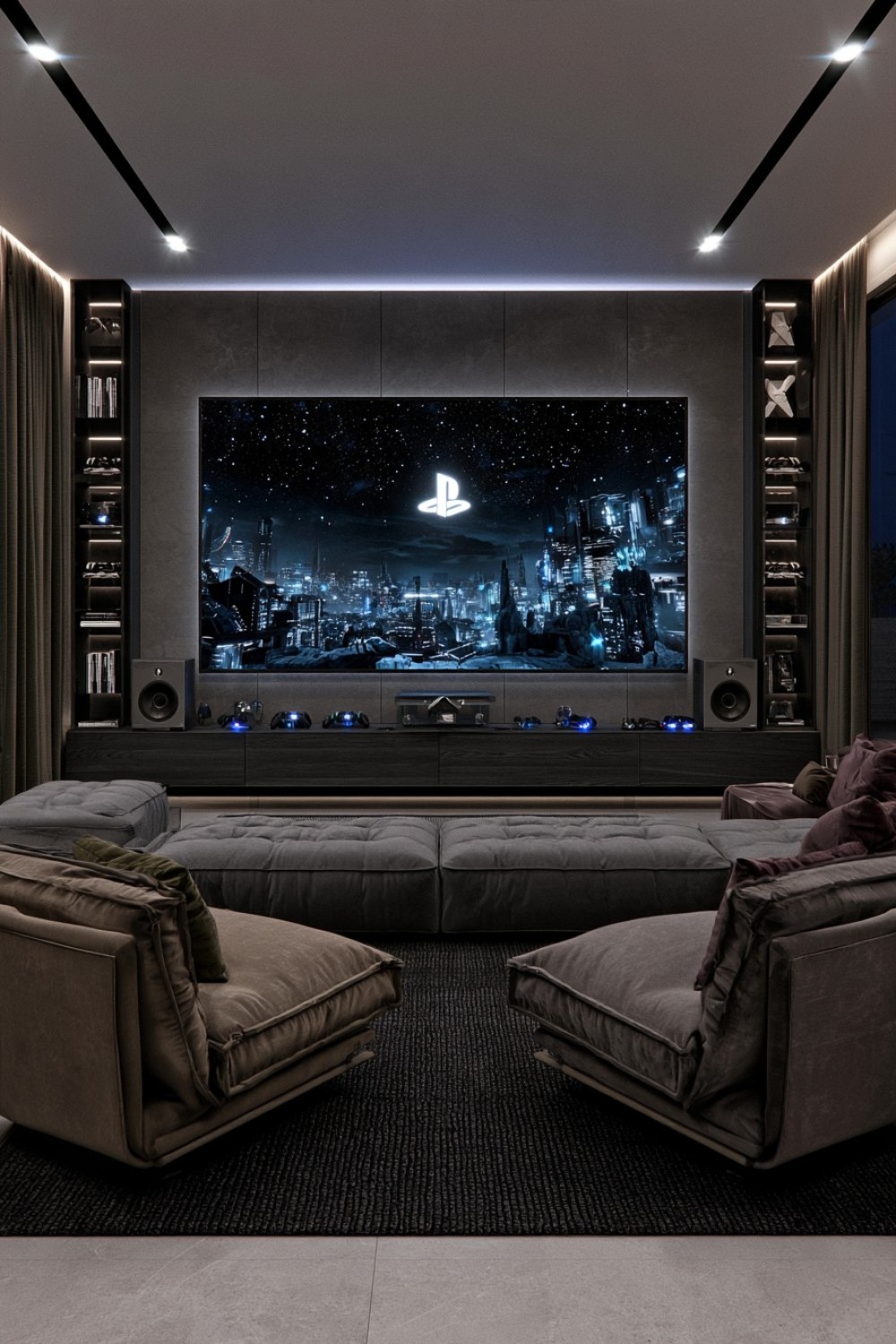
Console gaming benefits from a different layout than a desk-based PC setup. Instead of concentrating furniture around a workstation, build the room around a low media cabinet and comfortable seating positioned at an appropriate viewing distance from the main display.
Choose a compact sofa or low-backed lounge chairs to keep more of the wall visible. Charcoal upholstery provides a dark foundation, while muted olive, brown, or burgundy can appear in limited textile accents.
A large rug beneath the entire seating group helps define the gaming zone and may soften room acoustics. Store controllers, chargers, games, and accessories inside the media cabinet so the floor remains clear.
Avoid tall storage units directly beside the screen, particularly in smaller rooms, because they can visually compress the display area. Keeping the main furniture horizontal creates a relaxed cinematic environment while preserving enough openness for multiplayer sessions and everyday lounging.
4. Display Collectibles Behind Smoked Glass
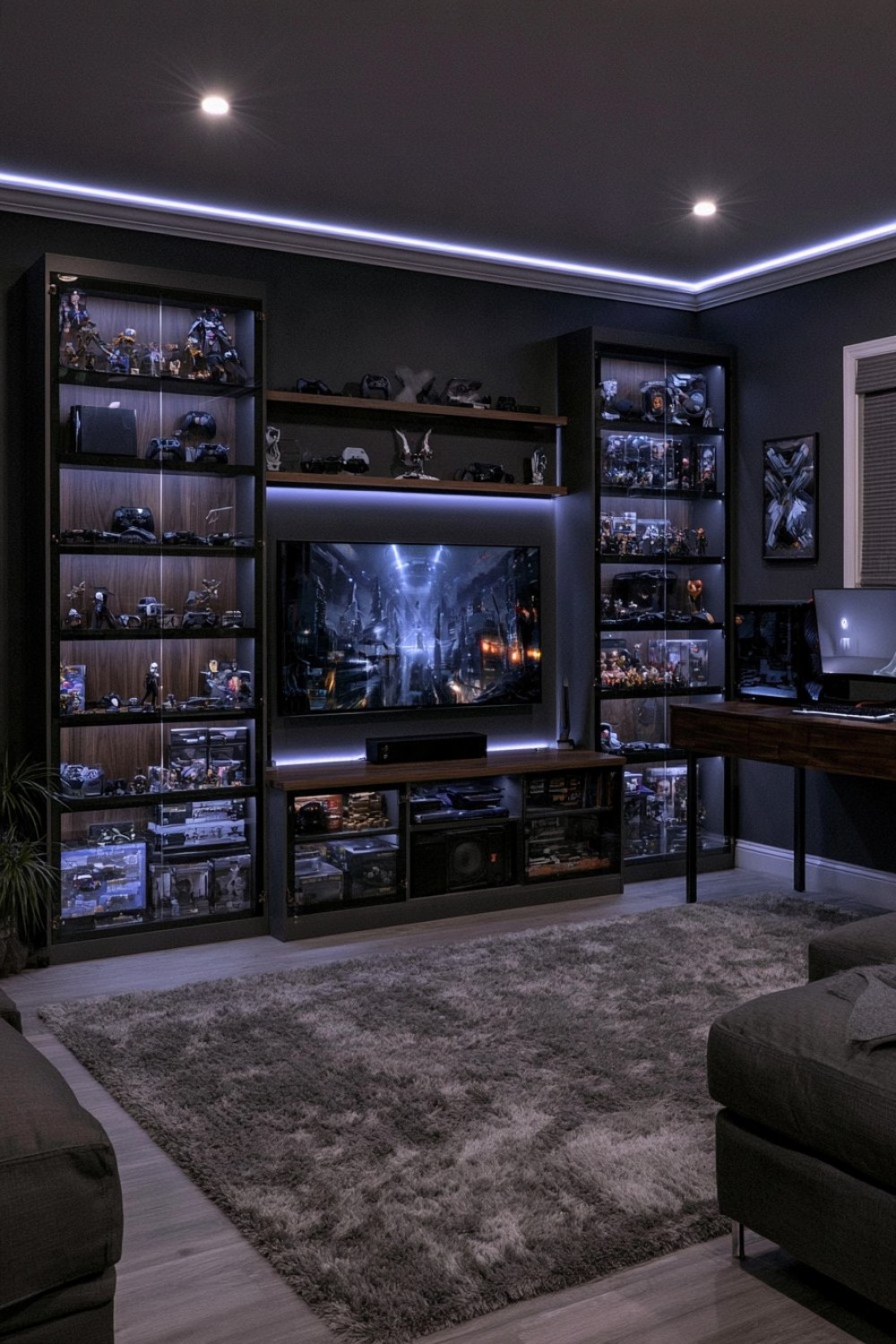
A gaming collection can become part of the room without covering open shelves with visual clutter. Smoked-glass cabinets offer enough transparency to reveal consoles, controllers, figures, boxed games, and collectibles while giving the display a darker, more controlled appearance.
Choose slim dark frames and combine the glass with walnut, espresso, or graphite cabinetry. Closed storage beneath the visible shelves can hold packaging, cables, spare equipment, and objects that do not need to remain on display.
Leave selected shelves partially empty. Dark display cabinets become visually dense very quickly when every available space is occupied.
Placement also matters. Position reflective glass away from the direct monitor sightline so screen glare does not become distracting during play.
This approach creates a curated gallery rather than a conventional collection wall. It is particularly effective when the room needs to look organized even when a substantial gaming collection is permanently stored inside it.
5. Replace Standard Black With Dark Olive and Walnut
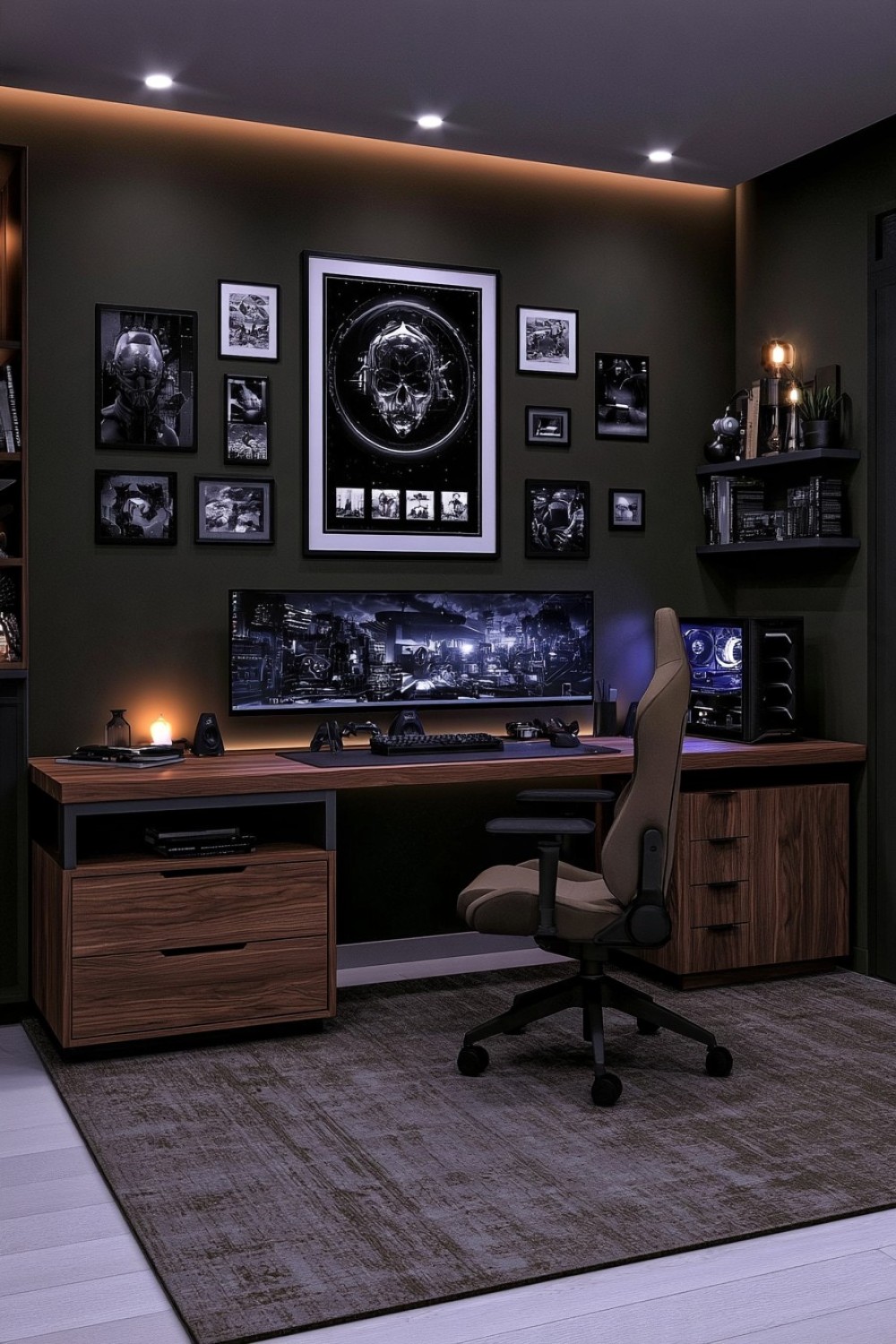
Dark olive offers an atmospheric alternative to the charcoal-and-black palette found in many gaming rooms. Its earthy undertone works particularly well with walnut, making the setup feel warmer and more residential.
Use olive across the primary wall surface and introduce walnut through the desktop, drawer fronts, shelving, or a low cabinet. Black monitors and peripherals will provide enough contrast naturally, so another strong accent color is rarely necessary.
A neutral ergonomic chair in taupe, dark brown, or muted gray keeps the palette controlled. A rug combining subtle brown and green tones can connect the furniture without looking deliberately matched.
Avoid repeating olive across every accessory. Allow the wall color to provide most of the green presence.
This scheme suits players who want an immersive environment but prefer natural materials over an aggressively futuristic aesthetic. The combination remains dark while feeling more organic and visually comfortable.
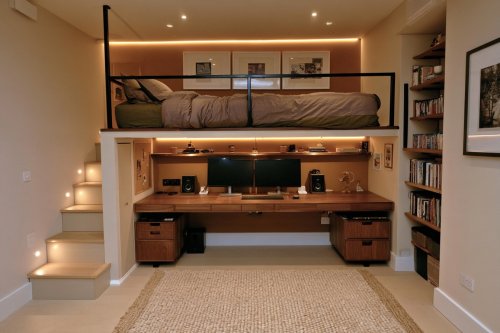
6. Turn an Existing Alcove Into a Built-In Command Center
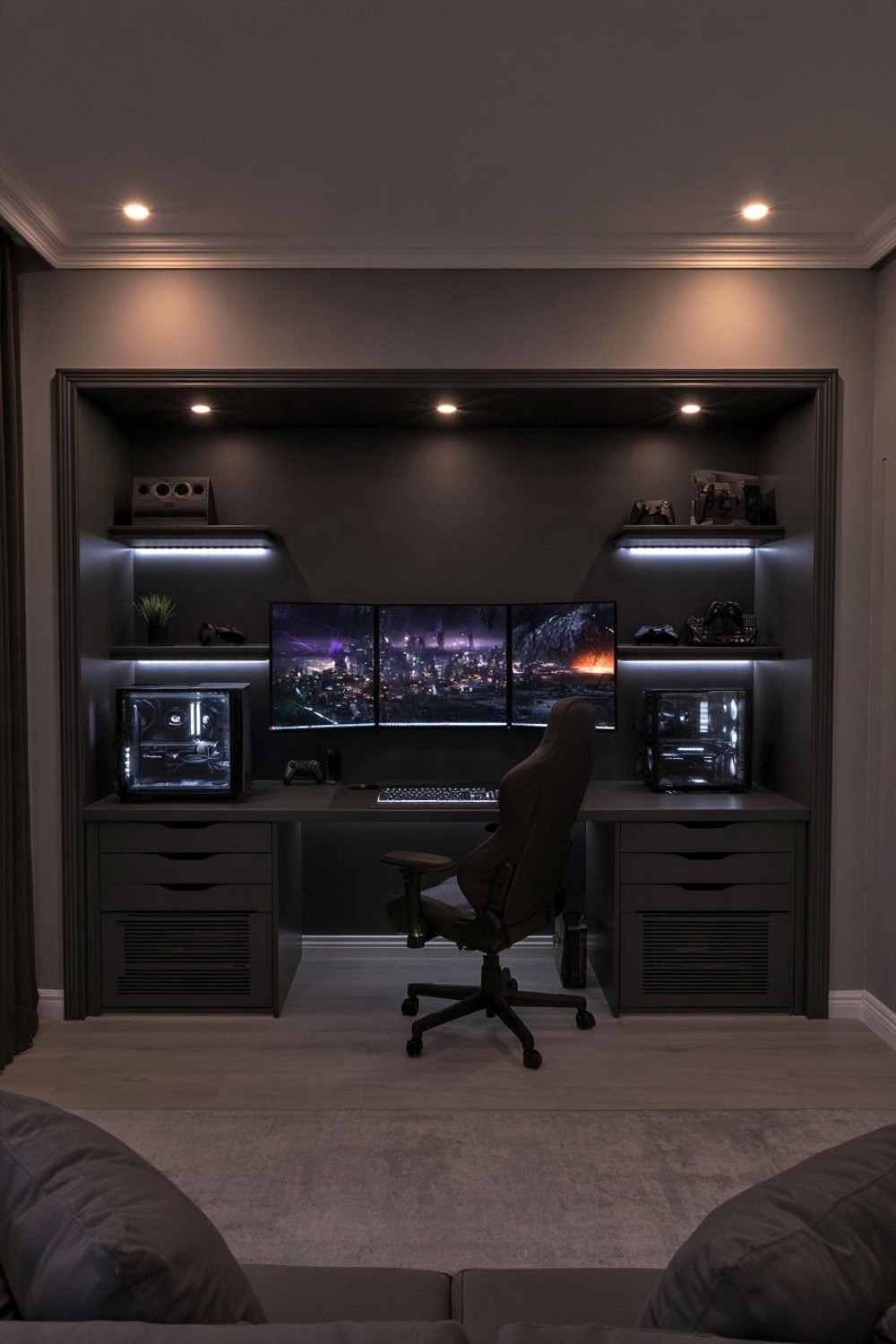
An unused recess can define a gaming setup without requiring the entire room to become dedicated to gaming. Fit a desk precisely within the alcove and treat the inside surfaces as one darker architectural volume.
Charcoal paneling, smoked timber, or matte graphite can distinguish the niche from surrounding walls. Floating shelves may provide storage above the workstation, but leave sufficient open space around monitors and equipment.
The strongest advantage of an alcove is visual containment. Cables, peripherals, drawers, and hardware can remain concentrated within one defined footprint instead of spreading across the room.
Airflow requires particular attention when computers or consoles are surrounded by cabinetry or side walls. Do not trap heat-producing equipment inside sealed compartments, and follow manufacturer clearance requirements.
This design works especially well in bedrooms, lofts, and multipurpose spaces because the gaming station feels intentionally built into the architecture rather than added as freestanding furniture.
7. Give Concrete and Matte Black a Warmer Counterpoint
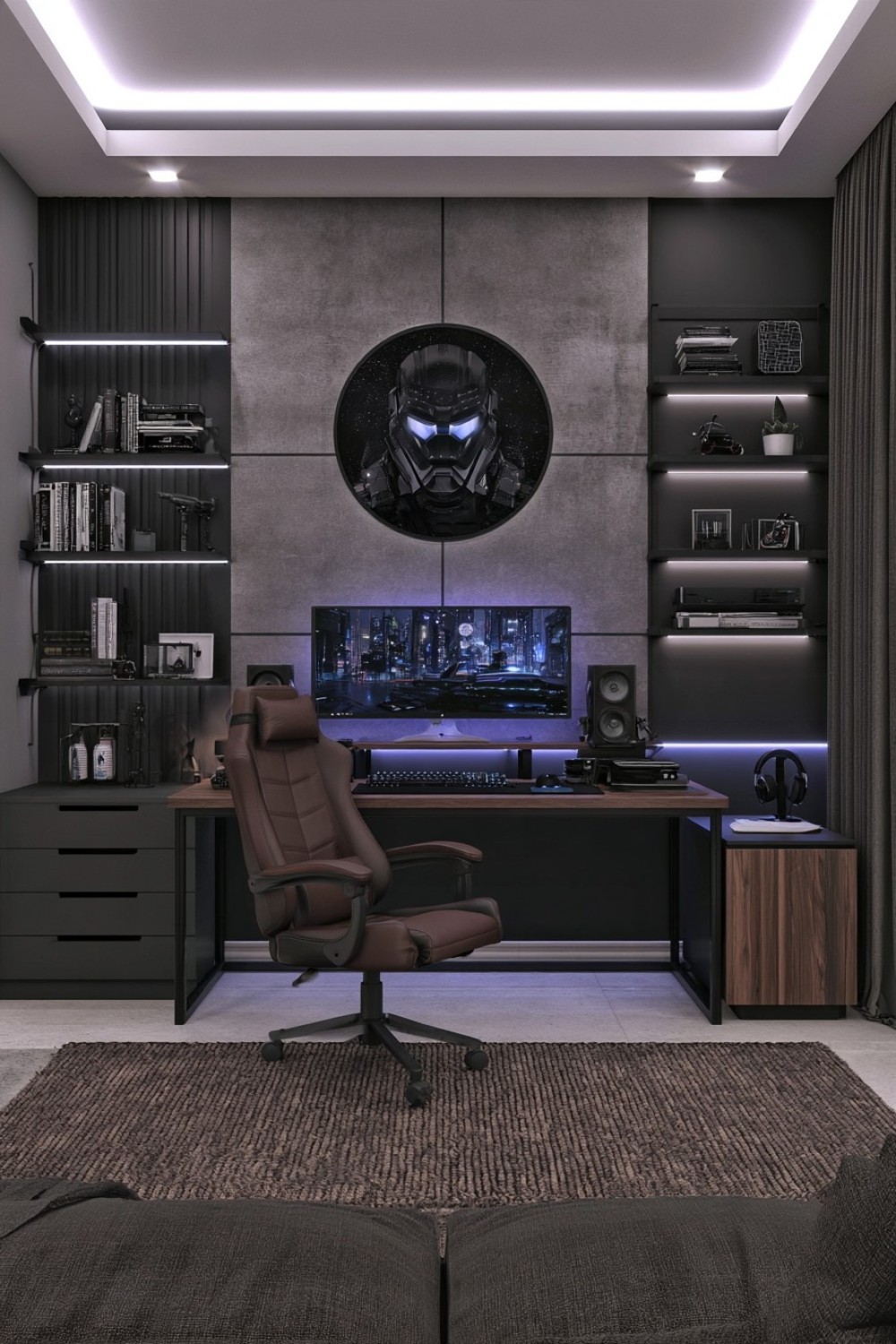
Concrete-effect walls and matte black furniture can produce a strong industrial gaming room, but using only hard gray and black surfaces often makes the space feel colder than intended.
Use concrete texture primarily behind the desk or along one architectural wall. Black metal furniture, restrained open shelving, and dark storage can establish the industrial framework.
Then introduce one warmer material deliberately. A dark oak desktop, brown leather chair, or timber storage cabinet can provide enough contrast to prevent the palette from becoming flat.
A textured low-pile rug also helps soften the harder surfaces and may reduce some reflected sound.
Keep industrial accessories limited. Exposed-looking metal, concrete texture, computer hardware, and visible structural lines already provide considerable visual detail. Adding decorative pipes, excessive grilles, and multiple metallic finishes can push the room toward a staged theme.
The final effect should feel architectural and purposeful rather than like a decorative imitation of an industrial workshop.
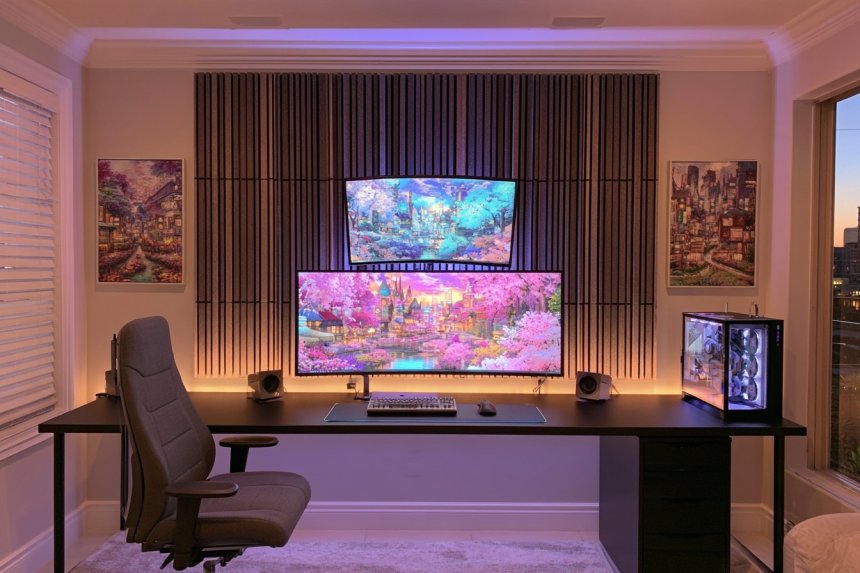
8. Let Large Acoustic Panels Shape the Walls
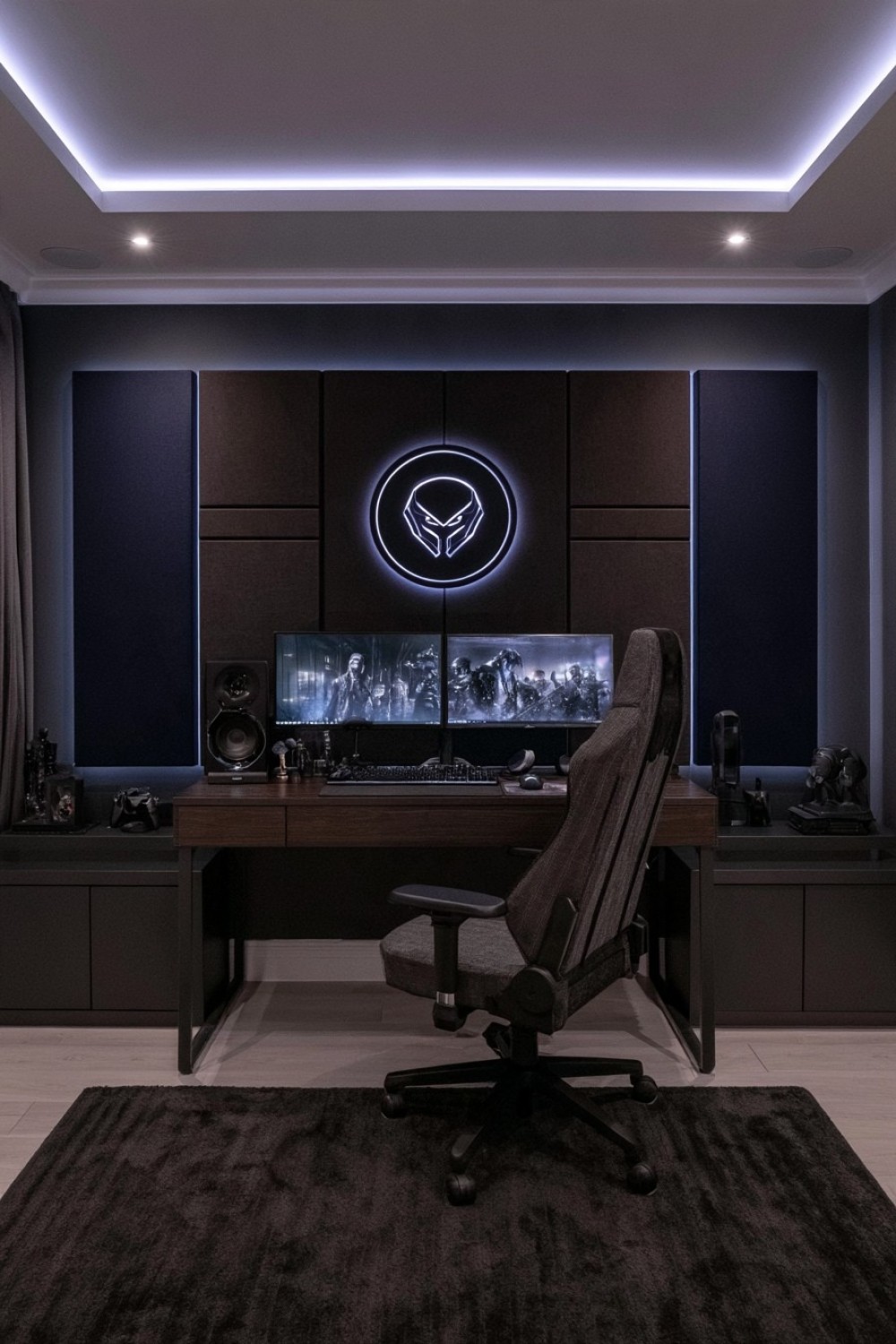
Acoustic treatment can serve both a practical and visual function in a gaming room used for voice chat, streaming, speakers, or late-night sessions.
Instead of covering every wall with many small geometric foam pieces, use larger fabric-covered panels in charcoal, graphite, espresso, or dark navy. Broad rectangular sections usually appear cleaner and more architectural.
Concentrate acoustic treatment where it is genuinely useful rather than applying it automatically to every surface. Room dimensions, speaker placement, microphone position, and existing soft furnishings can all influence where treatment has the greatest effect.
Keep the workstation relatively simple so the textile surface remains visible. A rug, upholstered chair, and dark timber desk can complement the panels while adding further softness.
This approach gives the gaming room an intentionally quiet, focused appearance while avoiding the visual clutter that can come from covering entire walls with numerous small acoustic shapes.
9. Combine Deep Navy With Controlled Metal Details
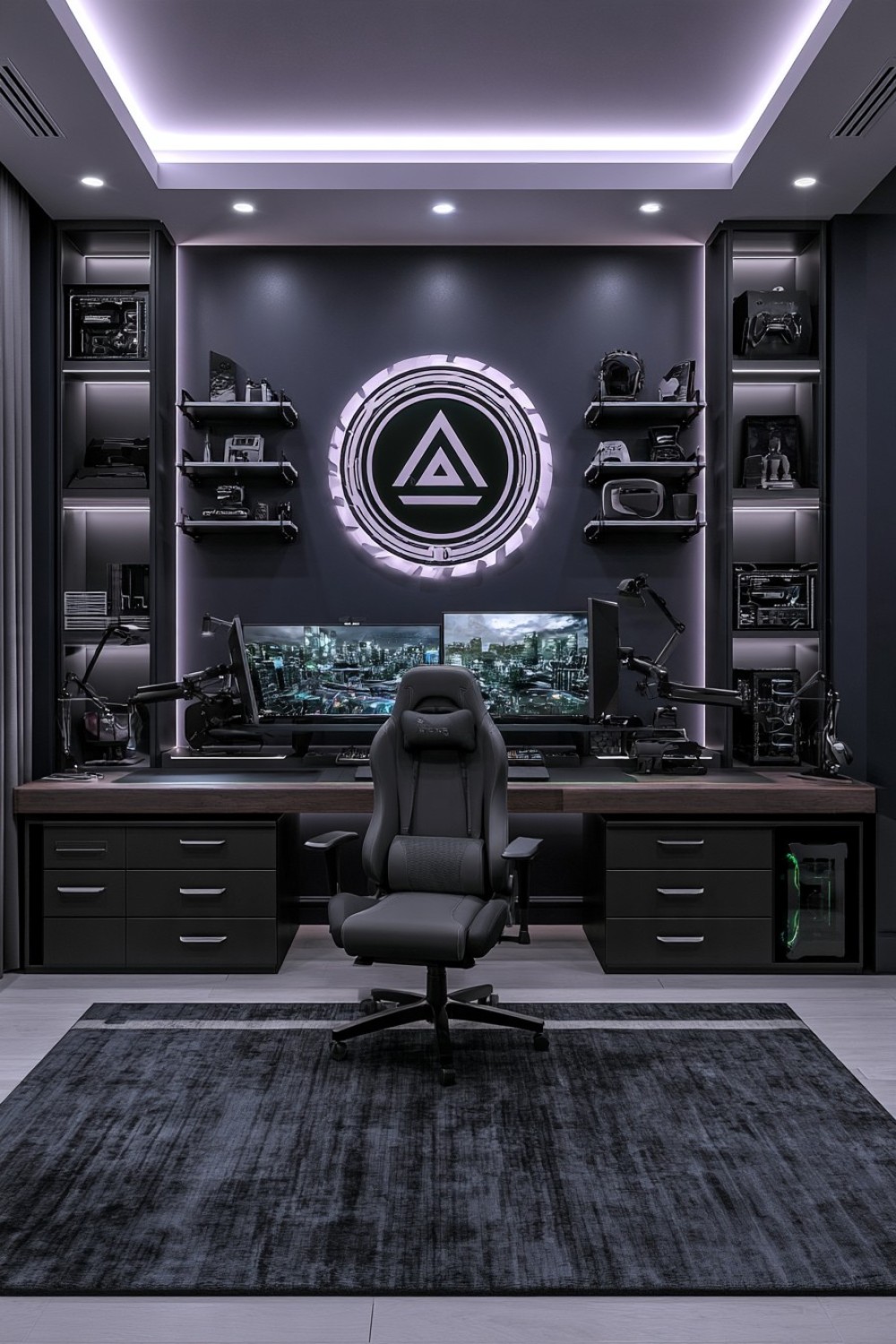
Navy creates depth while allowing black computers, monitors, and accessories to remain visible against the background. Use the blue on cabinetry or one primary wall, then introduce matte black through the workstation and equipment.
Brushed metal can add subtle definition through drawer handles, monitor supports, table legs, or shelf brackets. Keep the metal finish consistent rather than combining chrome, brass, steel, and black hardware throughout the same setup.
A graphite or muted blue rug can soften the floor while maintaining the cooler palette. The gaming chair can remain charcoal or black, allowing the navy architecture to provide most of the color.
Avoid highly reflective metallic surfaces around displays because they can create unwanted glare.
This palette is especially useful for contemporary rooms where the goal is to create visible layering within a dark environment. Navy, black, and restrained metal remain closely related without collapsing into a single monochromatic surface.
10. Hide the Gaming Station Behind Full-Height Cabinetry
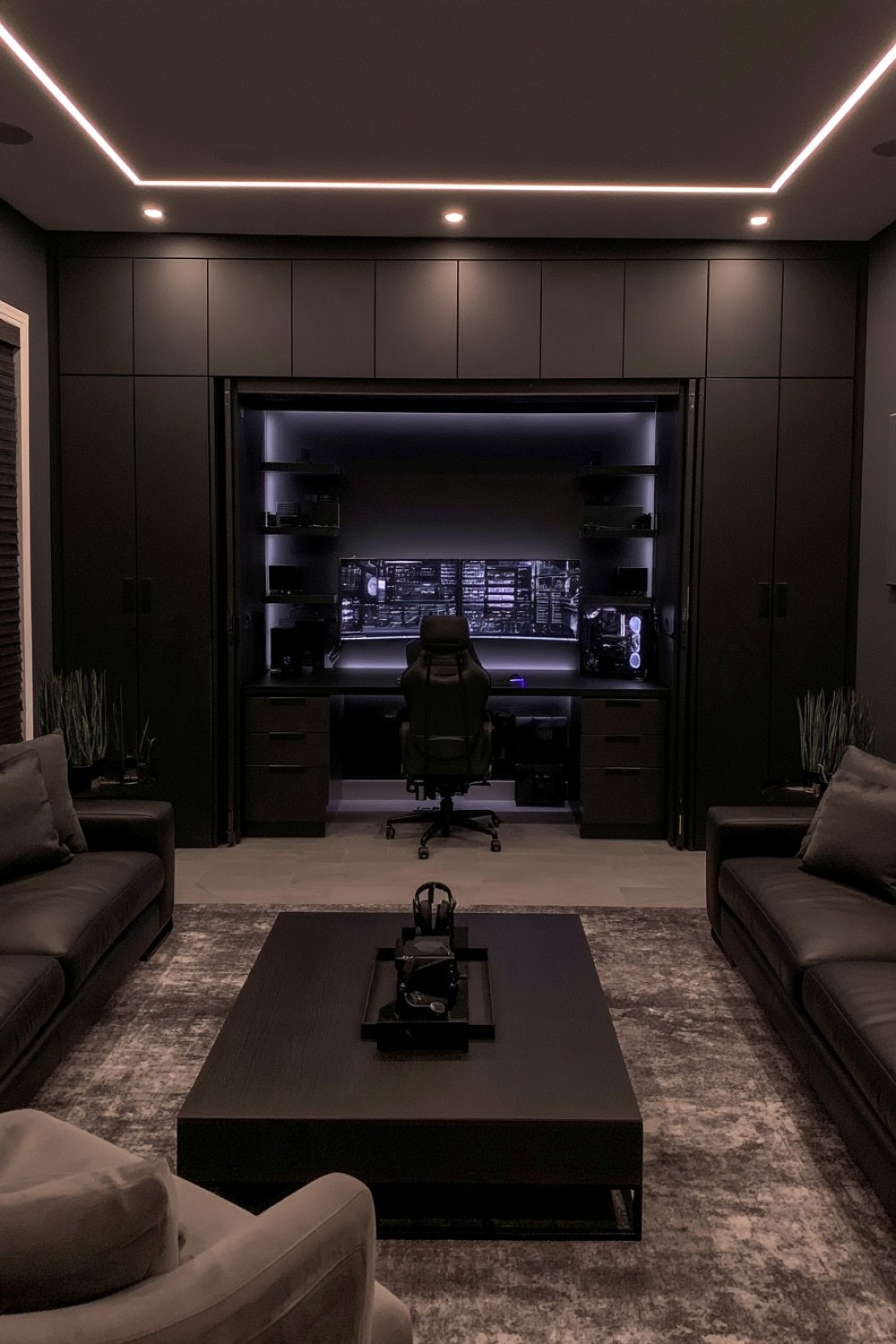
A room that also serves as an office, guest room, or study may benefit from a gaming setup that can disappear completely when it is not being used.
Build the workstation into full-height cabinetry finished in charcoal, espresso, or blackened wood. Pocket, folding, or retracting doors can reveal monitors, peripherals, and storage during gaming sessions while maintaining a calm architectural wall when closed.
Internal planning is more important than the exterior appearance. Provide adequate ventilation around computers and consoles, maintain access to power points, and create specific drawers for controllers, headphones, charging cables, and accessories.
Heat-producing equipment should never be trapped inside tightly sealed storage.
Keep the cabinet fronts visually simple so they read as part of the room rather than oversized gaming furniture.
This solution suits minimal adult interiors particularly well because the technology remains fully functional without determining the appearance of the room at all times.
11. Design the Racing Simulator as a Dedicated Performance Zone
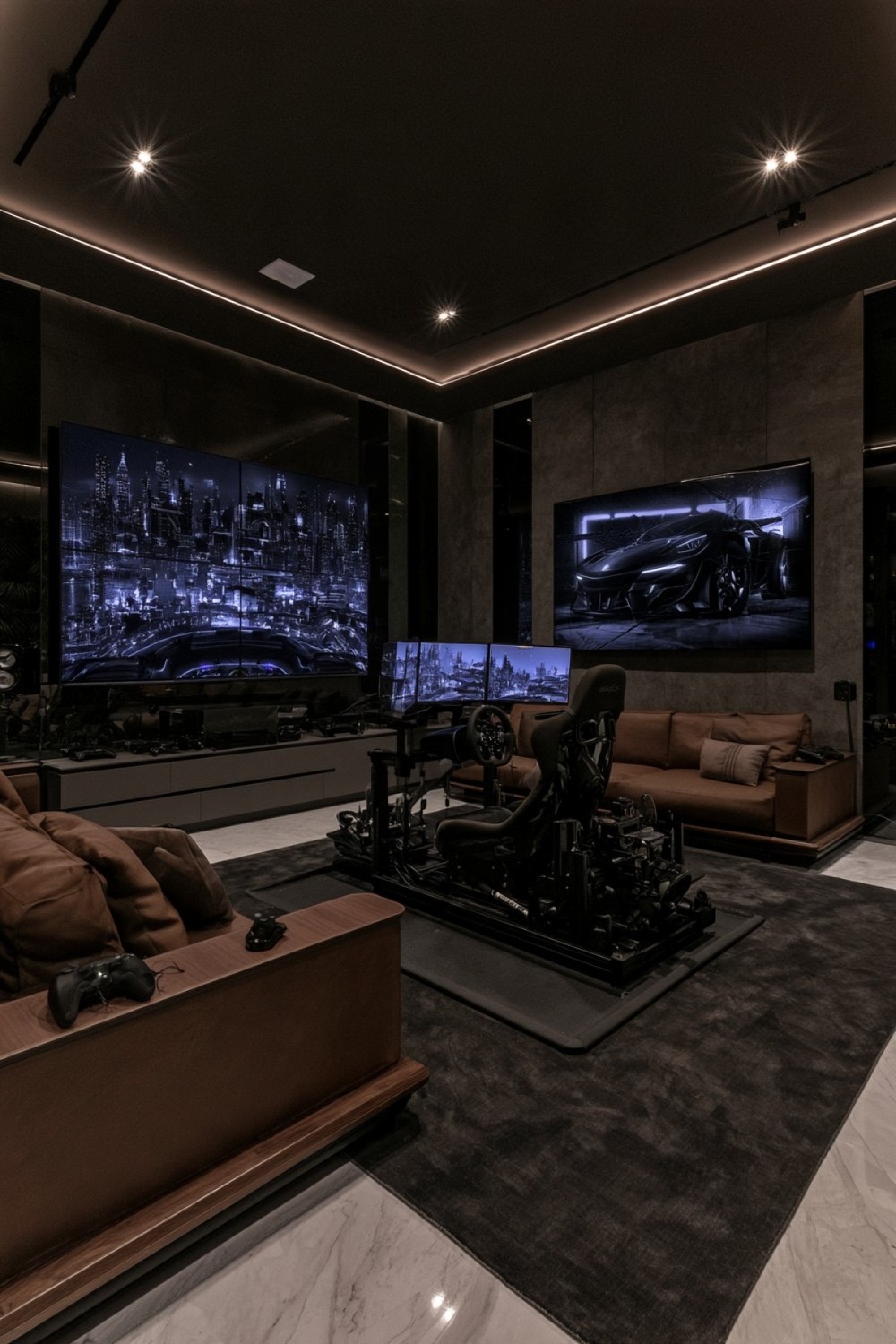
A racing rig already has enough visual complexity to become the primary feature of a room. Instead of surrounding it with additional decorative gaming furniture, give the simulator its own clearly defined zone.
Position the rig against a graphite, charcoal, or deep gray wall and keep nearby storage low. Wheels, controllers, pedals, tools, and replacement accessories can be organized inside closed cabinets rather than displayed around the seat.
A durable low-pile rug or suitable flooring can visually anchor the simulator and help protect the surface below.
If multiple monitors are used, align them carefully so the setup appears intentional and provides a comfortable viewing position. Maintain clear access around the rig so entering and exiting does not require moving decorative objects.
Warm walnut storage or brown upholstery can soften an otherwise technical palette.
The room should feel like a focused performance environment, with the equipment itself providing most of the visual identity.
12. Separate Heat-Producing Hardware From the Main Desktop
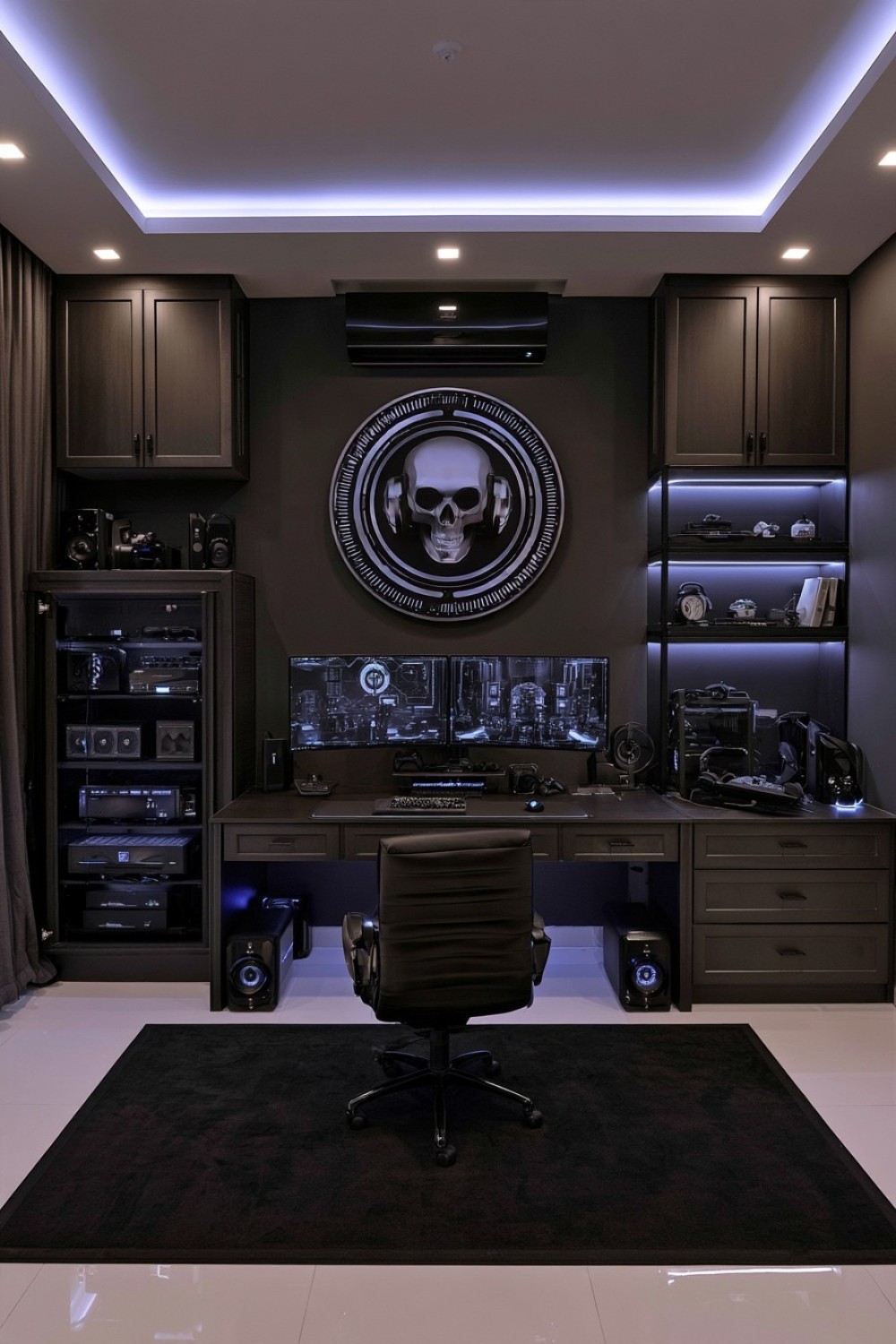
A visually clean gaming desk often becomes cluttered because the computer tower, power supplies, docks, charging equipment, and cables all compete for the same area.
Instead of using another decorative feature, improve the room by giving technical hardware its own ventilated location. A side cabinet with appropriate airflow, open-backed compartment, or dedicated equipment shelf can keep the main desktop visually lighter while maintaining access for maintenance.
Follow the ventilation requirements of individual devices and avoid enclosing high-performance hardware simply to achieve a cleaner appearance. Easy access to ports, filters, and power switches is also important.
Use the same dark finish as surrounding cabinetry so the technical zone blends into the room.
This functional decision can have a larger visual impact than adding another decorative panel. By removing unnecessary hardware from the primary sightline, monitors, input devices, and the work surface become easier to read within a dark interior.
13. Turn a Collection Wall Into a Dark Gaming Library
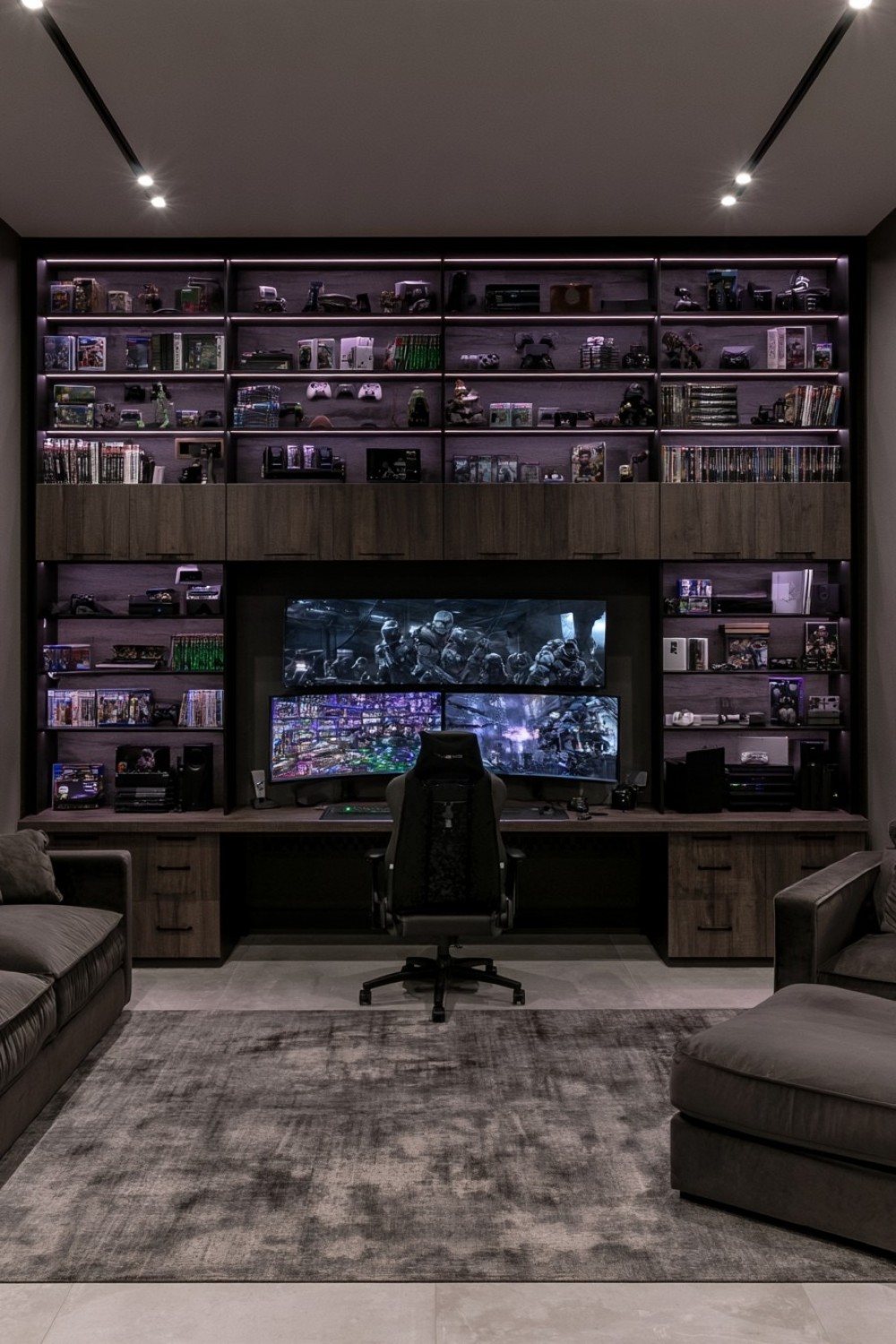
Floor-to-ceiling shelving can create a more mature alternative to a conventional gaming display wall. Mix games and collectibles with books, hardware, ceramics, and selected personal objects so the shelving reads as a broader personal archive.
Dark oak, deep brown, charcoal, or smoked timber all work well, but closed cabinetry should occupy the lower portion to hide cables, packaging, and less attractive accessories.
Do not fill every compartment. Visible gaps are particularly important on dark shelving because densely packed objects can quickly merge into one busy surface.
Position the main gaming desk on another wall so the shelving remains a secondary feature rather than competing directly with monitors.
A lounge chair nearby can create a reading or handheld-gaming corner, giving the library another function.
This approach works especially well for long-time collectors who want their interests visible without making the room resemble a retail display.
14. Use Burgundy as a Controlled Lounge Accent
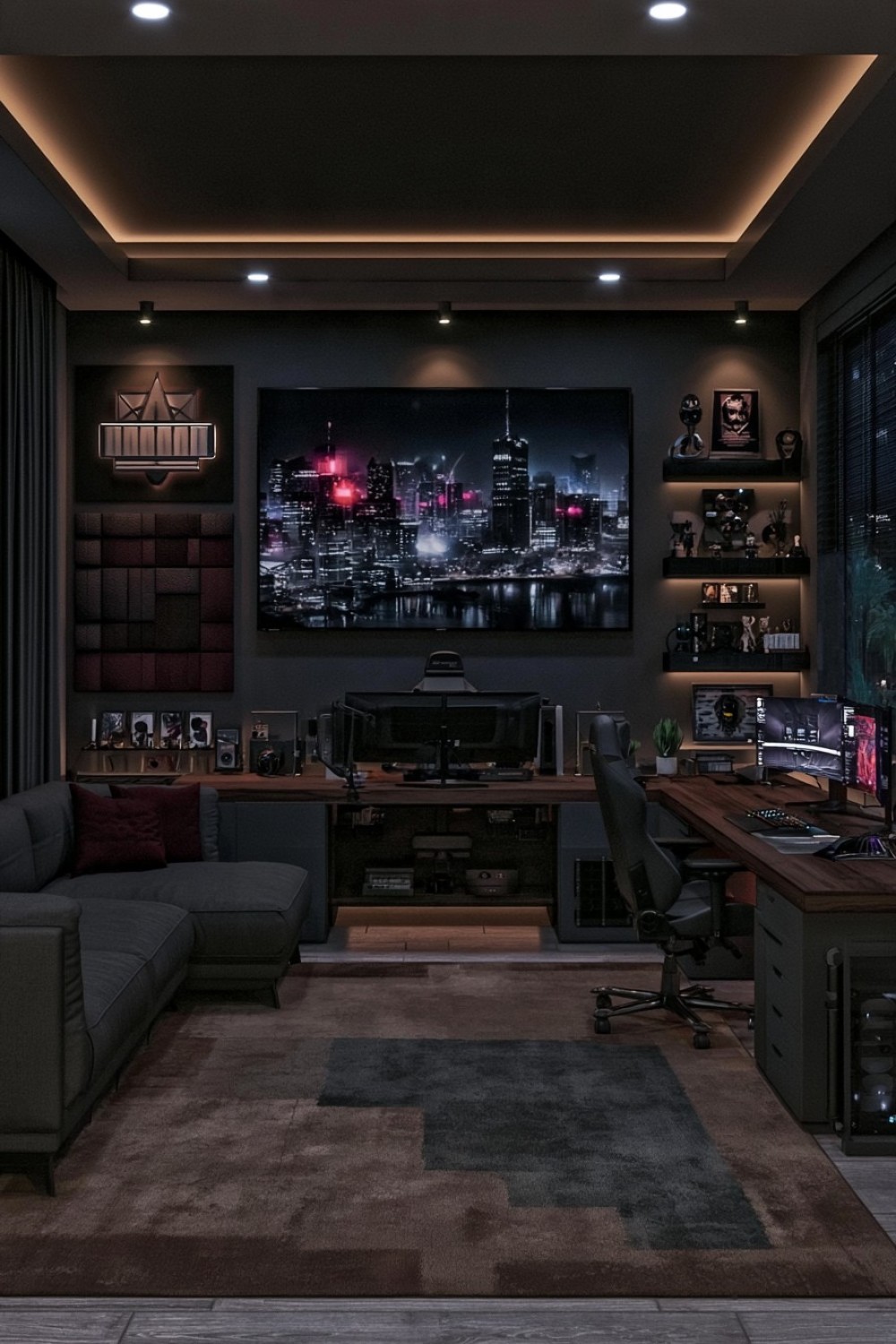
Muted burgundy or oxblood can introduce warmth and depth into a gaming room without relying on the more common blue or green palettes.
Apply the color to one deliberate element: an upholstered chair, sofa, acoustic panel section, or selected wall. Surround it with charcoal, black technical equipment, and dark walnut so the burgundy remains distinct but integrated.
A taupe, brown, or charcoal rug can ground the scheme without adding another strong hue.
Avoid repeating the same burgundy tone across every cushion, accessory, and decorative object. One substantial use of the color usually has more impact than numerous smaller repetitions.
This palette suits gaming rooms intended to feel closer to private media lounges or sophisticated studies. The red undertone adds richness, while dark neutrals keep the atmosphere controlled.
The result remains immersive but avoids the coldness that can occur when an entire room relies solely on black and graphite.
15. Deepen the Screen Zone With a Dark Ceiling Treatment
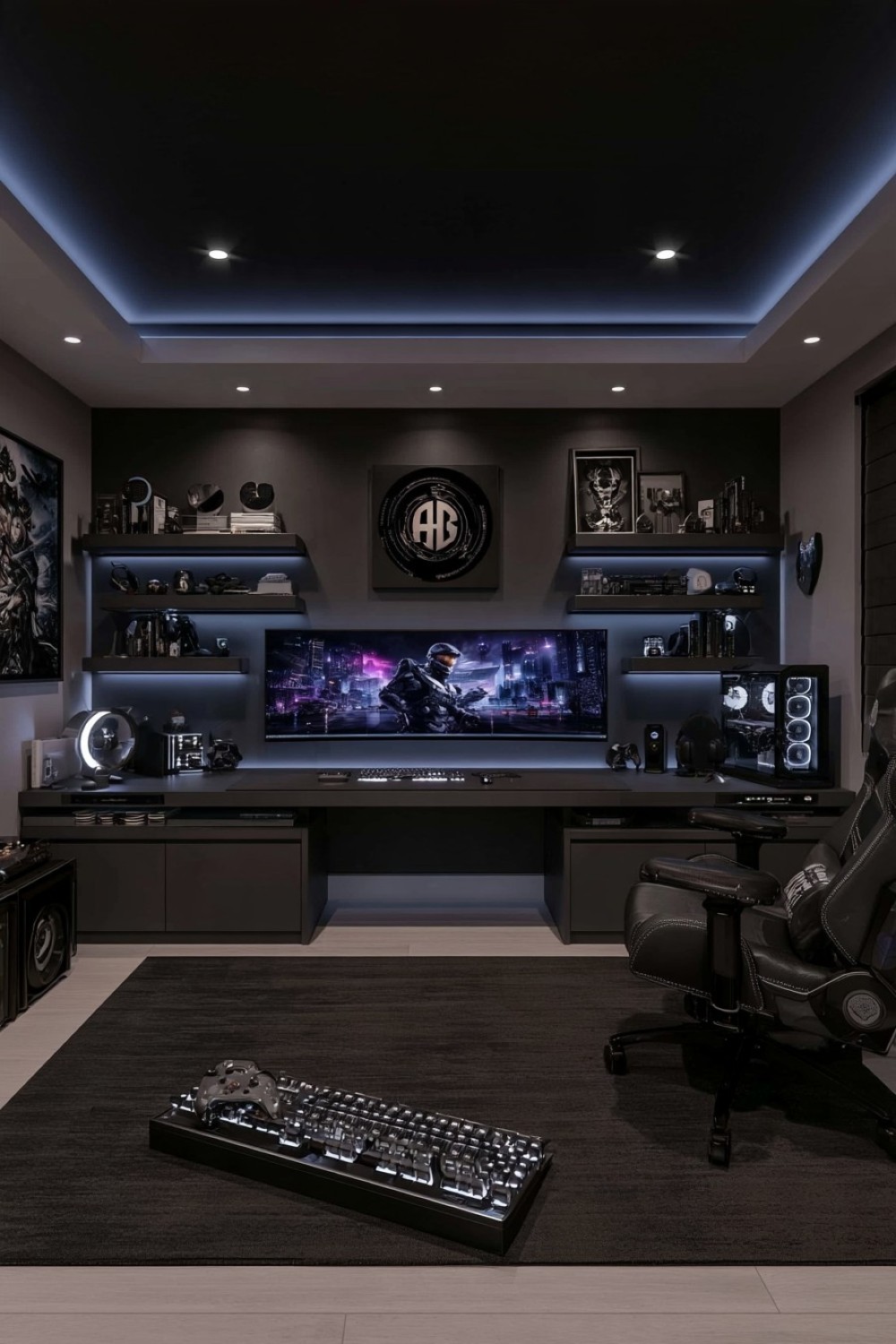
Wall color is not the only way to create a more immersive gaming environment. A dark ceiling can visually lower a tall room and make the screen zone feel more enclosed without covering every wall in the same shade.
Charcoal, deep navy, graphite, or a softened near-black can work depending on the surrounding palette. Keep the walls slightly lighter if the room is compact so there is still visible separation between vertical and horizontal surfaces.
Use a matte finish to minimize unwanted reflections, particularly when displays or projection equipment are involved.
The ceiling color does not need to be repeated throughout the room. A subtle connection through the rug, cabinet finish, or seating is usually enough.
This approach can be especially effective in larger gaming rooms where the ceiling otherwise feels visually disconnected from the furniture below.
Used carefully, it creates intimacy through architecture rather than adding more furniture or decorative accessories.
16. Build an Almost-Black Room Through Texture, Not Identical Finishes
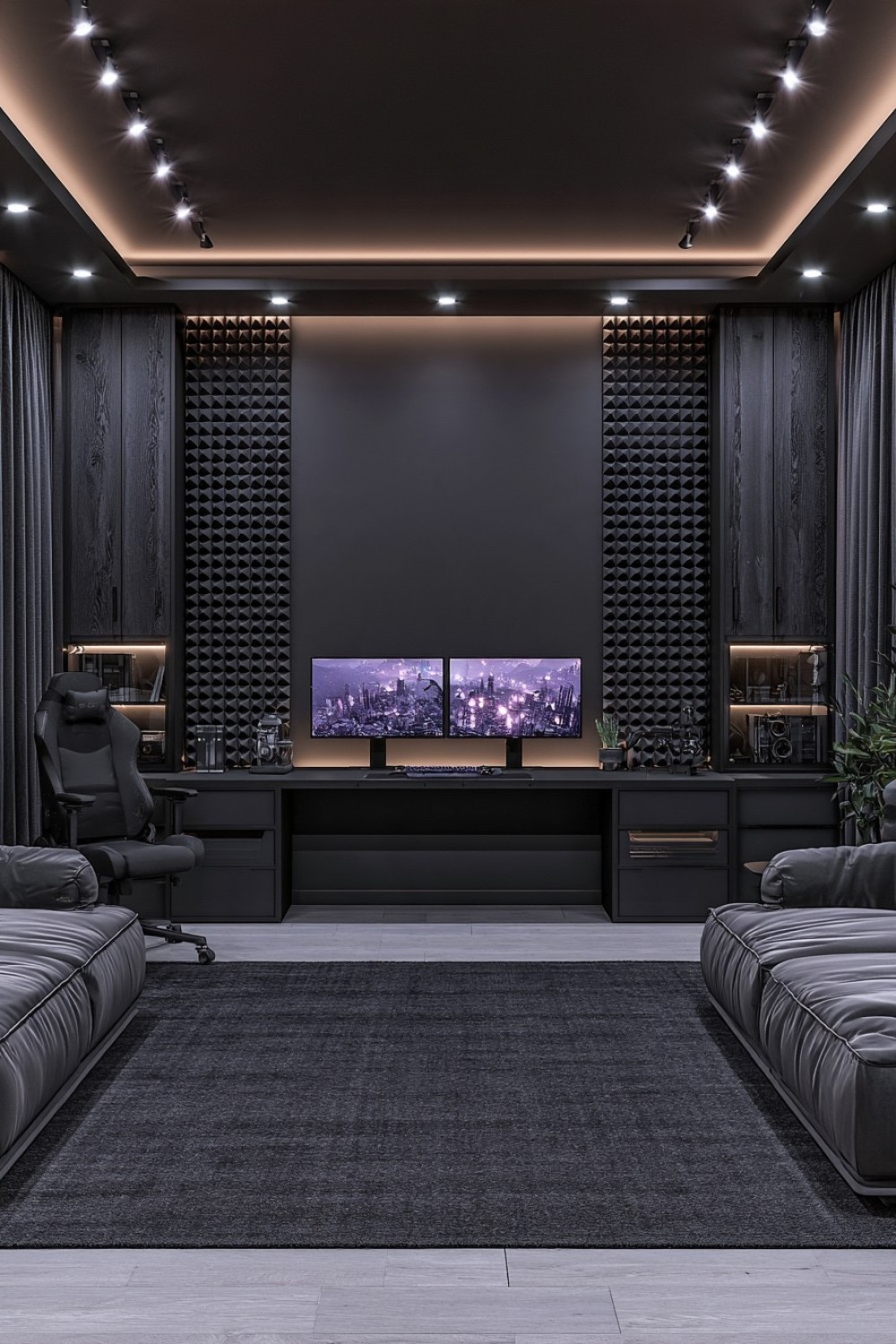
A monochromatic black gaming room can work when the surfaces are different enough to remain visible. The key is to avoid using one identical black finish on walls, furniture, flooring, storage, and equipment.
Combine matte painted surfaces with blackened timber, woven fabric, powder-coated metal, smoked glass, and a low-pile rug. Each material interacts with light differently, creating subtle layers even within a very limited palette.
Use graphite or dark gray strategically where additional separation is needed without breaking the near-black character.
Keep the monitor wall relatively simple and place stronger textures on side surfaces, cabinetry, seating, or acoustic treatment.
Furniture silhouettes also need space around them. Several similarly sized black objects placed directly against one another can visually merge into a single block.
This style requires particularly disciplined organization, but when materials and proportions are controlled, the result feels architectural and immersive rather than simply dark.
Make Darkness Support the Gaming Experience
A successful dark gaming room should improve focus and comfort rather than merely look dramatic. Start with the practical requirements of the equipment: viewing distance, desk dimensions, airflow, cable routes, storage, seating ergonomics, sound, and safe circulation.
Then decide where the darkness should come from. It might be a graphite workstation wall, smoked timber cabinetry, navy paint, acoustic fabric, a dark ceiling, or a nearly monochromatic material palette. Not every surface needs the same treatment.
Texture and contrast become especially important in low-light interiors. Warm wood, upholstery, smoked glass, rugs, and controlled accent colors can prevent dark furniture and technology from visually merging together.
The strongest gaming rooms use deeper finishes to create a focused backdrop while keeping the equipment accessible, organized, properly ventilated, and comfortable for longer sessions.
MORE IDEAS


Share
What's Your Reaction?
 Like
0
Like
0
 Dislike
0
Dislike
0
 Love
0
Love
0
 Funny
0
Funny
0
 Angry
0
Angry
0
 Sad
0
Sad
0
 Wow
0
Wow
0